Table of Contents
Copyright © 2008, Suprema Inc. On the web: www.supremainc.com
3.2 Setup Devices .............................................................................................22
3.2.1 Search for and Add Devices ........................................................................... 22
3.2.2 Search for and Add Slave Devices ................................................................ 24
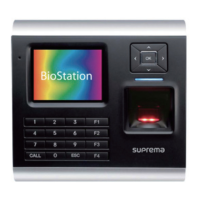
3.2.3 Configure a BioStation Device ........................................................................ 25
3.2.3.1 Connect a BioStation device via wireless LAN .......................................... 26
3.2.4 Configure a BioEntry Plus Device .................................................................. 28
3.2.4.1 Issue command cards .................................................................................... 29
3.2.5 Change Wiegand Formats ............................................................................... 30
3.2.5.1 Configure a 26-bit Wiegand format .............................................................. 31
3.2.5.2 Configure a pass-through Wiegand format ................................................ 31
3.2.5.3 Configure a custom Wiegand format ........................................................... 32
3.3 Setup Doors ................................................................................................33
3.3.1 Add a Door ......................................................................................................... 33
3.3.2 Associate a Device With a Door .................................................................... 33
3.3.3 Configure a Door ............................................................................................... 34
3.3.4 Create a Door Group ......................................................................................... 35
3.4 Setup Zones ................................................................................................35
3.4.1 Determine Which Zones to Use ...................................................................... 35
3.4.2 Add and Configure Zones ................................................................................ 36
3.4.2.1 Add a zone ........................................................................................................ 36
3.4.2.2 Add a device to a zone ................................................................................... 37
3.4.2.3 Configure zone inputs ..................................................................................... 38
3.4.2.4 Configure alarm actions and outputs ........................................................... 39
3.4.2.5 Configure arm and disarm settings .............................................................. 39
3.4.2.6 Select access groups ..................................................................................... 40
3.4.2.7 View zone events ............................................................................................ 40
3.5 Setup Users ................................................................................................40
3.5.1 Create a User Account ..................................................................................... 41
3.5.2 Register Fingerprints ........................................................................................ 42
3.5.2.1 Place fingers on the sensor ........................................................................... 43
3.5.2.2 Register fingerprints ....................................................................................... 43
3.5.2.3 Enroll users via command cards .................................................................. 44
3.5.3 Issue Access Cards .......................................................................................... 45
3.5.3.1 Issue EM4100 cards ........................................................................................ 45
3.5.3.2 Issue HID proximity cards .............................................................................. 46
3.5.3.3 Issue MIFARE CSN cards .............................................................................. 47


 To Next Page