5
ⒸCopyright 2010 Suprema Inc.
Rear Panel Description
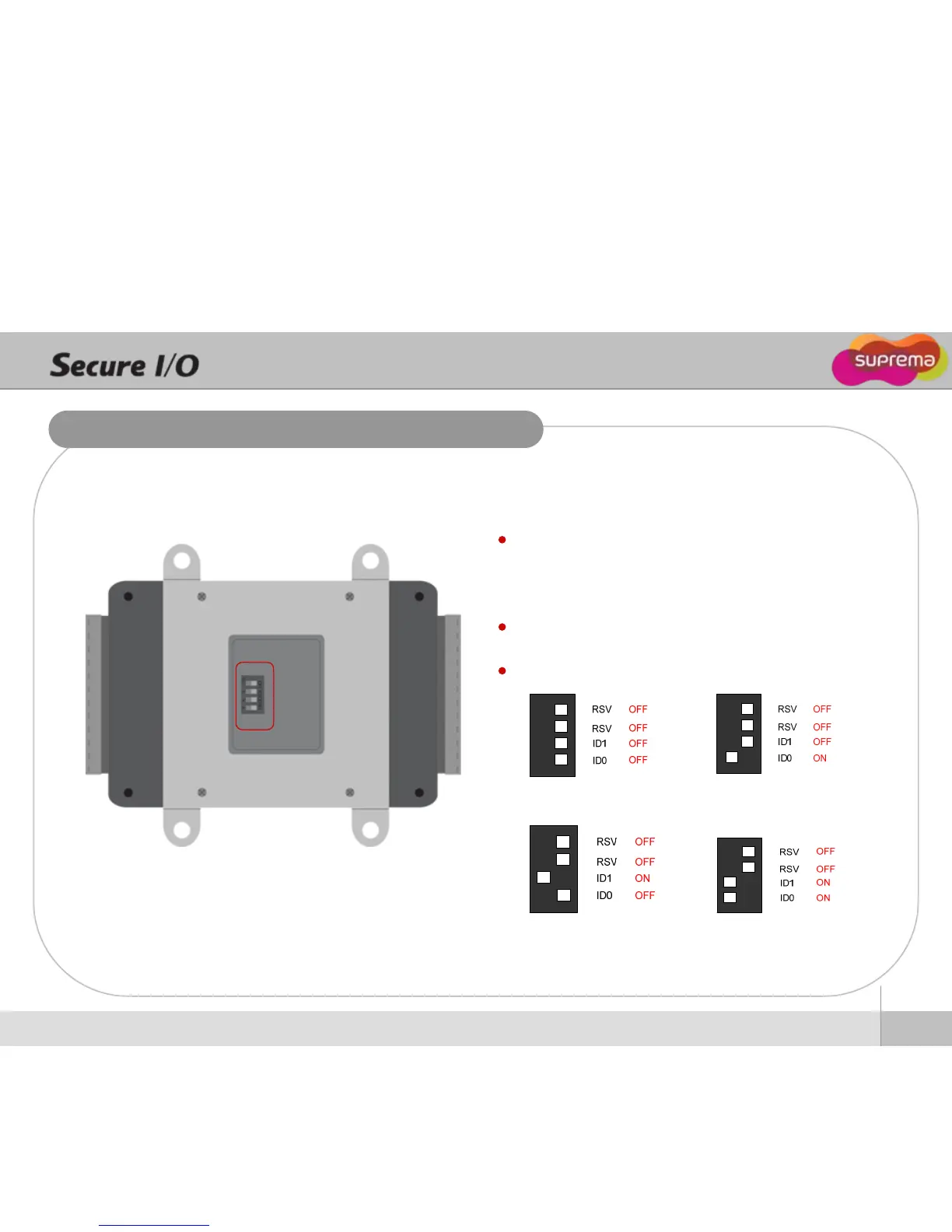
ID = 0 ID = 1
ID = 2 ID = 3
ID0 / ID1 - Dip switch to set an ID of Secure I/O
Since max number of Secure I/O in an RS-485 loop is four,
the ID of Secure I/O should be set among 0, 1, 2, 3.
RSV - reserved for future use
Secure I/O ID setting


 To Next Page