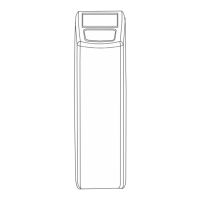
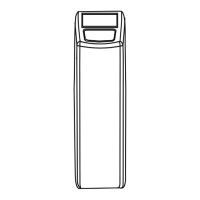
ELECTRONIC CONTROL PANEL
REGENERATION MODE
CHECKING THE FLOW METER
In regeneration mode the display shows the actual
regeneration cycle and, where relevant, the total
remaining regeneration time and remaining cycle time:
The appliance can be reset to service mode at any time
by pressing the scroll button, as such manually
advancing it through the regeneration cycles.
In case of water usage, the remaining capacity counter
in the service display will count back per unit, i.e. per litre.
This way the correct functioning of the water meter
can be verified.
BRINE FILL
REGEN PENDING
Rgn:XXX CycY:ZZZ
Once the maintenance interval is reached, the display will
intermittently show the message:
While the appliance will continue to operate normally,
it is recommended to have preventive maintenance
performed by a professional.
Maintenance Now
SERVICE MODE
In service mode the display shows the time of day and the
remaining capacity:
8:01 1000L -
- Only available if the maintenance reminder function has been
activated and programmed by your supplier!
10
MANUAL REGENERATION
It is possible to manually initiate an immediate
regeneration or a delayed regeneration
(at the preprogrammed time of regeneration).
STEP 1. Press the scroll button; the display will
show:
Regen in 10 sec
STEP 2. If the control panel is left in this position,
the countdown timer will countdown to 0 sec and start
an immediate regeneration.
To cancel this mode, press the scroll button before
the countdown timer has reached 0 sec; the display will
show:
Language:English
PROGRAMMING INSTRUCTIONS
(BASIC SETTINGS)
- Before entering the programming mode, make sure that the
appliance is in service mode.
- In case no button is pressed in a period of 5 min, the control
panel will automatically return to the service mode;
any changes made will NOT be saved!
Regen @ 2:00
STEP 3. If the control panel is left in this position,
a delayed regeneration will be started at the indicated
preprogrammed time of regeneration.
To cancel this mode, press the scroll button,
the control panel will return to the service mode.
STEP 1. Press the scroll button and hold it for 2 sec
until the display shows:
Set time: 8:01
Press the up or down button to set the language.
STEP 2. Press the scroll button again; the display will
show:
MAINTENANCE REMINDER
HardUnit: °f
Press the up or down button to set the unit
of measure for water hardness. Make sure it is identical
to the unit of measure of the water hardness test kit
or water analysis report that is used to determine
the hardness of the incoming untreated water!
Press the up or down button to set the time
of day.
STEP 3. Press the scroll button again; the display will
show:


 To Next Page