EasyManua.ls Logo

Supvan LP5120M - Keys Function Introduction

Supvan LP5120M
13 pages
Print Icon
To Next Page IconTo Next Page
To Previous Page IconTo Previous Page
Loading...
5
Keys Function Introduction
3)
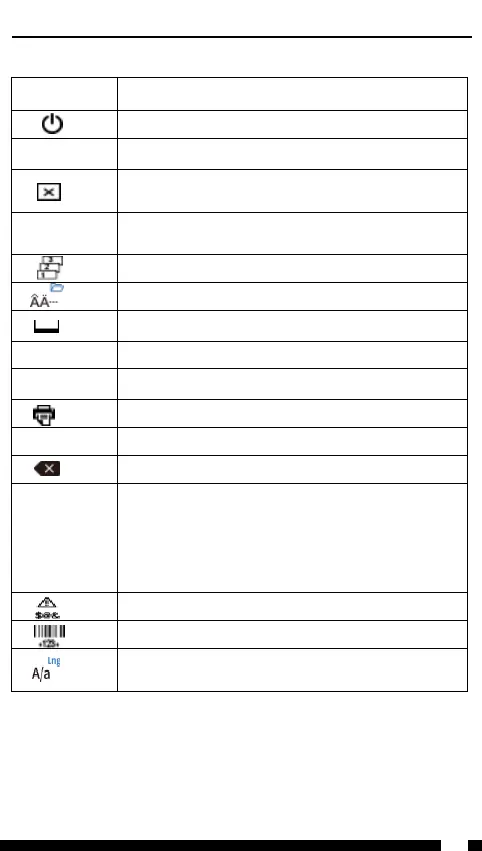
Name Function Description
Long press to turn on
Press to turn off ;
Menu
Function
menu;
Delete
text;
Delete
text and format;
Esc
S
uspend print;
Cancel
set and return to the previous interface;
Sequence print;
Change
variant of the Latin letter,Long press to “File
;
Space
;
Flag/Wrap
Flag label and wrap label set;
Add
Create new label;
Print
;
Enter
Confirm;
Delete
the content before the cursor;
▲▼
Move the cursor
Shift+/or Long press】【
check the label that have been created;
Shift+/or Long press/
Move the cursor to the beginning or end of the
current label
;
Symbol
;
Create
barcode;
Long
press to langauge select ;
Capital
letter and small letter switch;

Related product manuals