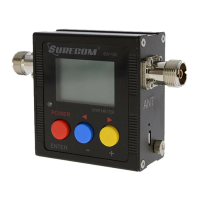
1.7 How to ADJ the Frequency mode of 27 MHz - 2.8 GHz:
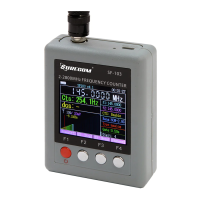
Press, [F3 MENU], [F3 Down] / [F4 Up] to select the Gate to (0.1 s / 0.25 s /
0.5 s / 1.0 s)
Press, [F2 Edit] / [F3 - ] and [ F4 +] to select the +/- 99
Press, [F1 Main] exit, and then press [F4 save] for save the setting ([F1] not
save for exit)
1.8 How to fine tune the Frequency mode of 2 – 200 MHz:
Tune the PCB VR1 (Variable resistance)
(The factory has been set accurate, such as non-technical staff do not tune)
1.9 How to use [F3 menu] mode:
Press, [F3 -] / [F4 +] select the function, and then press [F2 edit] for edit mode,
Press, [F3 -] / [F4 +] select for change the data.
Press, [F1 Main] exit, and then press [F4 save] for save the setting ([F1] not
save for exit)
Caution:
1. Max. direct input signal 5Vp-p
2. Prohibit direct access to the radio antenna output, resulting in damage to the
frequency meter


 To Next Page