XLINK 500/100 Operations & Maintenance Manual page # 2
TABLE OF CONTENTS
1. Scope of Supply............................................................................................................................................... 8
1.1. Ordering Numbers ................................................................................................................................... 8
2. General Safety Information ........................................................................................................................... 11
3. Introduction .................................................................................................................................................. 12
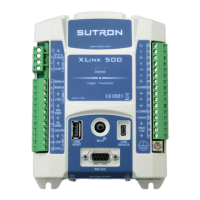
3.1. XLink 500 ................................................................................................................................................ 13
3.2. XLink 100 ................................................................................................................................................ 14
3.3. Multi-function Button ............................................................................................................................ 15
3.4. Status LEDs ............................................................................................................................................. 15
3.5. RS-232 .................................................................................................................................................... 15
3.6. USB Micro (OTG) .................................................................................................................................... 16
3.7. USB Host ................................................................................................................................................. 16
3.8. XLINK-500 and XLINK-100 Left Terminal strip ........................................................................................ 17
3.9. XLINK-500 Right Terminal Strip .............................................................................................................. 18
4. Installing XLink .............................................................................................................................................. 19
4.1. Attaching XLink 500 and 100 .................................................................................................................. 19
4.2. Installing Option Cards ........................................................................................................................... 20
4.3. Earth Ground Point ................................................................................................................................ 22
4.4. Connecting the Power Supply ................................................................................................................ 23
4.5. Connecting SDI-12 sensors ..................................................................................................................... 24
4.6. Connecting RS-485 Sensors .................................................................................................................... 25
4.7. Connecting Tipping Bucket Rain Gauge ................................................................................................. 25
4.8. Connecting Pulse Sensors ...................................................................................................................... 26
4.9. Connecting Frequency Sensors .............................................................................................................. 27
4.10. Connecting 0-5V Analog Sensors ........................................................................................................... 27
4.11. Connecting 4-20ma Analog Sensors ....................................................................................................... 28
4.12. Connecting Status Sensors ..................................................................................................................... 29
4.13. Connecting Potentiometer Sensors ....................................................................................................... 29


 To Next Page