XLINK 500/100 Operations & Maintenance Manual page # 55
Please see the TELEMETRY section for more info.
5.9.1. Radio Diagnostics
Iridium and Cell Telemetry types offer a Radio Diags button which provides diagnostics
information on the modems. Please see section DIAGNOSTICS TAB.
Information provided includes signal strength, time when the modem last connected to the
network, contents of the last received message, and IMEI.
Besides showing the diagnostic information, the Radio Diagnostics tab allows one to check for
Iridium messages immediately, and to send an SMS to a specific cell number.
5.10. Scripts Tab
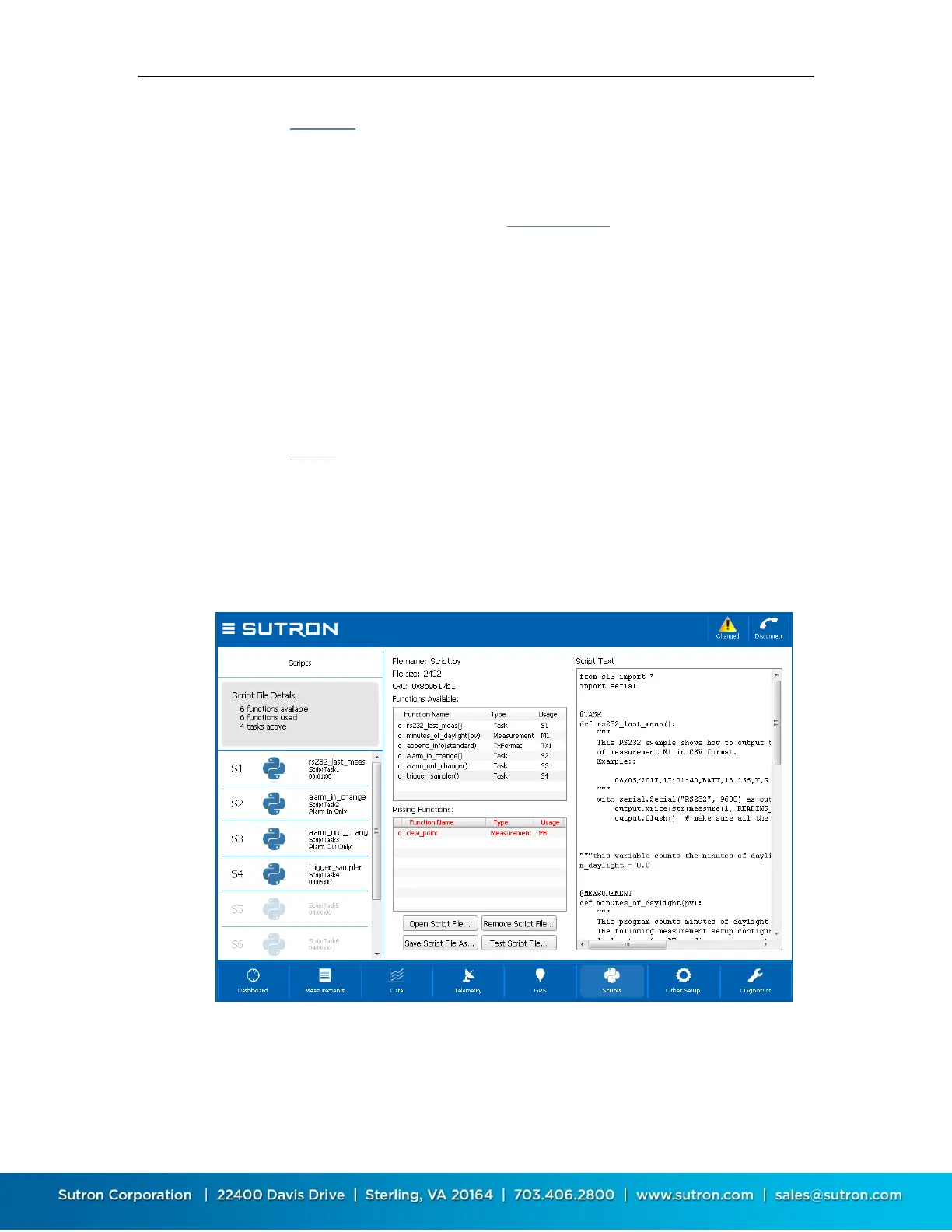
This window is used for general script management as well as setting up individual script tabs.
Please see the SCRIPTS section for more details on working with scripts.
By clicking on Script File Details, the script management window provides an overview of the
script file used as well as of all the script functions. If a script is in use by the system, that
information is shown.
The script itself can be seen and edited on this window. Script testing options are found here
too.
By choosing one of the script tasks available (marked as S1, S2, etc. on the left-hand side), the
details of the script task are shown. This window is used to configure the script tasks.


 To Next Page