XLINK 500/100 Operations & Maintenance Manual page # 48
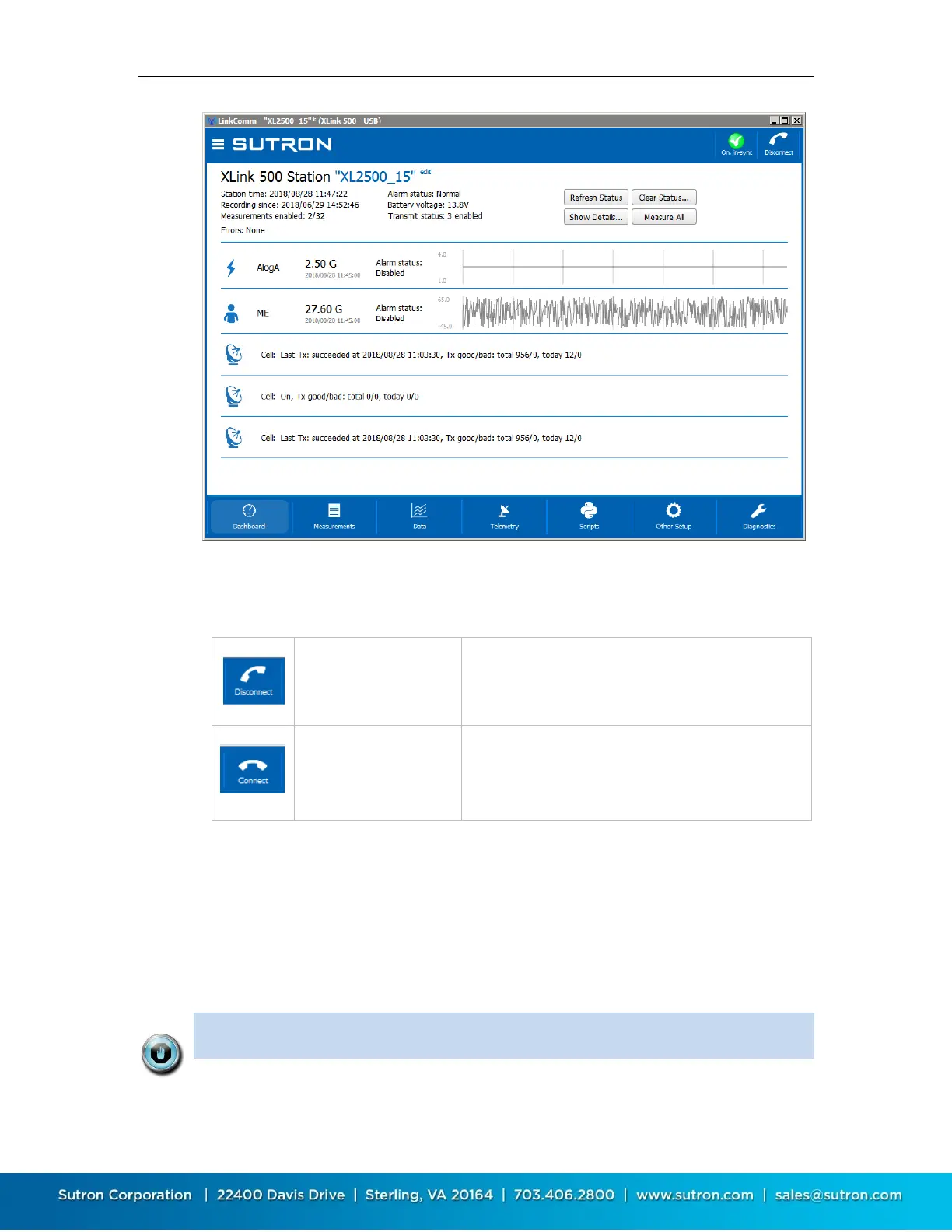
5.5.1. Connect Button
The right header button is the “Connect Button”. It shows the status of the current connection
from LinkComm to the station. The button has two possible states:
5.5.2. Setup Status Button
The left header button is the “setup status button”. This button shows status related to the
setup, including whether the setup is “in-sync”, i.e., the same in both LinkComm and the station,
and recording status.
Pressing the setup status button typically prompts the user to take the next logical step towards
getting the setup in-sync between LinkComm and the station, with recording on.
Note: When the setup displayed by LinkComm is the same as the setup in the
station, then we say the setups are “in-sync”. When the setups are not the


 To Next Page