XLINK 500/100 Operations & Maintenance Manual page # 87
Repeat Step 3 for additional result types.
More on the Wind Measure Type
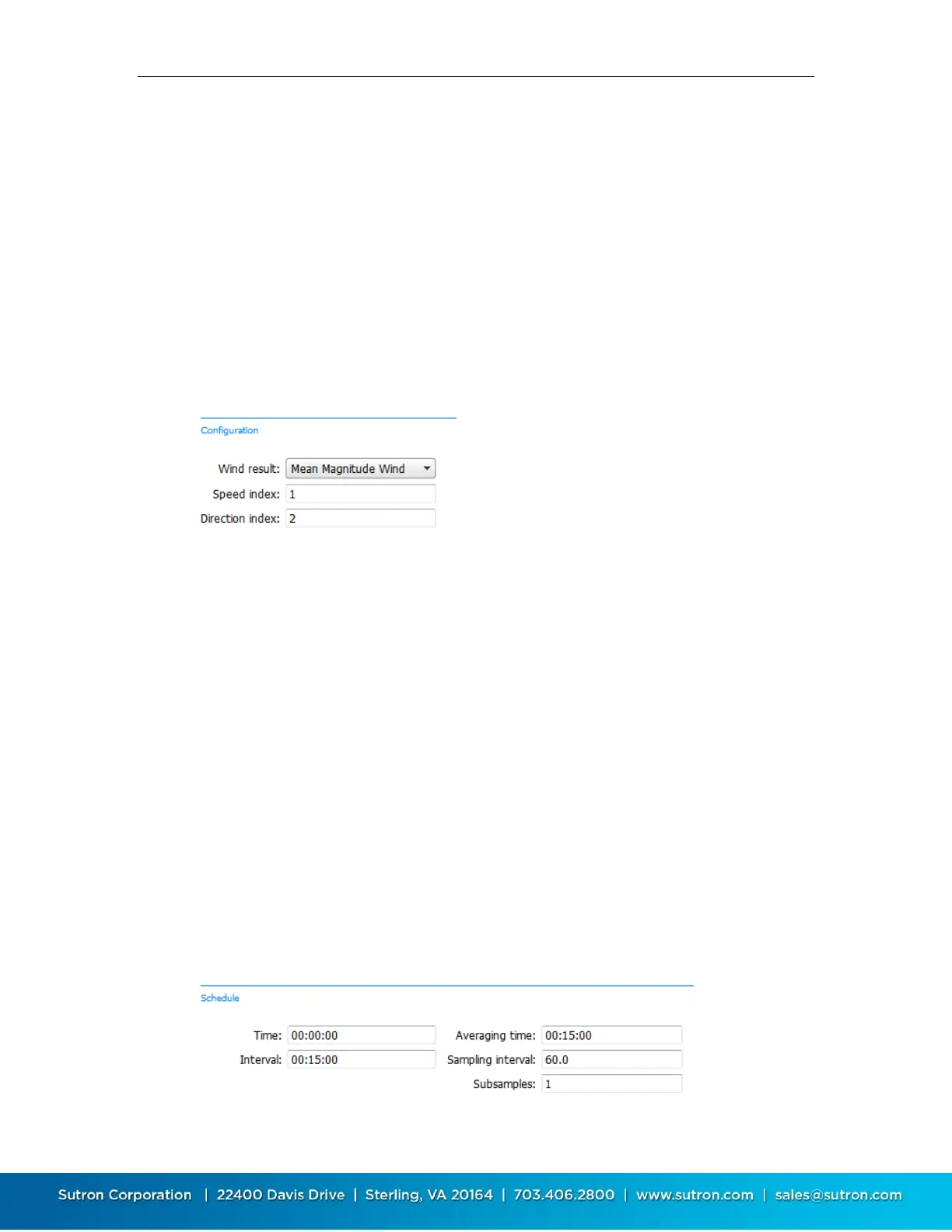
When you select the Wind Measure type, the configuration section will allow you specify where
to get the speed and direction data and what kind of result to log. The Wind measure type
requires you to setup separately the speed and direction measurements and provide the index in
the configuration. Normally, you will want to setup these measurements before setting up the
Wind type. Speed index is the measurement setup separately to get the speed. Direction index
is the measurement setup separately to get the direction. Make sure each input is configured to
provide the data in the proper units (mph, mps … for speed and degrees for direction). You will
want to schedule these measurements to occur at the interval you want for your vector
processing (e.g. 00:00:10 or 00:01:00). You will also want to disable logging for the sensor by
setting log interval = 24:00:00 and also exclude the data from transmission tx content = exclude.
Configuration also allows you to specify what kind of result you’re looking for from the wind
processing. The available types are shown below. If you want more than one of the results,
setup a separate measurement for each:
Mean Speed Scalar
Mean Magnitude Unit
Mean Magnitude Wind
Mean Direction Unit
Mean Direction Wind
STD Speed Scalar
STD Direction Unit
STD Direction Wind
Min Speed Scalar
Max Speed Scalar
Max Direction
Count
Time of Max Speed
After picking the result, set the schedule for the calculation. The following schedule computes a
15 minute average of wind data collected every 60 seconds. The sampling interval (e.g. 60
below) must match with the interval set for the speed and direction sensors setup separately.


 To Next Page