14 ADJUSTING SETTINGS
You can adjust the settings in the time view. During exercise, you can only set
the sounds on or off, keeping pressed.
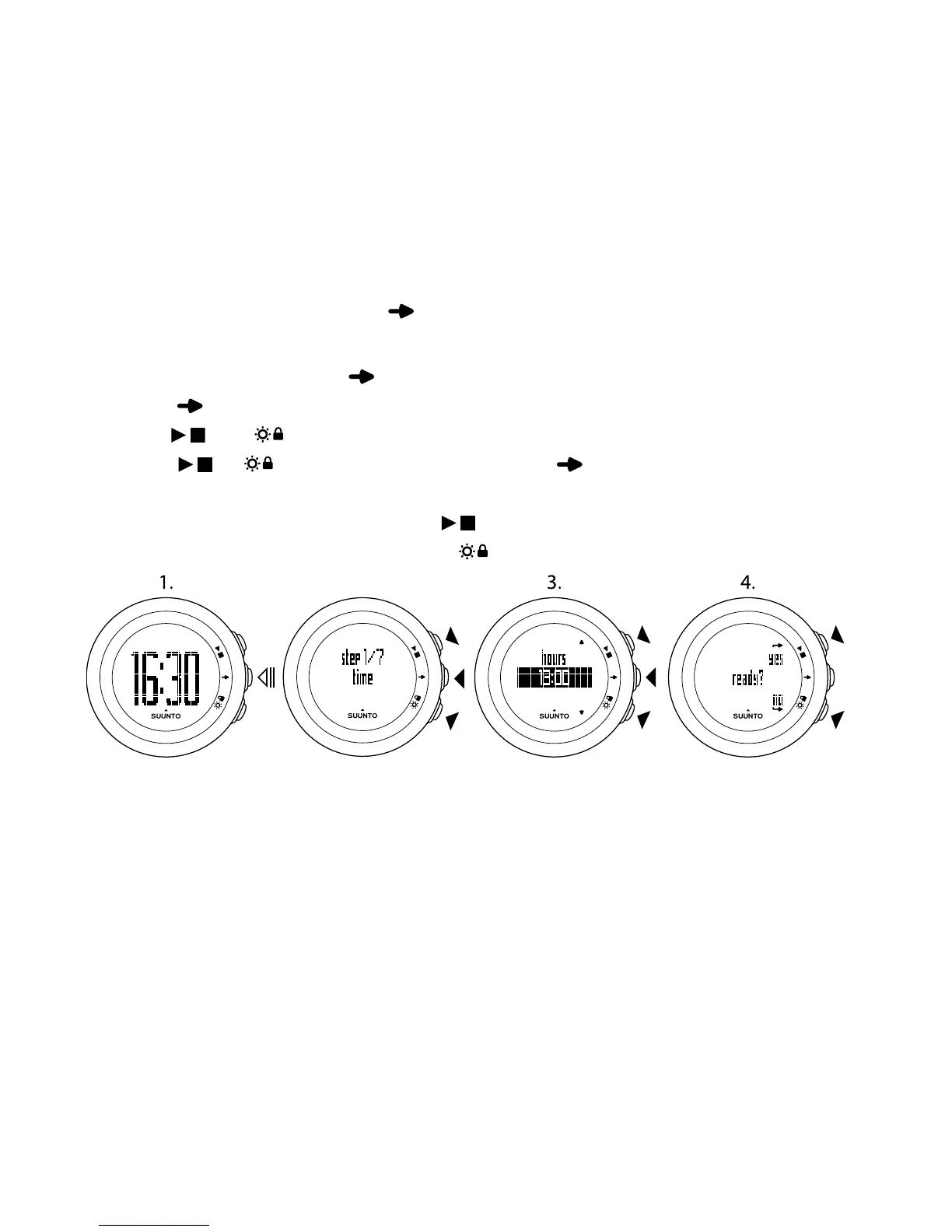
To adjust the settings:
1. In the time view, keep pressed to enter the settings.
2. Press to enter the first setting. You can browse through the setting steps
with and .
3. Press or to change the values. Press to confirm and to move to
the next setting.
4. When you are ready, select yes ( ) to confirm all settings. If you still want
to modify the settings, select no ( ) to return to the first setting.
You can adjust the following settings:
Time and personal settings
●
time: hours and minutes
●
alarm: on/off, hours, minutes
●
date: year, month, weekday
●
personal settings: weight, fitness level, maximum HR (max. HR), rest HR
32



 To Next Page