2-37
BEFORE DRIVING
84MM6-01E
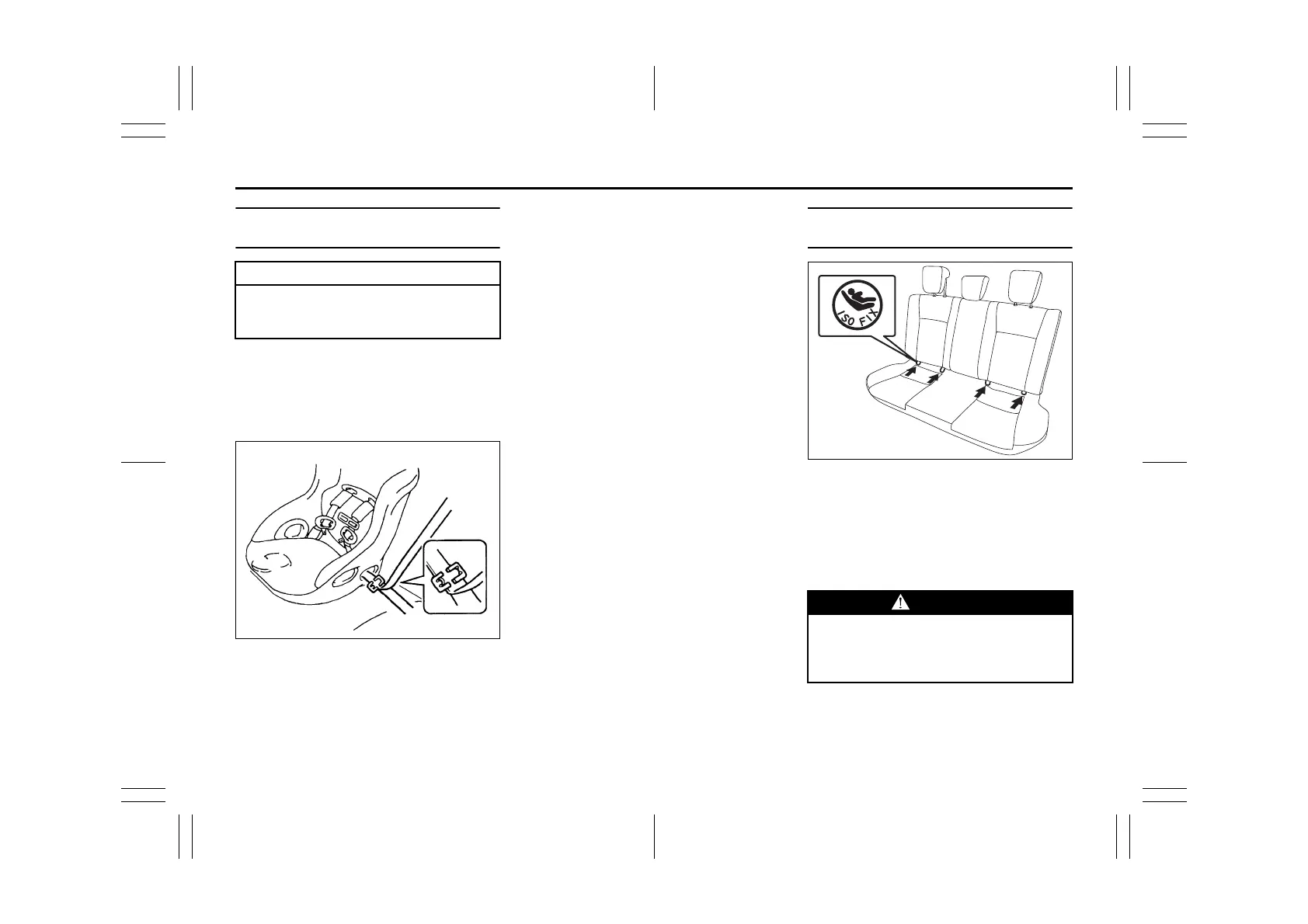
Installation with Lap-Shoulder Seat
Belts
NOTE:
Stow the removed head restraint in the lug-
gage compartment so it will not inconve-
nience the occupants.
ELR type belt
80JC021
(For models with front passenger air bag
deactivation system)
Whenever possible, SUZUKI recom-
mends that child restraint systems be
installed on the rear seat. According to
accident statistics, children are safer when
properly restrained in rear seating posi-
tions than in front seating positions.
• If you must install the child restraint sys-
tem on the front passenger’s seat, be
sure to follow instructions below.
– Deactivate the front passenger’s front
air bag by the front passenger air bag
deactivation system.
– Slide the seat to the most rear position
by the seat position adjustment lever.
– Adjust the seatback at the 4th step
inclined position (counted from most
upright position) by the seatback angle
adjustment lever.
Install your child restraint system accord-
ing to the instructions provided by the child
restraint system manufacturer.
Make sure that the seat belt is securely
latched.
Try to move the child restraint system in all
directions to make sure it is securely
installed.
Installation with ISOFIX type
Anchorages
84MM00220
Your vehicle is equipped with the lower
anchorages in the rear seat outboard seat-
ing positions for securing a ISOFIX type of
child restraints with the connecting bars.
The lower anchorages are located where
the rear of the seat cushion meets the bot-
tom of the seatback.
NOTICE
Before installing a child restraint sys-
tem in the rear seat, remove the head
restraints.
WARNING
Be sure to install the ISOFIX type of
child restraint(s) in the only outboard
seating positions, not in the central
position for rear seat.


 To Next Page