Quantum - Tool Recognition
Start using Quantum ToolRec
Doc-0001374, Rev B
Sida 12
Start using Quantum ToolRec
Power up the machine
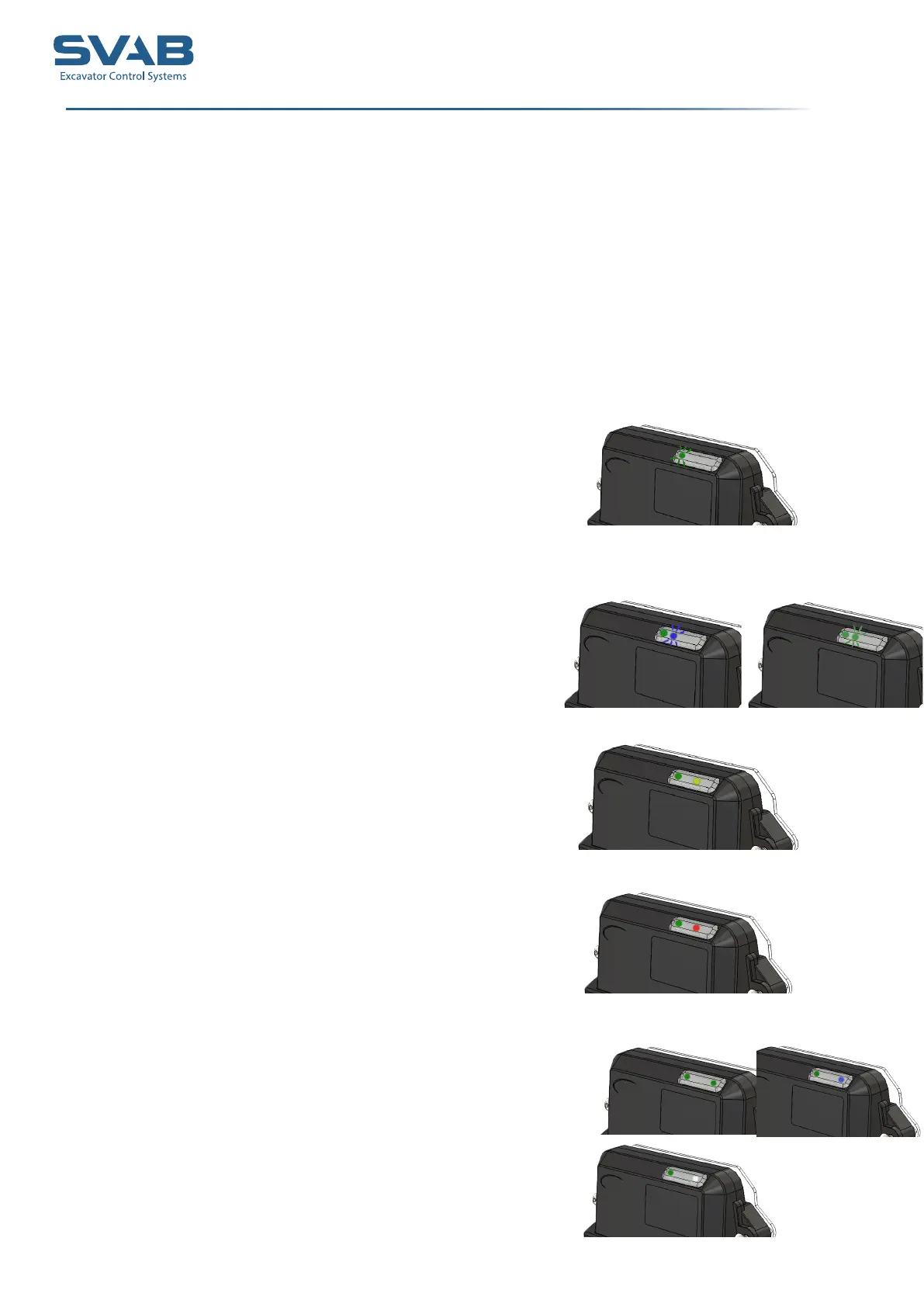
Quantum hub will start and the diodes will start to ash. The LEDs are called (from the left):
LED 1, LED 2, LED 3, LED 4.
LED 1 (Heartbeat), LED 2(TOOLREC-searching),
LED 3 (quickcoupler), LED 4 (TOOLREC-status)
2. Check that LED 1 is ashing green. As
long as the hub is running, the led will ash.
3. LED 2 ashes blue when searching for
a tool. If LED 2 ashes green, it searches for
a tiltrotator. If LED 2 ashes blue and green
respectively, it searches for both tiltrotator
and tools.
4. Check lower coupler function by
activating it. LED 3 lights up with a green
steady light.
5. Check upper coupler function by
activating it. LED 3 lights up with a red steady
light.
If both couplers are open, LED 4 lights up with
a yellow light.
6. When a tiltrotator has been identied,
LED 4 lights up with a green steady light.
When a tool has been identied, LED 4 lights
up with a blue steady light.
7. LED 4 lights up with a steady white light
when both tiltrotator and a tool has been
idenftied.
Start the Quantum hub
1. Quantum starts when the machines electronics is activated by the ignition.



 To Next Page