EN - 21
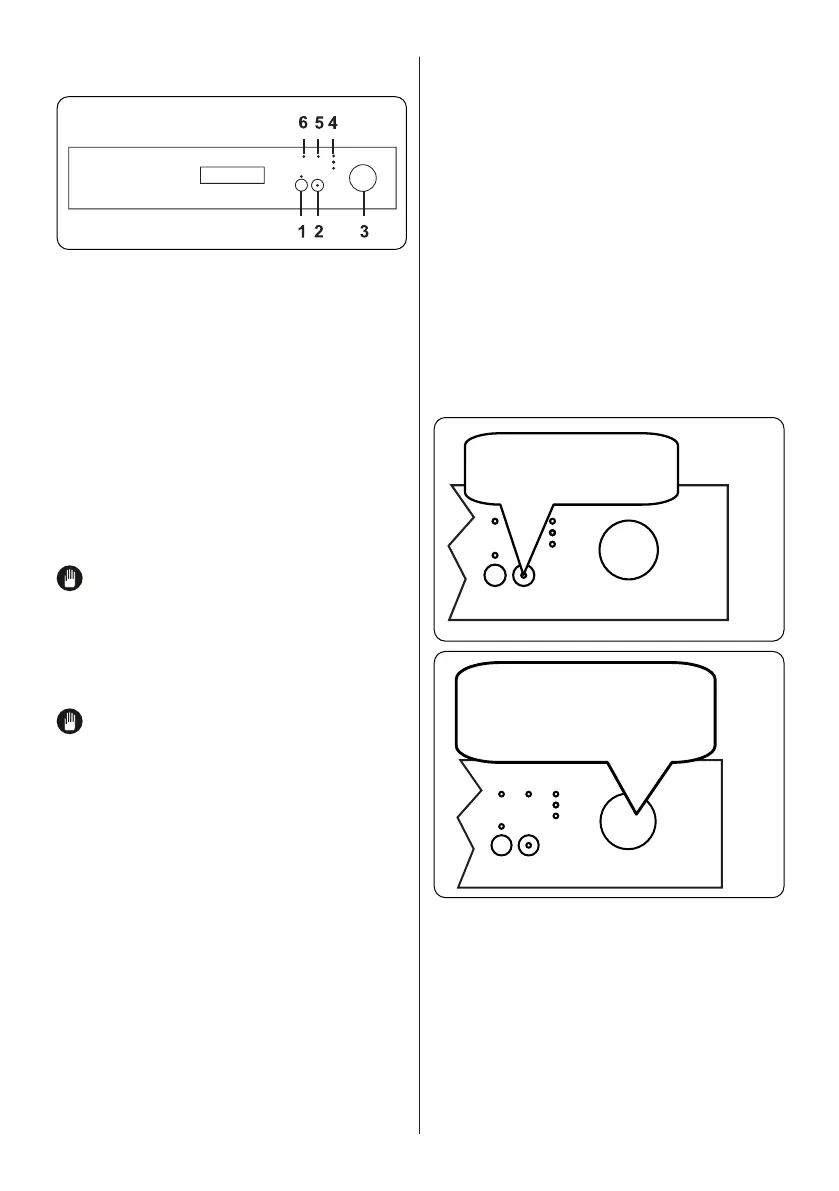
Rotate the Programme Selection Knob
(3) to switch the machine on and select a
suitable programme for your dishes. When
will not operate.
2) to start
illuminate. If the door of your machine is
opened while a programme is in operation,
Press and hold the Delay button
(1) for 3 seconds to activate the Half Load
function, which shortens the duration of
a programme. Press and hold the button
again for 3 seconds to cancel it.
If an extra feature is used,
such as the Delay or Half Load, (1)on the
most recent wash programme, this feature
will remain active on the next selected
programme. To cancel this feature on the
newly selected wash programme, turn the
position, then turn the machine on. Extra
features can be activated with the newly
selected programme.
Press the Delay button to delay the start
time of a programme for 3, 6 or 9 hours.
Pressing the button once will delay the
start time for 3 hours, pressing twice will
delay for 6 hours, and pressing a third
time will delay the start time for 9 hours.
If the button is pressed for a fourth time,
Pause button to activate the delay. The
delay time after, or vice versa. To cancel
time. The delay time can be cancelled by
turning the Programme Selection knob to
corresponding to the remaining time is
switched on.
Follow the steps below to change a
programme while in operation.
After the programme stops,
select a new programme using
the Programme Selection Knob.



 To Next Page