EasyManua.ls Logo

Sven Comfort 4000 - User Manual

Sven Comfort 4000
15 pages
Print Icon
To Next Page IconTo Next Page
Loading...
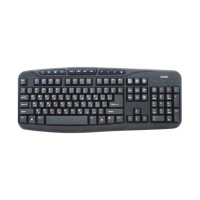
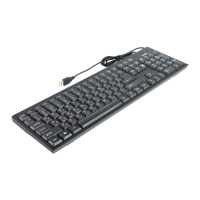
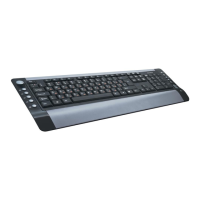
Клавиатура Sven Comfort 4000 USB Black/Silver:
Инструкция пользователя

Questions and Answers

  • J
    Jeremy McneilAug 8, 2025
    What to do if Sven Keyboard is not working?
    • J
      Jason GomezAug 8, 2025
      If your Sven keyboard isn't working, ensure that the USB controller settings in your PC's BIOS are set for default operation. Try disconnecting the keyboard and inspecting the connector pins for any damage. If no damage is found, reconnect the keyboard to your PC.
  • P
    Paul MartinAug 23, 2025
    Why is my Sleep key not working on my Sven Keyboard?
    • J
      Janice BurnsAug 23, 2025
      If you're experiencing issues with the Sleep key on your Sven keyboard, make sure that power control has been activated in both the BIOS and Windows settings.

Summary

Users Manual - Key Information

Special Features

Key features and design aspects of the keyboard.

Package Contents

Items included in the keyboard package.

System Requirements

Operating systems and hardware needed for the keyboard.

Installation

Steps to connect and set up the keyboard.

Quick Access Keys Functions

Explains the purpose of special function keys.

Trouble Shooting and Specifications

Trouble Shooting

Solutions for common keyboard problems.

Technical Specification

Detailed technical data and specifications of the keyboard.

Sven Comfort 4000 Specifications

General IconGeneral
TypeMembrane
Key Switch TypeMembrane
Multimedia KeysYes
Number of keys104
Cable length1.5 m
ConnectionWired
Keyboard StyleStandard

Related product manuals