Congratulations on the purchase of Sven keyboard!
Please read this User’s Manual before using the unit and retain this User’s Manual in safe place for
future reference.
COPYRIGHT
© 2017. SVEN PTE. LTD. Version 1.0 (V 1.0).
This Manual and information contained in it are copyrighted. All rights reserved.
TRADEMARKS
All trademarks are the property of their legal holders.
SPECIAL FEATURES
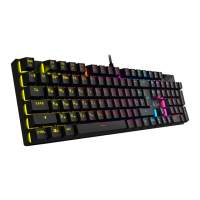
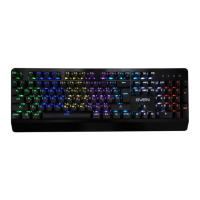
• Mechanical SVEN Red switches
• RGB backlight with effects
• Backlight groups of keys for different games
• Full keys with anti ghost function
• Braided cable
• Metal top cover
SYSTEM REQUIREMENTS
• ОС Windows XP/Vista/7/8/10.
• Free USB port.
INSTALLATION
• Connect the keyboard to an available USB port of your PC.
• Installation of the keyboard is automatic after its connection to a PC USB port.
KEYBOARD DESCRIPTION OF THE FUNCTIONS
– keyboard color switch, just eight backlight colors.
– activate one of the twelve modes of keyboard backlighting.
F12 – lock the keyboard.
Win – lock the Windows key.
and (the key left and the key right) – animation backlight changing speed.
Keyboard Backlight Modes
1 – gaming mode 1: A, S, D, W, («left»), («up»), («right»), («down»), (Esc) –
highlighted.
2 – gaming mode 2: A, S, D, W, Ctrl, Shift, Alt, R, G, Q, E, B, 1-5, Tab, F1-F3, Home, End, PgUp,
PgDn, PrtSc – highlighted.
3 – gaming mode 3: Q, W, E, R, T, A, S, D, F, G, C, V, 1-7, Ctrl, Shift – highlighted.
4 – gaming mode 4: Q, W, E, R, A, S, D, G, X, Z, F, K, L, H, M, N, U, Y, T, P, Ctrl, Shift, Alt –
highlighted.
5 – gaming mode 5: Q, W, E, R, D, G, F, B, V, Ctrl, Alt, Tab, 1, Esc – highlighted.
6 – gaming mode 6: A, S, D, W, R, («left»), («up»), («right»), («down»), Ctrl, Shift, Alt –
highlighted.
ENG
2
Mechanical
Gaming Keyboard


 To Next Page