ENG
7
PRO
User Manual
• Turn o the connected equipment (the rst turn on the most powerful, the latest, most
lowpower).
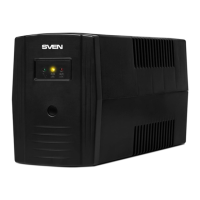
• Disconnect the UPS to the network. Turn o the connected equipment, and then turn otheUPS
with button d*.
Notes. If the UPS is left unused for a long period of time, please mind to switch it o and pull
out its plug from the socket. If the UPS is not used for a long time, the battery is to be charged
once every three months. Since the UPS has an “autostart” function, it will restart automati-
cally if a network power failure happened.
* There is a button without xing in models with LCD display. UPS is controlled by pressing abut-
ton to activation the command.
Connecting to a PC with a USB port models:
In models with USB port, using the software, you can control the UPS parameters. The software
also allows you to shut down your PC, and etc.
• Turn o and turn on the PC and the connected equipments, UPS from the mains.
• Connect the UPS to a PC via the USB cable (included).
• Connect to the mains and turn on the UPS and PC.
• Install the software from the disc (included).
• Start еру monitoring program.
• Select the “Mega USB” in the type settings of the communication port . Press “Ок” button
toconrm.
If power supply in the mains drops, the UPS can properly shut down the system by means ofthesoft-
ware, then the UPS turns o. Software allows to set the PC switch-o time, and also to keep record
of the state of mains power supply.
Important!
You can download the latest version of the software from the website www.sven.:
https://www.sven./upload/iblock_ext/support/ups/upsmart.rar
UPS is designed for powering only PCs and monitors, therefore refrain from connecting oth-
erperipherals such as laser printers, scanners, speaker systems, etc.
Note that battery operation time depends on the power consumption of the connected equip-
ment and the condition of the battery. During this time it is necessary to save all open docu-
ments and switch o the PC, then the UPS should also be switched o.
8. BATTERY MAINTENANCE
UPS series contains one or two maintenance-free sealed lead-acid batteries (depends on UPS
model). High humidity, too high or low temperature, frequent battery discharge reduce its du-
rability. If battery has not been operated for a long period of time, it also has negative impact
on its durability. Therefore, it is recommended to carry out the whole cycle of battery charging/
discharging at least once per three months.
Storage conditions
• The UPS should be stored closed in vertical position in a dry and cool place with fully charged
storage battery.
• Before placing the UPS in storage, charge it for 12 hours.
Warning! Do not operate the UPS in environment with operating temperature not correspond-
ing to value given in Technical Specications.


 To Next Page