Presets (SVS App Only)
Allows up to three pre-saved settings for movie, music and custom. This enables easy switching
to optimize subwoofer output and settings based on your specific listening preferences with
different kinds of content. If using the SVS App, these presets can be renamed as desired.
Port Tuning (SVS App Only)
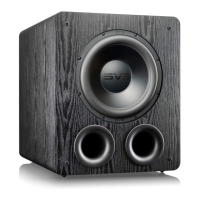
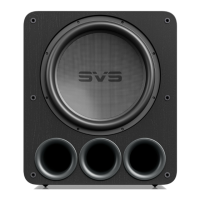
Port blocking allows custom tuning of your PB17-Ultra R|evolution Subwoofer based on listening
preference by exchanging max output for low frequency depth and quickness. When using the
feature, always match port blocking with the selected tuning via the SVS Subwoofer App.
Two tunings are available:
Standard Tune = All ports open (highest maximum output)
Extended Tune = One port plugged (deeper extension, slightly less maximum output)
Sealed tune = All ports plugged (best transient response)
System Settings (SVS App Only)
Allows you to make further customizations and reset your subwoofer to factory settings.
Subwoofer Name
Customize the name of your subwoofer for easy preset switching.
Subwoofer Power Mode
Choose whether to have your subwoofer in Auto Standby (Default), or Always On
modes. When Auto Standby mode is selected the subwoofer will enter a low power
standby mode within 20 minutes of inactivity and no audio signal. Standby mode is
less than 0.5watts. Trigger mode is automatically entered when a 3.5mm trigger cable
is inserted.
Subwoofer Display
Display Flip will flip the rear panel OLED display making it easier to read when viewing
upside down.
Bluetooth Lock
Locks the subwoofer Bluetooth connection to a single mobile device so no other
mobile devices can connect to and control the subwoofer. This feature can be disabled
from the amplifier rear panel interface or by performing a factory reset.
Reset
Resets PB17-ULTRA R|EVOLUTION Subwoofer back to original Factory Settings.
About this App
Provides version number and other information about the SVS App and also allows you
to turn performance monitoring on/off.
ADVANCED SUBWOOFER CONTROLS
PB17-Ultra R|Evolution
SUBWOOFER


 To Next Page