EasyManua.ls Logo

SWEED CE300AF - User Manual

SWEED CE300AF
15 pages
Print Icon
To Next Page IconTo Next Page
Loading...
OPERATION AND CE300AF
MAINTENANCE MANUAL
Revision Date Written By Description of Change Reviewed By
0 12/5/19 HENRY R. ORIGINAL ISSUE OF MACHINE SPECIFICATIONS HKR
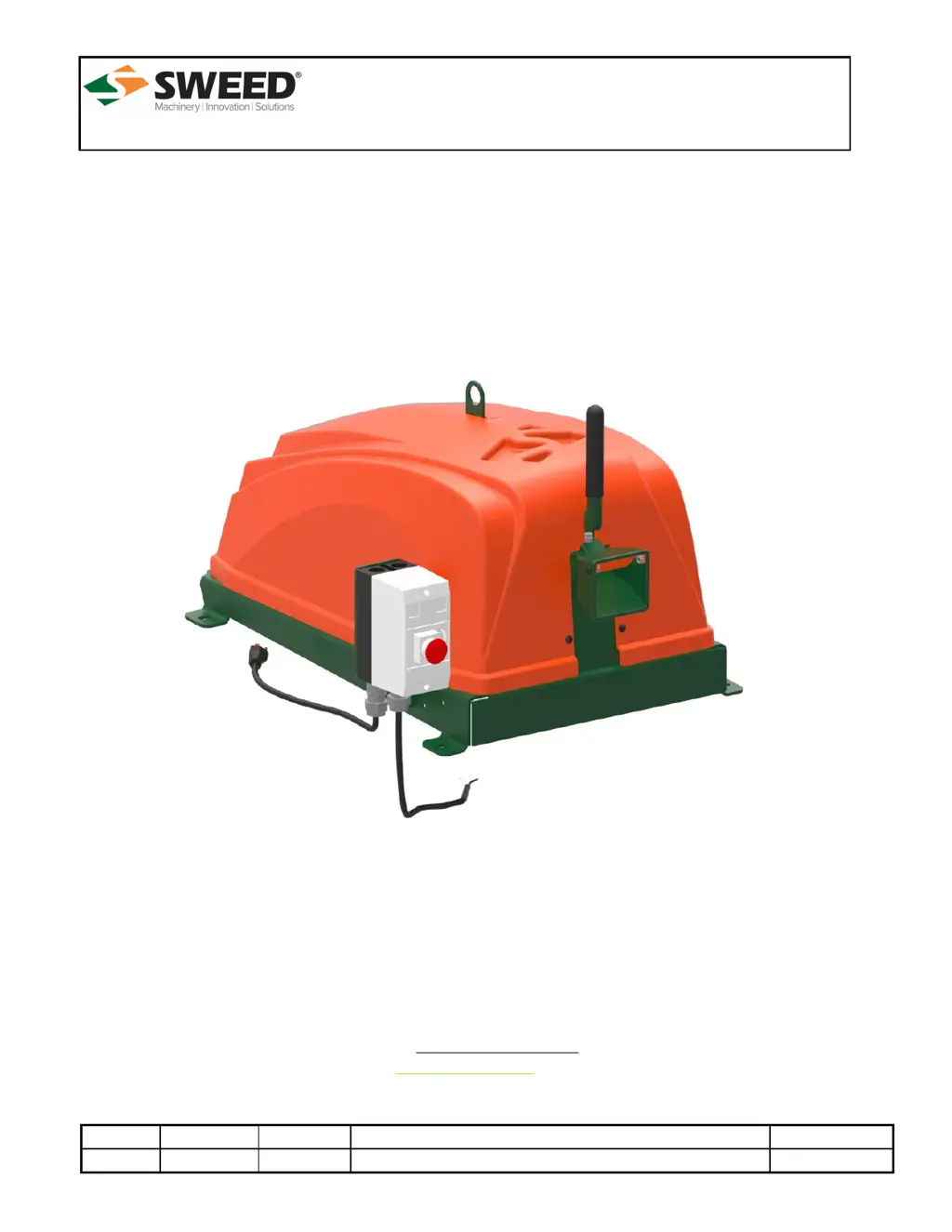
CHOPPER MODEL: CE300AF
Serial #: ________________
TOLL FREE: 1-800-888-1352 • PH: 1-541-855-1512 • FAX: 1-541-855-1165
Sweed Machinery, Inc. • 653 2nd Avenue • P.O. Box 228 • Gold Hill, OR 97525 USA
Email: sweed@sweed.com
www.sweed.com

Questions and Answers

Summary

Foreword

Safety

Scope of Manual

Manual covers information and requirements for Sweed Chopper CE300AF.

Standards and Environment

Details machine build, design, testing, location, clearances, defects, weather exposure, and welding.

Machine Location

Specifies mounting, surface, and movement requirements for the machine.

Machine Clearances

Outlines required clearance around the machine and control height.

Weather Exposure

Advises against rain and direct sunlight on sensitive components.

Welding Restrictions

Warns against welding to the machine due to warranty voiding and damage risk.

Operating Personnel

Defines requirements for operators and maintenance technicians.

Operator Requirements

Specifies that operators must be trained and have read the manual.

Required Clearance

Operators should stay in designated safe zones around the machine.

Warning Labels

Recommends familiarizing with all equipment labels and their meanings.

Operating Risk and Safety

Emergency Stops (E-Stops)

Explains the location and function of the E-stop button.

Lockout Procedure

Emphasizes never operating or removing components unless locked out.

Material Discharge Area

Warns against standing near the discharge area due to high-velocity ejecta.

Machine Infeed Opening Hazards

Describes pinch/crush hazards and advises keeping hands away from the infeed.

Entanglement Hazard

Details risks of material entanglement with clothing and body parts.

Types of Material to Process

Lists specific banding types and sizes suitable for the machine.

Machine Exhaust Hopper

Discusses hopper suitability, capacity, and potential stalling issues.

Machine Safety Guards

Explains restrictor plates, safety chutes, and their functions.

Clearing Material Jams

Instructs to stop flywheel, dissipate energy, and lockout before clearing jams.

Machine Guards and Safety Switches

Emphasizes keeping guards in place and locked out during operation and maintenance.

Belt Maintenance

Advises checking V-belt alignment and tension.

Fastener Checks

Stresses the importance of checking and tightening bolts regularly.

Operation with Dull Knives

States not to operate the machine with dull knives for safe operation.

Feed Material Guidelines

Details suitable materials and how to handle jams by using the feedworks handle.

Work Area Cleanliness

Requires a clean work area, immediate cleanup of spills, and removal of tools.

Wear and Tear Considerations

Discusses potential wear from prolonged spinning and incorrect knife gaps.

Electrostatic Buildup

Mentions measures to dissipate electrostatic build-up if necessary.

Flammable Material Warning

Prohibits cutting flammable material.

Accessing Machine Components

Advises against climbing; use aids or stepladders for hard-to-reach parts.

Fall and Trip Hazards

User must ensure utility connections do not create slip, trip, or fall hazards.

Decibel Rating and Noise Levels

States the machine's decibel rating and factors affecting it.

PPE Requirements

Lists required personal protective equipment for operation and maintenance.

Eye Protection

Required when operating or maintaining machines.

Hand Protection

Required when handling material or maintaining machines.

Hearing Protection

Required when operating machines.

Breathing Protection

May be required if processed material creates airborne dust or fiber.

Machine Operation

Power Connection

Connect machine to the appropriate voltage power source.

Starting the Machine

Instructions for starting the machine using the start button.

Stopping the Machine

Instructions for stopping the machine using the red Stop button.

Resetting the Machine

How to reset the machine by twisting the Stop button.

Manual Feeding

How to introduce material into the infeed funnel with the machine running.

Using the Feedworks Handle

Guidance on using the feedworks handle for difficult material shapes.

Timed Shutoff Feature

Describes automatic shutdown if equipped with a Timed Shutoff starter.

Maintenance Overview

Lubrication

Details initial lubrication and types of grease for bearings.

Bearing Lubrication

Specifies using #2 NLGL grease and adding until slight leakage.

Lubrication Time Interval

Provides frequency for bearing lubrication based on daily run time.

Dynamic Knife Rotation and Replacement

Instructions for replacing or rotating knives and checking knife gaps.

Stationary Knife Replacement

Instructions for replacing or rotating stationary knives and checking knife gaps.

Dynamic Knife Replacement Steps

Detailed steps for removing guards, lids, bolts, and seating/torquing knives.

Stationary Knife Replacement Steps

Detailed steps for removing guards, lids, chains, feedworks, and seating/torquing knives.

Knife Gap Adjustments

Explains how to check and adjust the gap between knife edges.

Setting Knife Gap

Step-by-step guide to adjust the knife gap using feeler gauges and torque specifications.

Feedroll Gap Adjustment

Details how to check and adjust the gap between the feedrolls.

Setting Feedroll Gap

Step-by-step instructions to adjust the feedroll gap using adjustment screws.

Material Guide Gap Adjustment

Explains how to check and adjust the gap for material guides.

Setting Material Guide Gap

Step-by-step guide to adjust material guide gaps based on material thickness.

Tightening Schedule

Details the importance and schedule for checking and tightening fasteners.

Bolt Torque Specifications

Lists specific torque values for critical fasteners.

Troubleshooting Guide

Material Feeding Stops

Provides solutions for issues causing material feeding to stop.

Machine Fails to Cut

Offers solutions for when the machine does not cut material properly.

Machine Start;Stop Issues

Troubleshoots problems related to starting or stopping the machine.

Appendix A: Figures

Appendix B: Critical Components

Warranty Information

SWEED CE300AF Specifications

General IconGeneral
BrandSWEED
ModelCE300AF
CategoryFood Processor
LanguageEnglish