54M Wireless Router User Guide
- 10 -
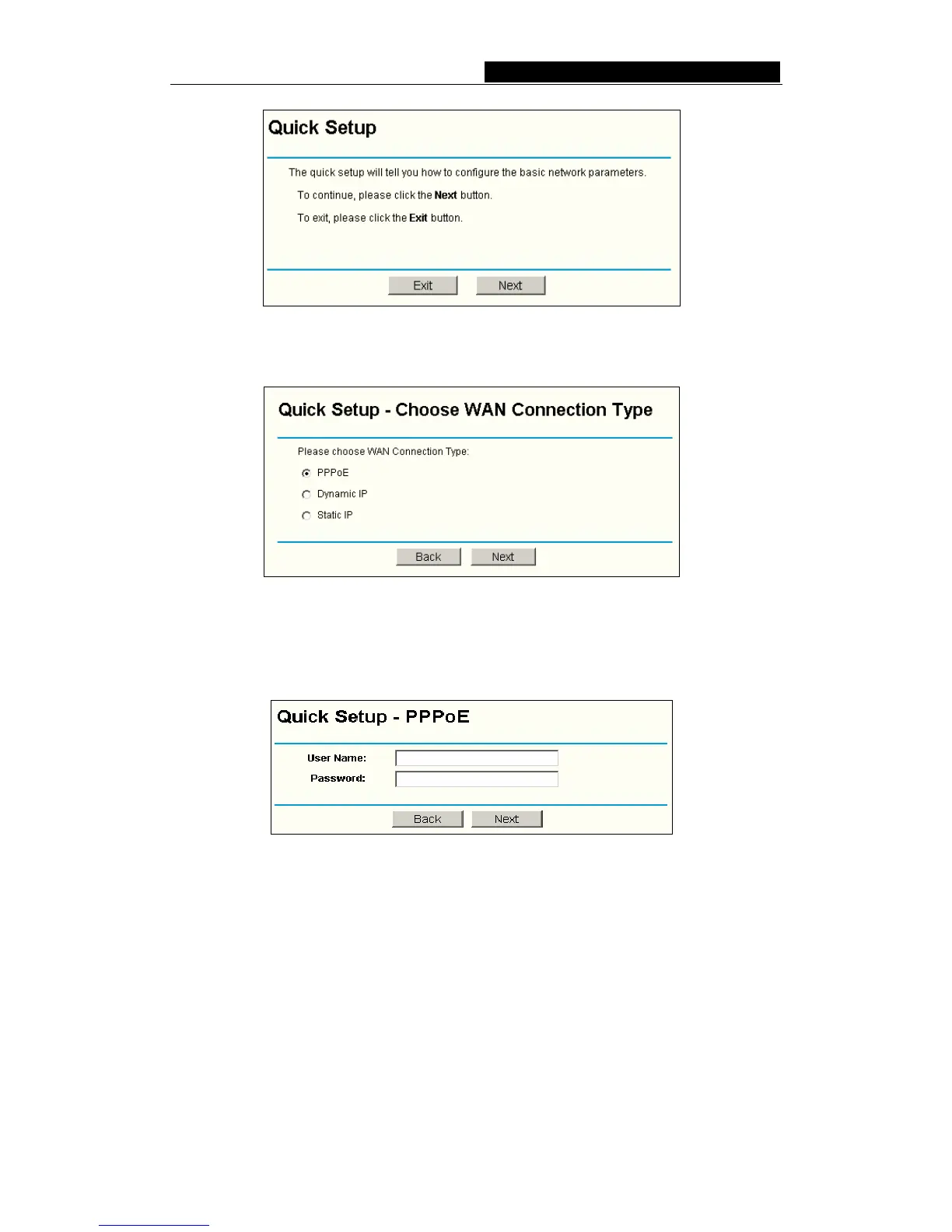
Figure 4-5 Quick Setup
Click Next, the Choose WAN Connection Type page will appear, shown in figure 4-6.
Figure 4-6 Choose WAN Connection Type
The router supports three popular ways to connect to Internet. Please select one
compatible with your ISP, and lick Next to enter the necessary network parameters.
If you choose "PPPoE", you will see this page shown in figure 4-7:
Figure 4-7 Quick Setup - PPPoE
User Name and Password - Enter the User Name and Password provided by your
ISP. These fields are case sensitive. If you have difficulty with this process, please
contact your ISP.
If you choose "Dynamic IP", the router will automatically receive the IP parameters from
your ISP without needing to enter any parameters.
If you Choose "Static IP", the Static IP settings page will appear, shown in figure 4-8:



 To Next Page