54M Wireless Router User Guide
- 11 -
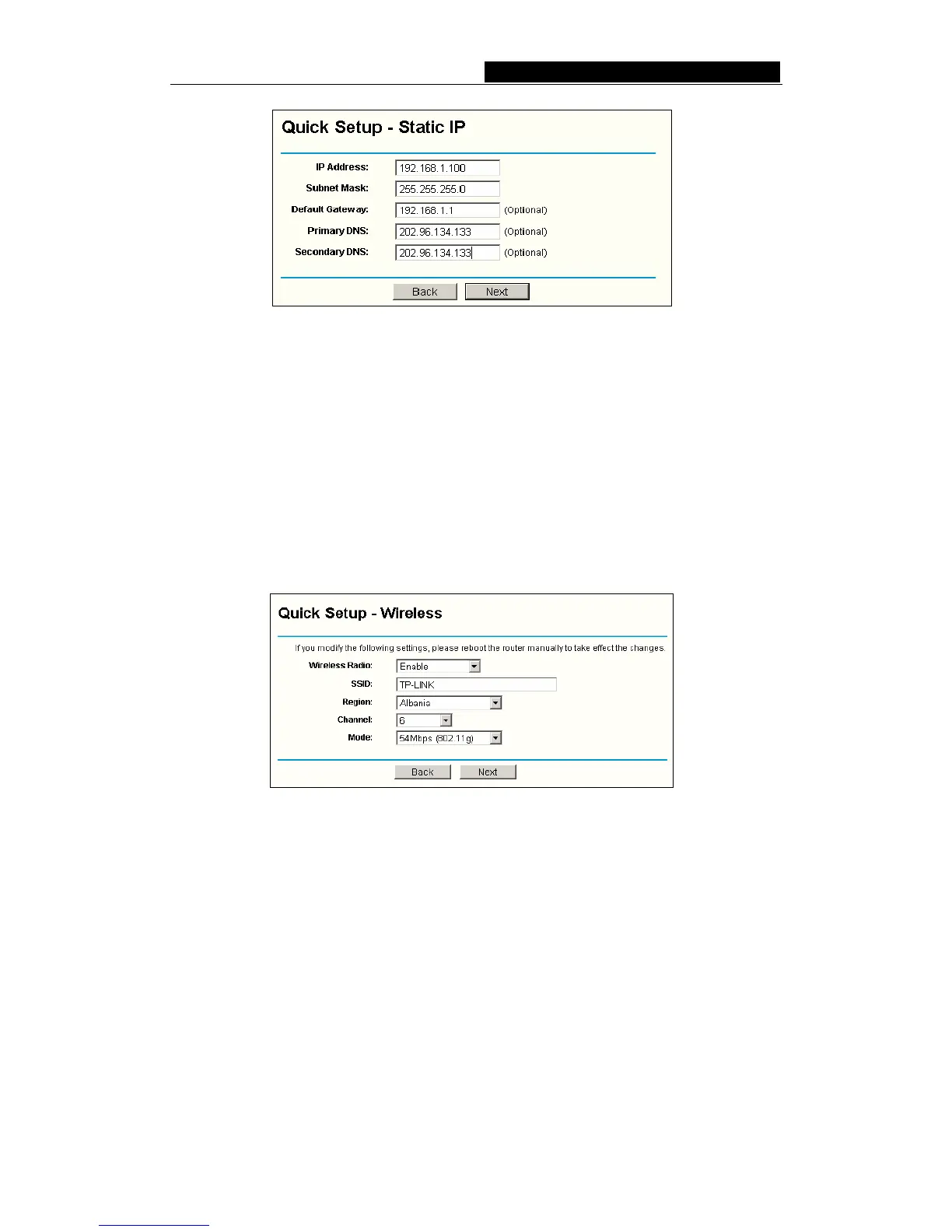
Figure 4-8 Quick Setup - Static IP
Note: The IP parameters should have been provided by your ISP.
IP Address - This is the WAN IP address as seen by external users on the Internet
(including your ISP). Enter the IP address into the field.
Subnet Mask - The Subnet Mask is used for the WAN IP address, it is usually
255.255.255.0
Default Gateway - Enter the gateway into the box if required.
Primary
DNS - Enter the DNS Server IP address into the boxes if required.
Secondary DNS - If your ISP provides another DNS server, enter it into this field.
After you complete the above, click Next, the Wireless settings page will appear, shown
in figure 4-9.
Figure 4-9 Quick Setup - Wireless settings
In this page, you can configure the following wireless parameters:
Wireless Radio - indicates whether the Access Point feature of the router is
enabled or disabled. If disabled, the WLAN LED on the front panel will not be lit and
the wireless stations will not be able to access the router. If enabled, the WLAN
LED will be lit up and wireless stations will be able to access the router.
SSID - Enter a value of up to 32 characters. The same SSID must be assigned to
all wireless devices on your network. The default SSID Sweex LW050. This value is
case-sensitive. For example, Sweex is NOT the same as sweex.
Region - Select your region from the pull-down list. This field specifies the region where
the wireless function of the router can be used. It may be illegal to use the wireless
function of the router in a region other than one of those specified in this filed.
Channel - the current channel in use. This field determines which operating



 To Next Page