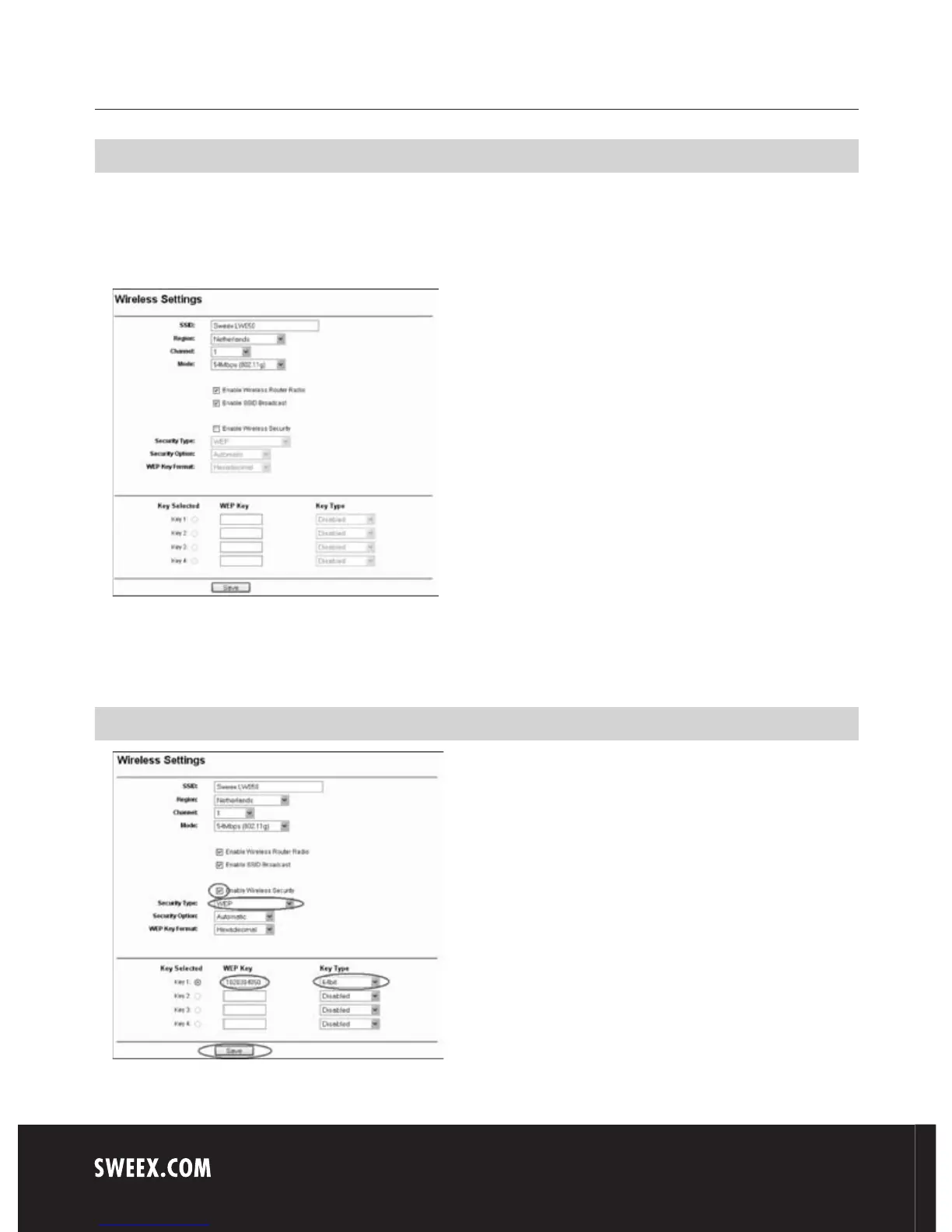
Wireless settings and security
We always recommend entering these settings with a computer connected to the Sweex Breedband Router by means of a cable.
This is because you will lose the wireless connection with the Sweex Breedband Router while storing these settings.
Left in the column, click “Wireless".
The default SSID is “Sweex LW050v2”. We recommend not changing this so you can always recognise the router. Here you can also find other
options such as “Channel” and “Mode”. We again recommend maintaining the default values. You can enable or disable the wireless part by means
of “Enable Wireless Router Radio”. This feature is enabled by default.
Securing the wireless part



 To Next Page