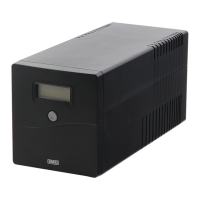
Need help?
Do you have a question about the SWEEX PP200 and is the answer not in the manual?
Avoid extreme temperatures, direct sunlight, moist, or dusty conditions. Protect against shocks/falls.
Never attempt to open the device yourself; servicing requires authorized personnel only.
Connect only to IEC sockets, avoid non-computer items, printers, scanners, and output-to-input connections.
Use the included IEC extension cord as intended; do not connect power strips or additional surge suppressors.
Lists all items included in the UPS package: UPS unit, power cord, extension cord, USB cable, and software CD.
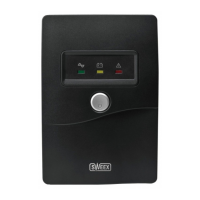
Details the power switch, fault LED, battery mode LED, and line mode LED on the front of the UPS.
Describes IEC output sockets, IEC input socket with fuse tray, RJ-45 port, and USB connection.
Explains audible alerts for battery mode, low battery, overload, battery replacement, and fault conditions.
Step-by-step guide for unpacking, installing, and connecting the UPS unit to power and devices.
Instructions for installing the UPS management software using the included CD and on-screen prompts.
Provides a 2-year standard warranty within the EU from the purchase date.
Lists items excluded from warranty, such as accessories, and conditions that void the warranty.

 To Next Page
 General