EasyManua.ls Logo

SWEEX PP220 - User Manual

SWEEX PP220
4 pages
Print Icon
To Next Page IconTo Next Page
Loading...
ENglISH VErSIoN
2
PP220 Intelligent UPS 1500 VA USB
Important!
• DonotexposetheIntelligentUPS1500VAUSBtoextremetemperatures.Donotplacethedeviceindirectsunlightorinthedirectvicinityof
heatingelements.
• DonotusetheIntelligentUPS1500VAUSBinextremelymoistordustysurroundings.
• Protectthedeviceagainstpowerfulshocksandfalls–theymaydamagetheinternalelectronics.
• Neverattempttoopenthedeviceyourself,therearenoserviceablepartsinside.Openingthedevicewillcausethewarrantytolapse.
WARNING
• DonotconnectdeviceswithsocketsotherthantheIECsocketslikethoseontheUPS.
• Donotconnectnon-computerrelateditems,suchasmedicalequipment,life-supportequipment,microwaveovensorvacuumcleanerstotheUPS.
• DonotusetheincludedIECextensioncordforanyotherthanitsintendedpurpose.
• DonotconnectapowerstriporadditionalsurgesuppressortotheUPS.
• DonotconnectalaserprinterorscannertotheUPS.
• DonotconnecttheUPS’sownoutputtoitsinput.
• ServicingtheUPSshouldbeperformedbyorundersupervisionofauthorizedpersonnelonly.
Failuretocomplytotheabovewarningsmayresultindamagetoyou,yourdevicesand/ortheUPSandwillvoidthewarrantyundertheuserabuseclause!
Incaseofemergency,pressthepowerswitchtoturntheUPSoffandunplugthepowertodisabletheUPS
Package contents
In this package you will find:
• IntelligentUPS1500VAUSB
• 1xIECpowercord
• 2xIECextensioncord
• USBcable
• CDwithsoftwareandmanual
Ifyoufindthatanyofthepackagecontentsaremissing,pleasereturnthepackagetothesalespointwhereitwasbought.
Question and Answer IconNeed help?

Do you have a question about the SWEEX PP220 and is the answer not in the manual?

Summary

Product Description and Features

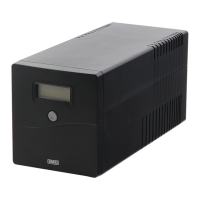
Front Panel Overview

Details the front panel components, including the LCD display and power switch.

Display Indicators

Explains the various indicators on the display, such as input/output voltage and mode status.

Back Panel Ports

Describes the rear panel connections, including IEC output sockets and input socket with fuse tray.

System Alarms and Installation

UPS Alarm Notifications

Lists and explains the different audible alarms for battery mode, low battery, overload, and faults.

Hardware Installation Guide

Step-by-step instructions for unpacking, installing, and connecting the UPS and connected devices.

Software Installation Procedure

Instructions for installing the UPS management software from the included CD.

Product Warranty and Registration

Sweex Product Warranty

Details the 2-year standard warranty within the EU and conditions for its use.

Warranty Exclusions

Outlines items and conditions that are excluded from the warranty coverage.

Product Registration Benefits

Explains the advantages of registering the product online, such as newsletters and faster support.

Summary

Product Description and Features

Front Panel Overview

Details the front panel components, including the LCD display and power switch.

Display Indicators

Explains the various indicators on the display, such as input/output voltage and mode status.

Back Panel Ports

Describes the rear panel connections, including IEC output sockets and input socket with fuse tray.

System Alarms and Installation

UPS Alarm Notifications

Lists and explains the different audible alarms for battery mode, low battery, overload, and faults.

Hardware Installation Guide

Step-by-step instructions for unpacking, installing, and connecting the UPS and connected devices.

Software Installation Procedure

Instructions for installing the UPS management software from the included CD.

Product Warranty and Registration

Sweex Product Warranty

Details the 2-year standard warranty within the EU and conditions for its use.

Warranty Exclusions

Outlines items and conditions that are excluded from the warranty coverage.

Product Registration Benefits

Explains the advantages of registering the product online, such as newsletters and faster support.

SWEEX PP220 Specifications

General IconGeneral
Frequency50/60 Hz
Output WaveformSimulated Sine Wave
ModelPP220
BrandSWEEX
Recharge Time6 hours
TypeLine Interactive

Related product manuals