EasyManua.ls Logo

SWEEX PP210 - User Manual

SWEEX PP210
4 pages
Print Icon
To Next Page IconTo Next Page
Loading...
ENglISH VErSIoN
2
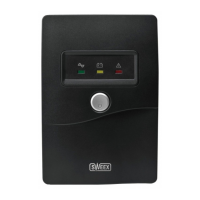
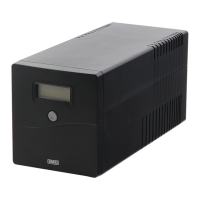
PP210 Intelligent UPS 1000 VA USB
Important!
• DonotexposetheIntelligentUPS1000VAUSBtoextremetemperatures.Donotplacethedeviceindirectsunlightorinthedirectvicinityof
heatingelements.
• DonotusetheIntelligentUPS1000VAUSBinextremelymoistordustysurroundings.
• Protectthedeviceagainstpowerfulshocksandfalls–theymaydamagetheinternalelectronics.
• Neverattempttoopenthedeviceyourself,therearenoserviceablepartsinside.Openingthedevicewillcausethewarrantytolapse.
WARNING
• DonotconnectdeviceswithsocketsotherthantheIECsocketslikethoseontheUPS.
• Donotconnectnon-computerrelateditems,suchasmedicalequipment,life-supportequipment,microwaveovensorvacuumcleanerstotheUPS.
• DonotusetheincludedIECextensioncordforanyotherthanitsintendedpurpose.
• DonotconnectapowerstriporadditionalsurgesuppressortotheUPS.
• DonotconnectalaserprinterorscannertotheUPS.
• DonotconnecttheUPS’sownoutputtoitsinput.
• ServicingtheUPSshouldbeperformedbyorundersupervisionofauthorizedpersonnelonly.
Failuretocomplytotheabovewarningsmayresultindamagetoyou,yourdevicesand/ortheUPSandwillvoidthewarrantyundertheuserabuseclause!
Incaseofemergency,pressthepowerswitchtoturntheUPSoffandunplugthepowertodisabletheUPS
Package contents
In this package you will find:
• IntelligentUPS1000VAUSB
• 1xIECpowercord
• 1xIECextensioncord
• USBcable
• CDwithsoftwareandmanual
Ifyoufindthatanyofthepackagecontentsaremissing,pleasereturnthepackagetothesalespointwhereitwasbought.
Question and Answer IconNeed help?

Do you have a question about the SWEEX PP210 and is the answer not in the manual?

Summary

Important Information and Warnings

Important Precautions

Key safety guidelines for UPS usage, including temperature, moisture, physical handling, and avoiding self-service.

Critical Warnings

Essential safety warnings regarding socket types, connected devices, power strips, and servicing.

Product Description

Front Panel Features

Details the LCD display, power switch, and indicators on the front of the UPS.

Back Panel Connectivity

Describes the IEC output and input sockets, RJ-45 surge protection, and USB connection.

System Setup and Operation

UPS Alarm Indicators

Explains the audible alerts for battery mode, low battery, overload, and faults.

Hardware Installation Guide

Step-by-step instructions for unpacking, positioning, and connecting the UPS and devices.

Software Installation

Guide for installing the UPS management software from the provided CD.

Warranty and Registration

Product Registration Benefits

Information on registering the product online for advantages like newsletters and faster support.

Sweex Warranty Conditions

Details the 2-year EU warranty, its scope, and conditions that void the warranty.
Summary

Important Information and Warnings

Important Precautions

Key safety guidelines for UPS usage, including temperature, moisture, physical handling, and avoiding self-service.

Critical Warnings

Essential safety warnings regarding socket types, connected devices, power strips, and servicing.

Product Description

Front Panel Features

Details the LCD display, power switch, and indicators on the front of the UPS.

Back Panel Connectivity

Describes the IEC output and input sockets, RJ-45 surge protection, and USB connection.

System Setup and Operation

UPS Alarm Indicators

Explains the audible alerts for battery mode, low battery, overload, and faults.

Hardware Installation Guide

Step-by-step instructions for unpacking, positioning, and connecting the UPS and devices.

Software Installation

Guide for installing the UPS management software from the provided CD.

Warranty and Registration

Product Registration Benefits

Information on registering the product online for advantages like newsletters and faster support.

Sweex Warranty Conditions

Details the 2-year EU warranty, its scope, and conditions that void the warranty.

SWEEX PP210 Specifications

General IconGeneral
BrandSWEEX
ModelPP210
CategoryUPS
LanguageEnglish

Related product manuals