10
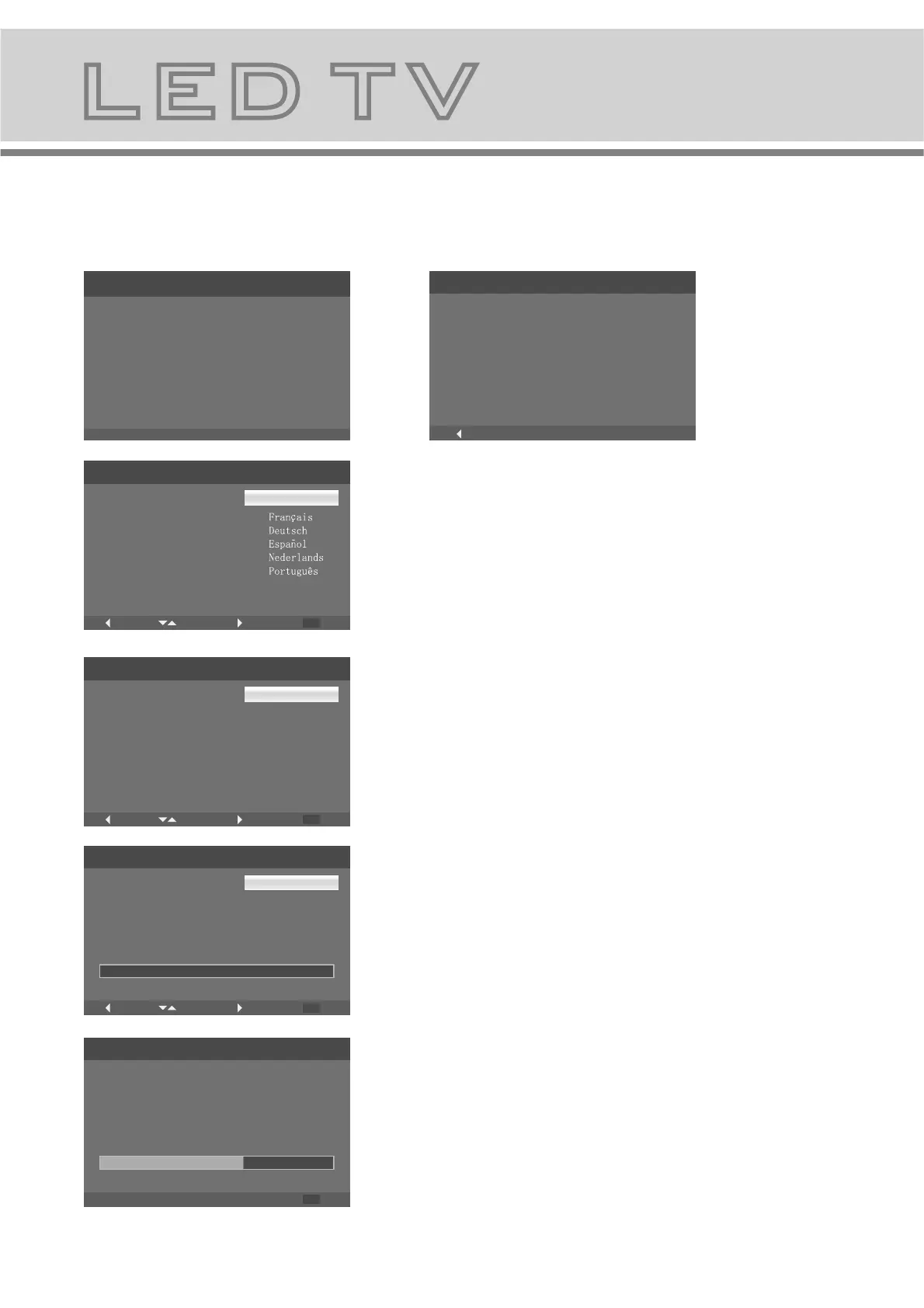
1. Turn on TV, Please press"OK" to
start the wizard
Menu Setup TV (When using for the first time only)
8.The OSD menus
2. Please select your language
3. Please select your country
4. Connect antenna and Press
"OK " key start channel scan
Initial Setup
EXIT
Cancel
Channel Scan
The channel scan may take a while
to complete.
60%
Status:Scanning
Analog Channels:0
Digital Channels:0
Initial Setup
Complete
Congratulations!!
Completed Initial Setup.
Please press [OK] to exit the wizard.
Initial Setup
Please select your language:
Initial Setup
Welcome
Welcome to use the Wizard for
Initial Setup !!
Please press [OK] to start the
wizard.
Language
English
Back
Back
Select
Next
EXIT
Exit
Initial Setup
Please select your country:
Country
Back
Select
Next
EXIT
Exit
Austria
Belgium
Switzerland
Czech Republic
Germany
Denmark
Spain
Initial Setup
Back
Select
Next
EXIT
Exit
Channel Scan
First, please connect antenna.
Start channel scan now?
If you skip this step, the channel
scan could be performed in Menu.
Scan
Skip Scan
0%
Polski


 To Next Page