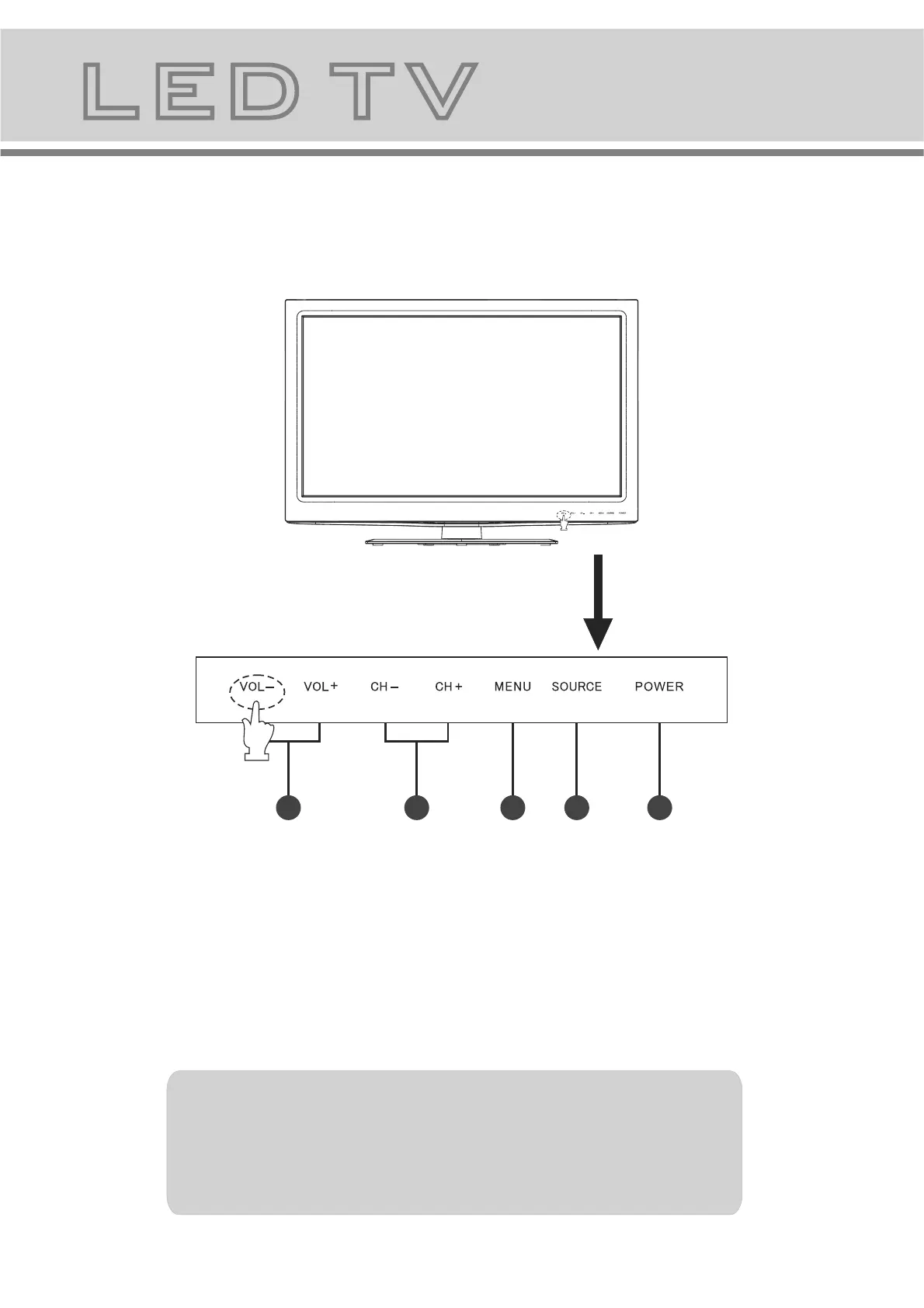
6.LED TV panel overview
7
TV Control Panel
12
3
4 5
1.Volume adjustment and Menu item adjustment.
2.Channel selection and Menu item selection.
3.Main menu display and confirm.
4.Signal Source selection button.
5.On/off button.
Instruction of the touch button
1. Press any button with your fingers lightly to activate the touch buttons and
all indicators will be lit.
2. Press the desired button while all the button indicators are turned on.
The corresponding indicator will flicker once it is pressed.
NOTE
To make it easier for the monitor to respond the touch button, please press the
location slightly below the silk screen of the buttons indicated as following.


 To Next Page