©2016 SwellPro All Rights Reserved
13
SWC2
4.2.3 READING OSD DATA ON CONTROLLER SCREEN
4.2.3.1 Find out and recognize the OSD data
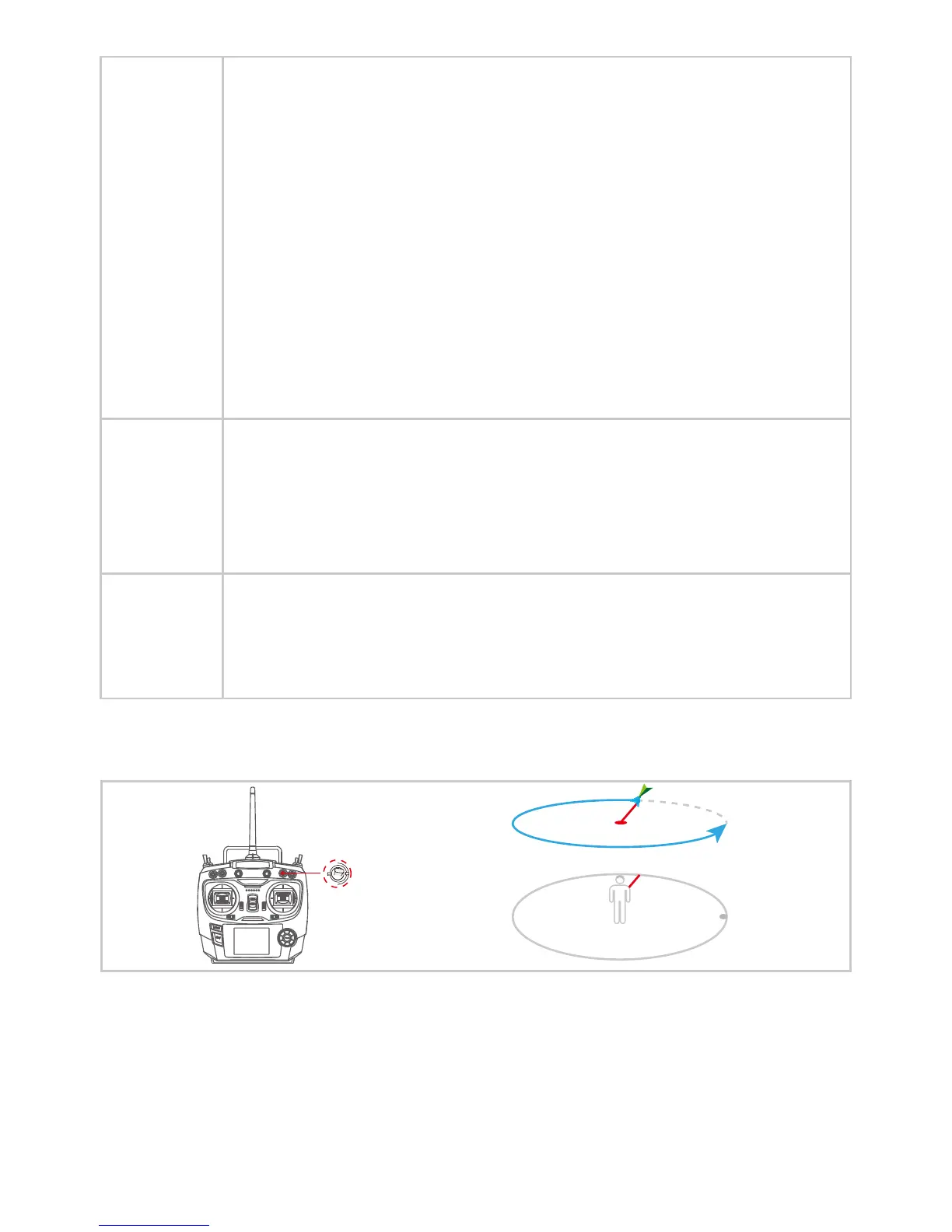
Circle ight: Fly the drone over the object of interest, switch SWC to SWC2 (Circle
Flight) to activate Circle Flight mode. The drone will take this point as the center of
circling. The target object will be recognized as the default nose forward camera
direction. Pull the AILERON joystick down to enlarge the circle diameter, push up to
reduce the circle. Slightly turn AILERON joystick to left, the drone will make a
counter-clockwise circle ight. Keep turning the joystick to right, the drone will slow
down the counter-clockwise circle ght until implementing clockwise circle ight. the
further you press AILERON to the left or right respectively, the circle ight speed will
increase in speed. The circling speed is proportional to the AILERON joystick
movement. Use the THROTTLE joystick to increase or decrease the ight altitude, use
the YAW joystick to turn the nose/camera direction.
Return-Home mode will be active by ipping the SWB to SWB2 (Return-Home)
position. YAW (nose) direction is controllable in Return-Home mode. When the drone
returns over the point of take-o location, both YAW and AILERON joystick are
controllable for a better landing-o location, Throttle is unavailable in Return-Home
mode.
Note: To prevent unexpected accidents, please DO NOT take-o under Circle Flight mode. Determine
the drone NOSE/Front direction before quitting Circle Flight mode.
Circle Flight
Return-Home
mode
Fail Safe Return mode will be active when drone is out of radio range & radio controller
is turned o by accident. After regaining the radio signal, drone will be controllable by
switching SWB to ”Normal” to take over the ight, no matter in ATTI or GPS mode.
Fail Safe
Return
4.2.2.2 Graphic Illustration
Circle Flight














 To Next Page