©2016 SwellPro All Rights Reserved
23
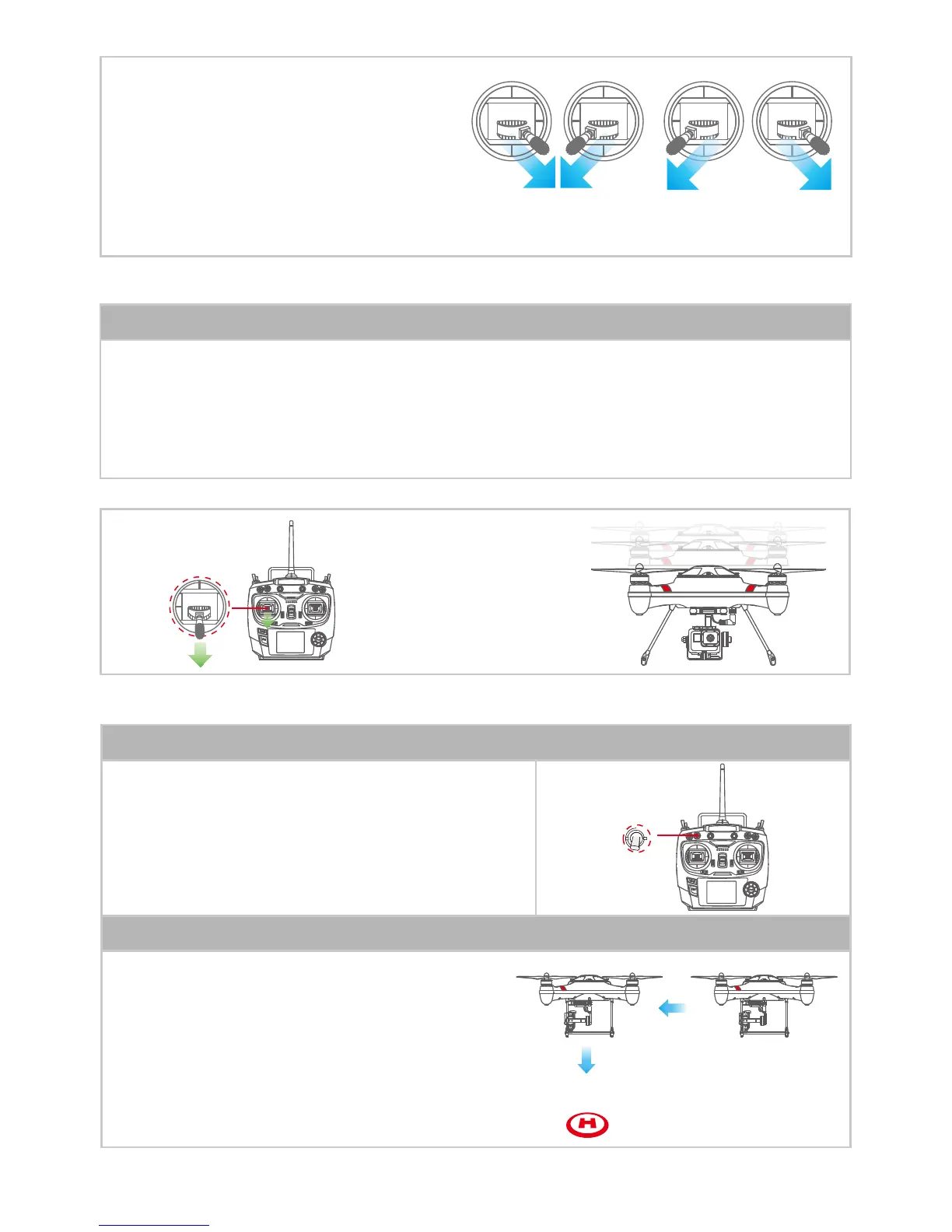
unlock motors lock motors
Return-Home
Pull the 2 joysticks to their lowest joining
position to unlock and lower most parting
position to lock (stop)as showed in right
pictures. NOTE: Unless in an emergency while in
ight, NEVER Lock motors or STOP the motors
as this will cause the drone to fall to the ground
and crash!
Operation diagram
4.4.4 RETURN-HOME FUNCTION
1. Slowly pull down the throttle joystick to reduce the altitude, when the drone is close to the ground,
put the throttle stick to the lowest position, until the drone has landed and motor stop rotating. (Note:
the drone will automatically be locked( stop motors) in 5seconds or you can manually lock it.
2. Power o the drone, then power o the radio controller.
4.4.3 LANDING
Land the Splash Drone
When SWB is switched to SWB2 as see section 4.2.1.1,
drone will return to take-o location automatically
based on reliable GPS communication.
Activate Return-Home
If the ying height is > 20m / 65 feet and a horizontal
distance away from take-o location >15m/50 feet
(Drone will keep current height to execute the
Return-Home function and return above the take o
location and auto descend)
Return-Home Logic














 To Next Page