©2016 SwellPro All Rights Reserved
34
OSD Convertor
Receiver
Gimbal
AV OUT
Camera ContorlCamera Contorl
M1
M2
IMU
4.6.7 FLIGHT WITH OSD ON CONTROLLER
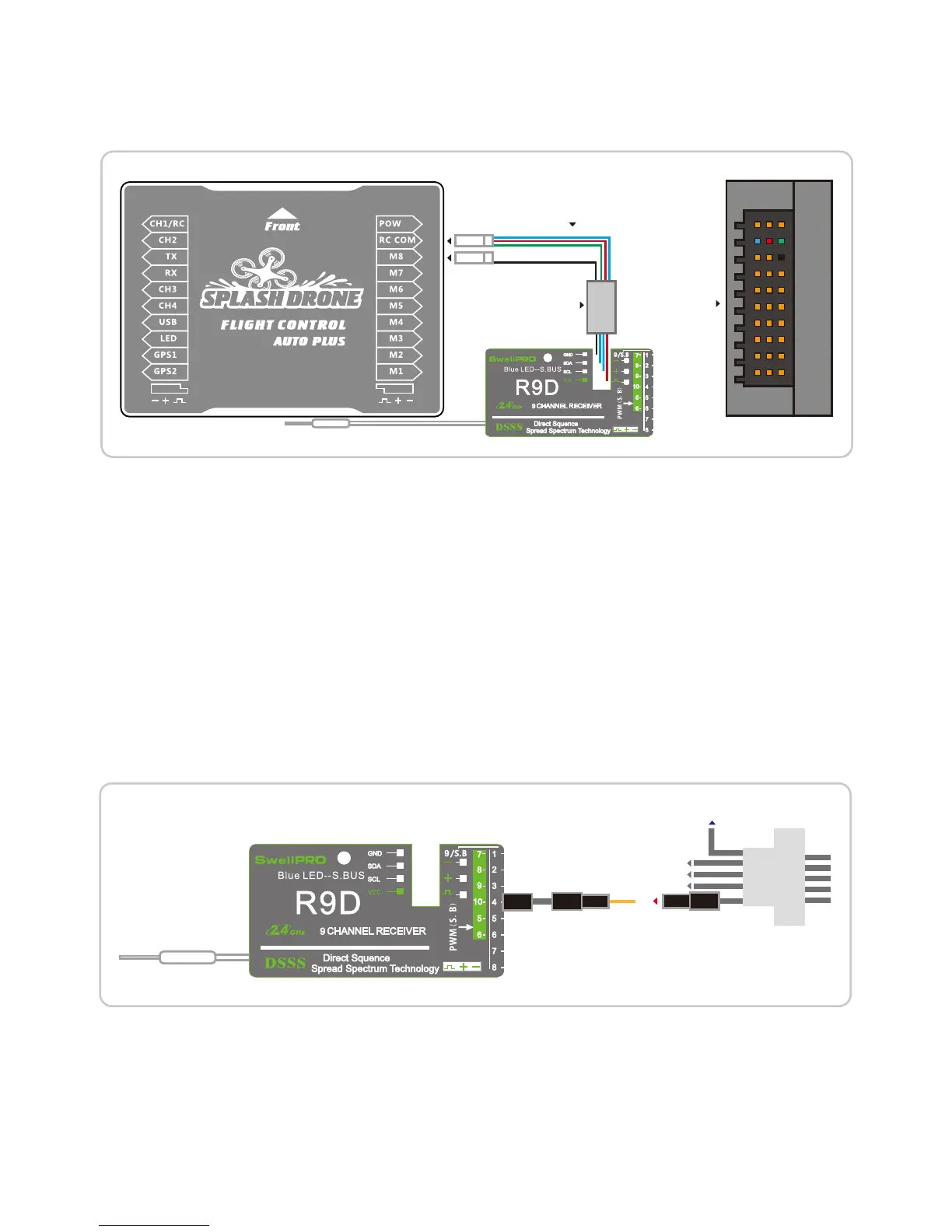
Please refer to below wiring conguration of OSD data transmission:
4.6.8 ZERO CAMERA REMOTE CONTROL
Remark: The color codedcable with 3 colors shall go into ‘RC COM’ terminal in Flight controller, the 3 pin
Cable with Black wire goes into the ground terminal next to ‘COM’, labeled ‘M8’. The other end with 4
pins white cable goes into the socket of OSD converter that is attached on the Receiver.
1. When a ZERO camera is t in the splash drone waterproof gimbal, the ZERO cameracan be controlled
by the remote controller to take picture or shoot video. (Note: this function isn’t available for GoPro
Hero3/4).
2.Installation guide:
Connect the USB port with the ZERO camera, t the camera into the gimbalwaterproof dive box,
connect the camera control line to Channel 10 of receiver box. (See below connection diagram)
3. Function Illustration:
Flip SWD to SWD2, camera stays at standby mode;Flip SWD to SWD1, camera take single picture(Note:
Series-shooting and Time-lapse photos are applicable by selecting the relative mode in camera setting
menu prior to ight ); Flip SWD to SWD3, camera start video recording.
RIGHT
The New AUTO version has changed the
OSD cable from three color to Single balck.














 To Next Page