©2016 SwellPro All Rights Reserved
33
Important Note:
1. For waterproof design reasons, the VTX antenna was placed inside the drone. According to our tests,
the default eective range for the VTX is between 600-1000 meters.NOTE the New auto and sherman
versions have an auto seek feature and also the antennas are mounted in rubber external mounts for
increases signal conditions.
2. The FPV screen antennas can be upgraded to provide better quality and/or distance if necessary.
3. Do your own modication by installing the VTX antenna outside the drone (under) to reach longer
range.
Routine: Press '-' button once, it's available to tune the frequency manually ( Frequency A-B-E-F-R will be
on the screen circularly.).
Functionality in 'M' menu: Select the to-be-adjusted item, press '-' once to decrease the value.
3. '+' Button
Routine: Press '+' button once, it's available to tune the channel manually ( Channel will change among
1~8 circularly.).
Functionality in 'M' menu: Select the to-be-adjusted item, press '+' once to increase the value.
4. 'M' Button
Press 'M' to enter the MENU list, Select settings via '-' & '+', Set specic item via ” “ ” “
When completing selections, press 'OK' to adjust options, it's available to select the specic sub-item via
” “ ” “, and change its value via '-' & '+'.
Once nishing settings, Press 'M' once to return to default interface, the parameters will be saved
automatically.
5. ” “ Button
Routine: Press ' ' once to change over the Video Signal among DIVERSITY - RFA - REPLAY -AV IN - HDMI IN
Functionality in 'M' menu: Downward selection
6. ” “ Button
Routine: No function
Functionality in 'M' menu: Upward selection
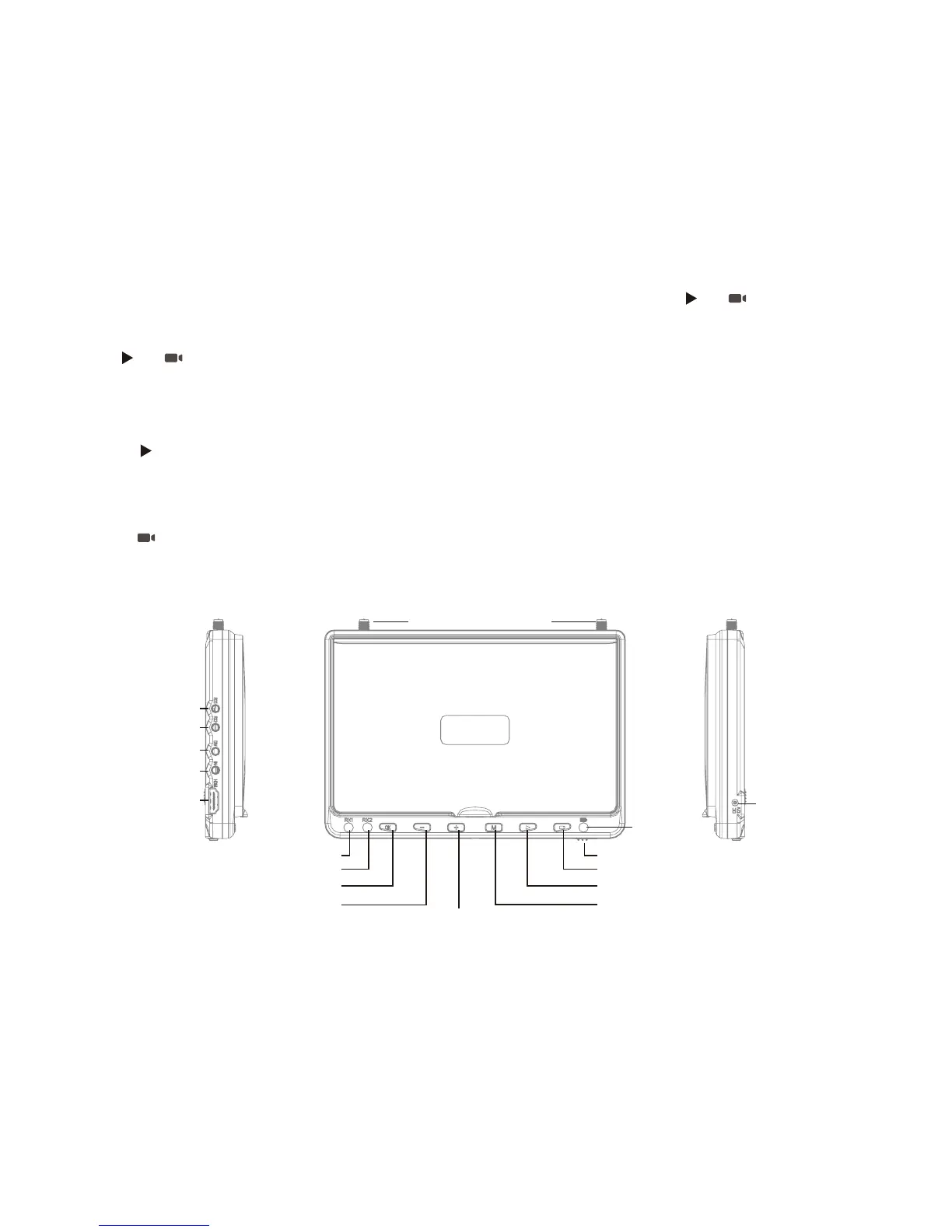
RX1 AV OUT
Antenna Connector
RX1 Indicator
AUTO-SEARCH / OK
Tuning Frequency / Value DOWN MENU
Signal Swift / DOWN
UP
Power Switch
Charger port
Charging
Indicator
Tuning Frequency / Value UP
RX2 Indicator
RX2 AV OUT
AUTO AV OUT
AV IN
HDMI IN














 To Next Page