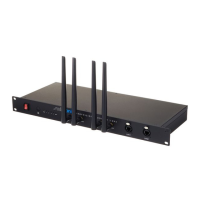
Need help?
Do you have a question about the swissonic Basic Router MKII and is the answer not in the manual?
Details on downloading the manual, keyword search, online guides, and contacting technical support.
Explains symbols, text formatting, and instruction formats used throughout the manual for clarity.
Defines signal words like DANGER! and NOTICE!, and explains warning signs for electrical and general hazards.
Details the device's intended use, user qualifications, and safety for children and electrical hazards.
Covers external power supply requirements, safe operating conditions, and risks of electrical shock or fire.
Warns about potential staining from rubber feet and radio interference from device emissions.
Advises against using the device near explosive spots due to emitted electromagnetic signals, preventing fire or explosions.
Details dual-band wireless capabilities, operation modes (Router, Repeater, AP, ISP), and port specifications (WAN/LAN).
Provides instructions for unpacking, checking for damage, connecting cables, and notes on radio transmission.
Step-by-step guide on connecting the router to a DSL modem, PC, and power supply for initial setup.
Instructions for connecting to the router's Wi-Fi, accessing the interface, and logging in.
Guides through initiating 'Quick Setup', selecting 'Gateway' mode, and configuring WAN access types.
Instructions for changing wireless network settings (SSID, encryption) and enabling/disabling IPTV mode.
Steps to confirm and save the configuration settings, and reconnect the smartphone to the network after saving.
Identifies and illustrates the front panel components, including power/status LEDs and buttons.
Explains the meaning of each LED indicator on the router, such as power, CPU, 5G, and 2.4G activity.
Identifies and illustrates the rear panel components, including WPS, RST, WAN, LAN ports, and power socket.
Details the specific functions of the WPS button, RST reset button, WAN port, LAN ports, and the power supply socket.
Provides guidance on cleaning the unit with dry or slightly damp cloths, and avoiding specific cleaning agents like alcohol or thinner.
Lists common symptoms like non-lighting LEDs or connectivity issues and suggests remedies, directing users to the service center.
Details input/output connections, frequency range, transmission power, dimensions, weight, and ambient operating conditions.
Lists Wi-Fi standards, data throughput, chipset details, and PoE class information for the router.
Explains environmentally friendly disposal of packaging materials and the old device according to WEEE directive and local regulations.
 General
| Brand | swissonic |
|---|---|
| Model | Basic Router MKII |
| Category | Network Router |
| Language | English |

 To Next Page