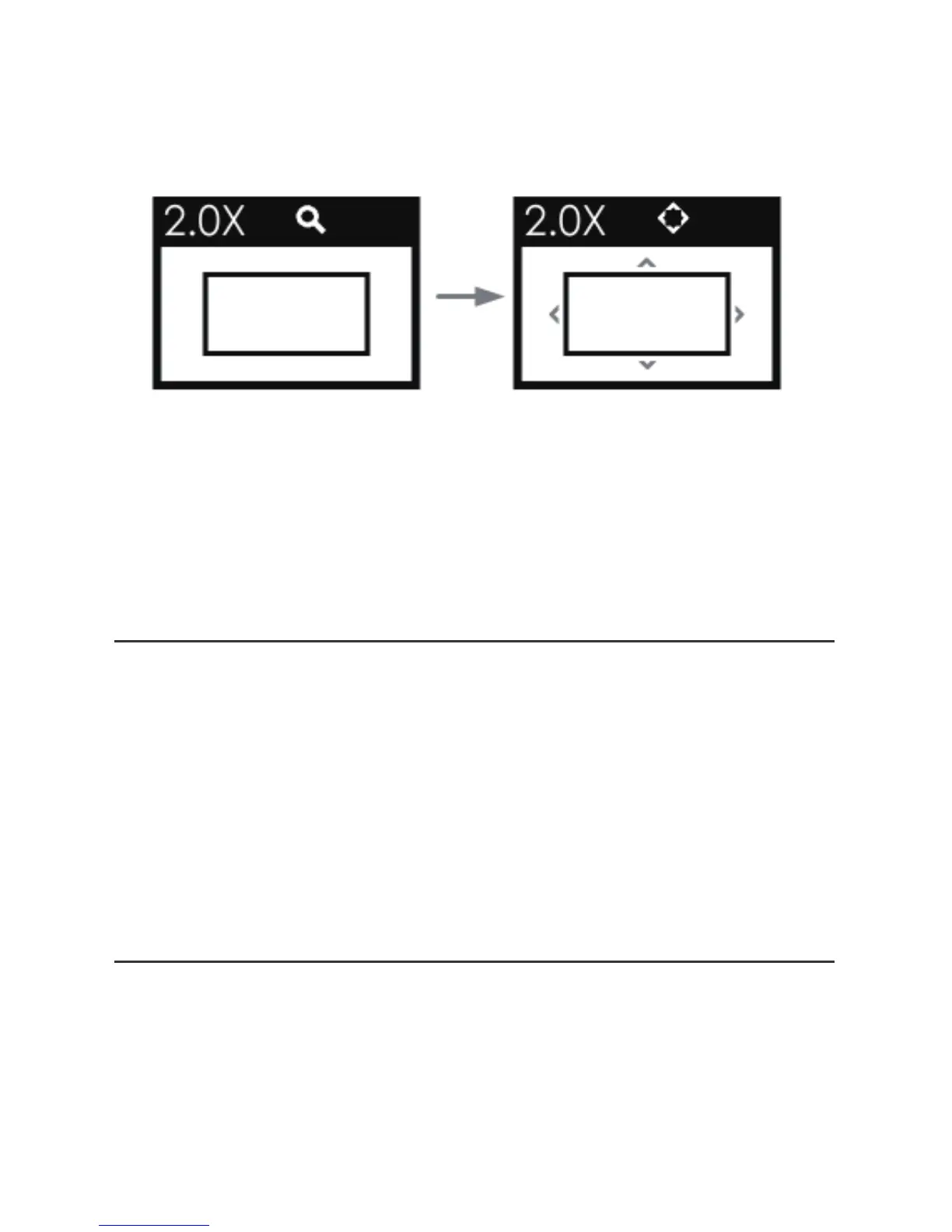
❷ Adjusting Mode
Press straight down the joystick to move the starting
position of the enlarged image.
Then, the icon is changed, there will be four arrows at each
direction surrounding the center rectangle.
Press straight down the joystick to confirm the adjustment.
*
In 2X or 4X zoom mode, press straight down the
joystick, it will recover and display the original image.
Rotate Screen
Hold the joystick left for 3 seconds to enter the monitor
settings menu;
Scroll down to select controls→DISPLAY ROTATE item,
and press straight down the joystick to display the
DISPLAY ROTATE submenu. Scroll right or left to set the
SCREEN ROTATE item to be 180, then the input image will
reverse vertically. Set the IMAGE ROTATE as the same way.
Restore the Factory Settings
Select monitor settings menu, and select system→
FACTORY RESET item, then scroll right to select EXECUTE
FACTORY RESET command, and press the joystick straight
down to confirm the selection to initialize the settings to
default values.


 To Next Page