16 Page
Version 1.3 October 2020
Prior to installation, you will need to calibrate the wind direction.
Northern Hemisphere (NOR).
The cardinal directions (N, S, E, W) molded on the body of the outdoor sensor are indicators for the Northern
Hemisphere only.
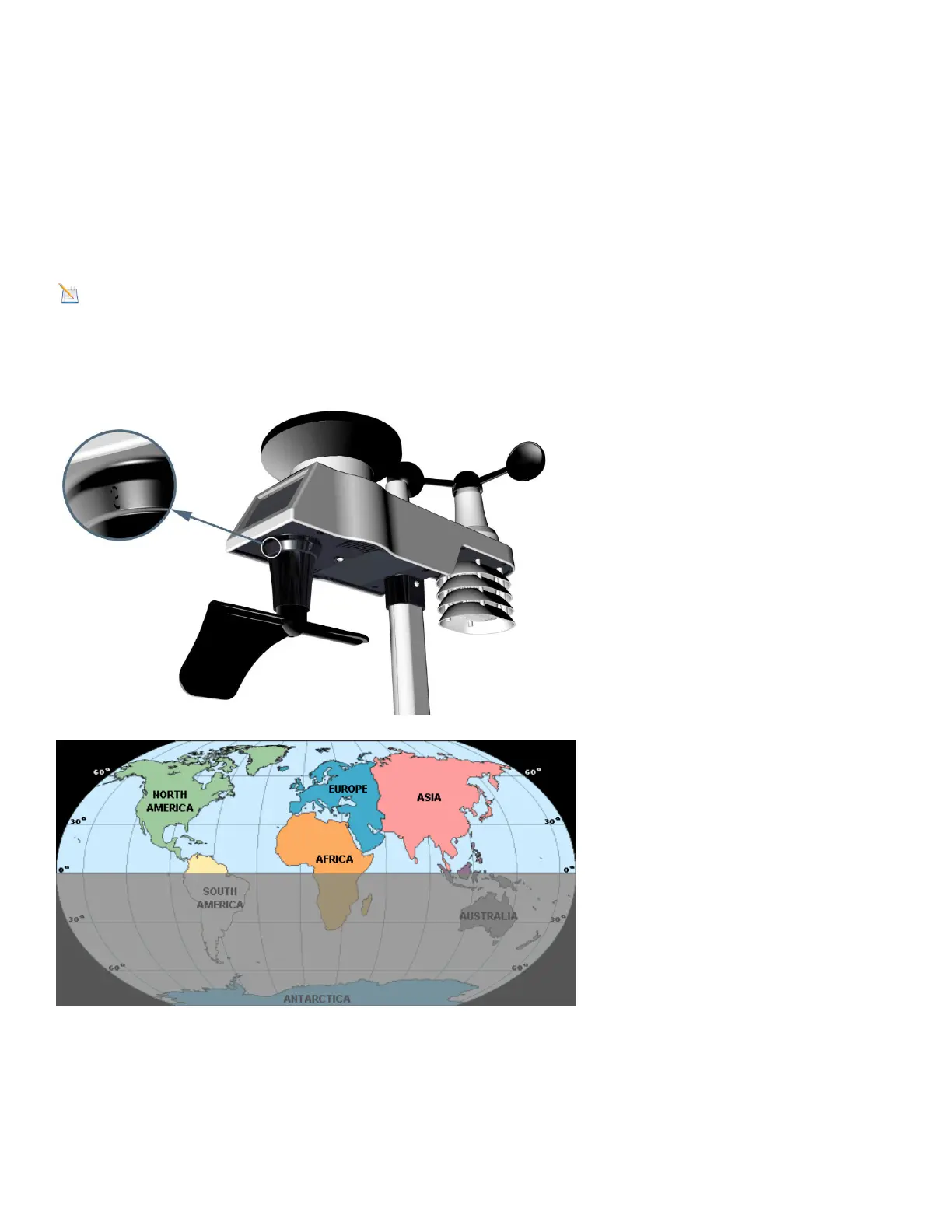
There is a “S” indicator on the wind vane that indicates South, as shown in Figure 13. Align this “S” marker in
the direction of South.
Note: There are four alphabet letter of “N”,”E”,”S”and “W” around the wind direction, representing for
the direction of North, East, South and West. Wind direction sensor has to be adjusted so that the directions
on the sensor are matching with your real location. Permanent wind direction error will be introduced when
the wind direction sensor is not positioned correctly during installation.
Northern Hemisphere
Southern Hemisphere
Figure 13


 To Next Page