EasyManua.ls Logo

SWP stealth digi-cut100 - User Manual

SWP stealth digi-cut100
8 pages
Print Icon
To Next Page IconTo Next Page
Loading...
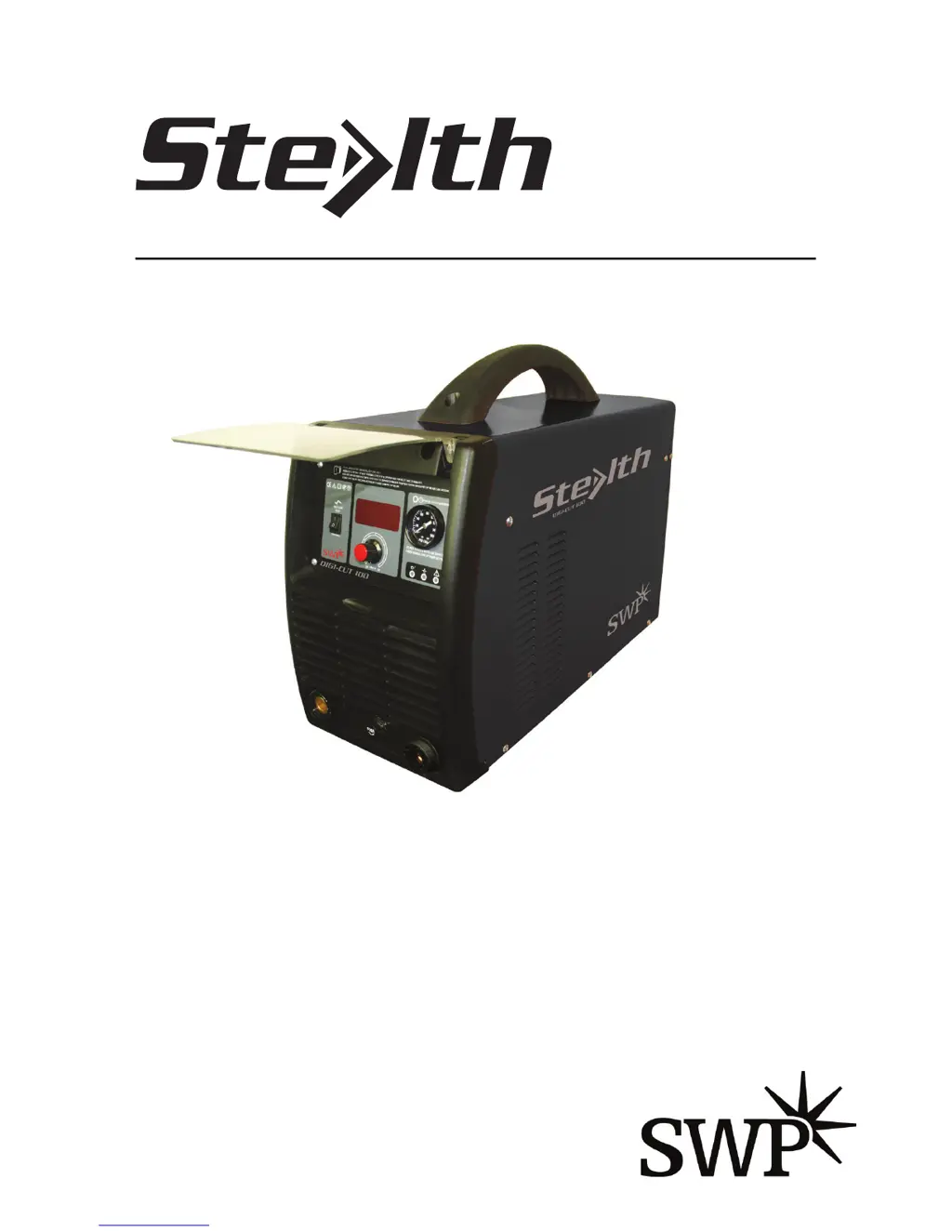
DC INVERTER • AIR PLASMA • CUTTING MACHINE
Part No. 9032
DIGI-CUT100
OPERATING
INSTRUCTIONS
Suitable for
3x415V

Questions and Answers

  • M
    Mario HoldenJul 31, 2025
    How to fix SWP stealth digi-cut100 Welding System when the power lamp is not lit?
    • D
      Deborah MannJul 31, 2025
      If the power lamp on your SWP Welding System isn't lighting up, the issue might stem from a lack of electricity input. In this case, check the incoming power line. Alternatively, the machine switch itself may be faulty, requiring a replacement.
  • C
    Cynthia CarrilloAug 4, 2025
    Why is the fan not rotating in my SWP stealth digi-cut100 Welding System?
    • C
      Connie SmithAug 4, 2025
      If the fan in your SWP Welding System isn't rotating, there are several potential causes. First, the fan power line may be disconnected, requiring you to reconnect it. Second, the fan enclosure might be blocked, so unblock it. Third, the fan itself may have failed, necessitating a replacement. Finally, the entire machine may be malfunctioning, which would require returning it to the manufacturer or a service center.
  • V
    Vicki RoseAug 8, 2025
    Why has the output current decreased in my SWP stealth digi-cut100?
    • T
      tiffanyhoodAug 8, 2025
      If the output current of your SWP Welding System has decreased, it could be due to a low input voltage. To resolve this, stabilize the voltage over 5KVA. Another possibility is that the input line is too thin, in which case you should thicken the power line.
  • K
    kennedyjamesAug 13, 2025
    What to do if the warning lamp lights up on my SWP stealth digi-cut100?
    • S
      scottmadisonAug 13, 2025
      If the warning lamp lights up on your SWP Welding System, it indicates a problem. If the yellow lamp lights up, it signals overheating, and welding should be paused to allow the system to cool. If the green lamp lights up, it indicates an overcurrent issue, which could be due to a low input voltage or a machine failure.
  • H
    holmesheatherAug 17, 2025
    How to fix SWP Welding System when the current cannot be regulated?
    • J
      john16Aug 17, 2025
      If the current cannot be regulated on your SWP Welding System, it might be due to a disconnected connecting line of the potentiometer. Try reconnecting the line. Alternatively, the potentiometer itself may have failed, requiring a replacement.
  • M
    Mark VasquezAug 21, 2025
    What to do if there is no output of welder from my SWP stealth digi-cut100?
    • R
      robertsonkyleAug 21, 2025
      If there is no output from your SWP welder, it could be due to overcurrent protection caused by overloading. Alternatively, the welder itself may have failed, requiring maintenance at the manufacturer or a service center.
  • W
    William CalderonAug 27, 2025
    Why high frequency arc cannot be generated on my SWP stealth digi-cut100 Welding System?
    • O
      Olivia Orr DVMAug 27, 2025
      If a high-frequency arc cannot be generated by your SWP Welding System, the switch may have failed, requiring a replacement. Another potential cause is an incorrect airflow selection or a failing electrode, which would necessitate replacing the electrode. Finally, the high-frequency arc generator itself may have failed and need replacement.

Summary

Safety Precautions

General Safety Instructions

Follow critical safety precautions for operation, including proper electrical connection, dry environment, and personal protective equipment.

Main Use and Range

Product Overview

Describes the inverter-based air plasma cutter and its capabilities for metal cutting.

Operating Condition and Work Surrounding

Operating Conditions

Details required voltage, humidity, and ambient temperature for optimal machine performance.

Work Surroundings

Specifies safe work site requirements, prohibiting operation in rain and near harmful substances.

Product Description

General Product Information

Covers output voltage, grounding requirements, operating area, and pre-operation checks.

Panel Function Diagrams

Front Panel Layout

Illustrates and lists components on the front panel of the cutting machine.

Back Panel Layout

Illustrates and lists components on the back panel of the cutting machine.

Machine Operation

Operating Procedure

Step-by-step guide on connecting the machine, setting air pressure, and performing cutting operations.

Product Description

Warranty Information

Details the warranty period and conditions for product defects, excluding damage due to misuse.

Troubleshooting

Common Problems and Solutions

Lists common issues like power lamp failure, fan not rotating, and output problems with their causes and solutions.

Multilingual Warnings

General Safety Warnings

Provides essential safety warnings in multiple languages regarding electrical shock, flammables, and protective gear.

Operation and Safety Guidelines

Maintenance and Operation Safety

Covers fume removal, powering off before servicing, and avoiding operation with open panels or guards.

SWP stealth digi-cut100 Specifications

General IconGeneral
Input Frequency50/60 Hz
Max Output Current100A
Insulation ClassH
ModelStealth Digi-Cut 100
TypePlasma Cutter
Output Current100A
Duty Cycle (at 40°C)60% at 100A

Related product manuals