DIGIEYE COMPACT Informazioni di base
EN-UM-DGI.CO2.A
Rev. 1.4
Page 8
5. Initial Configuration
(Legacy interface)
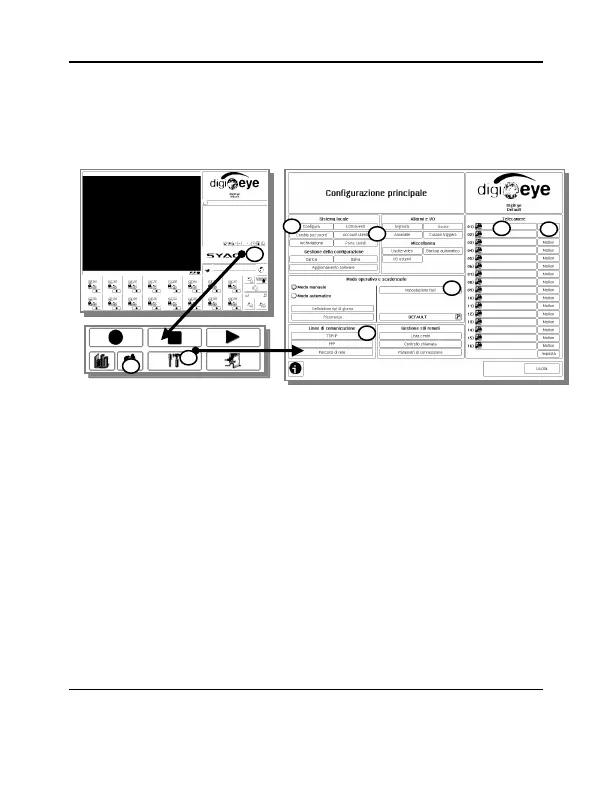
1. Press the button with SYAC-TB logo
2. Press the Configuration button (tools icon)
3. Set local parameters (“Configure” button)
a. System name
b. Date/time
c. Number of analog/IP channels (for hybrid systems)
d. Automatic recording reactivation time
4. Network parameters setup (“TCP/IP” button)
a. Static or dynamic IP address (DHCP) for LAN1 interfaces and,
if necessary, LAN2.



 To Next Page