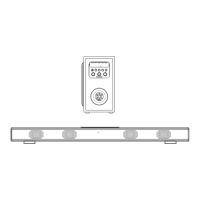
POWER CONTROL
- To turn the unit on
·
· Press STANDBY button to turn on the unit.
- To turn the unit off
· Press STANDBY button on the remote control or hold STANDBY button in the front of the unit.
NOTE:
If the unit is not used for a long period of time, disconnect the power adapter.
TIME SETTING
1. Place the unit to standby mode.
2. Hold CLOCK/MO/ST button on the remote control until the hour d igit flashes.
3.Then press TUNE+ or TUNE- button on the unit or remote control to adjust the hour.
4. Press CLOCK/MO/ST button on the remote control to confirm the hour setting and the minute
digit will flash.
5. Then press TUNE+ or TUNE- button on the unit or remote control to adjust the minute.
6. Press CLOCK/MO/ST button on the remote control to confirm the minute setting.
FM RADIO
display.
- Search and store the stations
1. Hold TUNE+ or TUNE- button to search stations forward or backward. The unit will stop if a
station is found. Then press FM SCAN button, “CH XX” will flash and then use M+ button to
select the place you want the station stored to. Press FM SCAN button t o confirm. Or
2. Hold FM SCAN button then release the unit will search and store the stations automatically.
- Listen to the preset stations
PressM+buttonrepeatedlytoselectthedesiredpresetstationstolistento.
NOTE:
If the received FM stations are in stereo mode, the unit will play in stereo mode automatically.If
reception is weak, press the CLOCK/MO/ST button to turn the unit to mono mode. Press again to
turn to stereo mode again.
6
MODE
Power on the unit and press button repeatedly until the FM frequency appears on the
Connect the supplied power adapter.


 To Next Page