5
Menu/Return
- Returns to previous screen
- Press and hold to access main menu
3
Play / Pause
- Selects object
- Starts/pauses play
2
Up Arrow
- Navigates upward
- Navigates towards the right
- Press & hold to Fast Forward
- Press & hold to Fast Reverse
- Navigates towards the left
- Skips to previous file
6
- Navigates downward
- Skips to next file
Down Arrow
4
Vol+
- Increases volume
7
Vol-
- Decreases volume.
1
Power On / Off
- Turns on or off the DPF.
TIP:
The instructions throughout this User Guide only reference the use of the remote control.
1
2
3
4
7
5
6
MENU
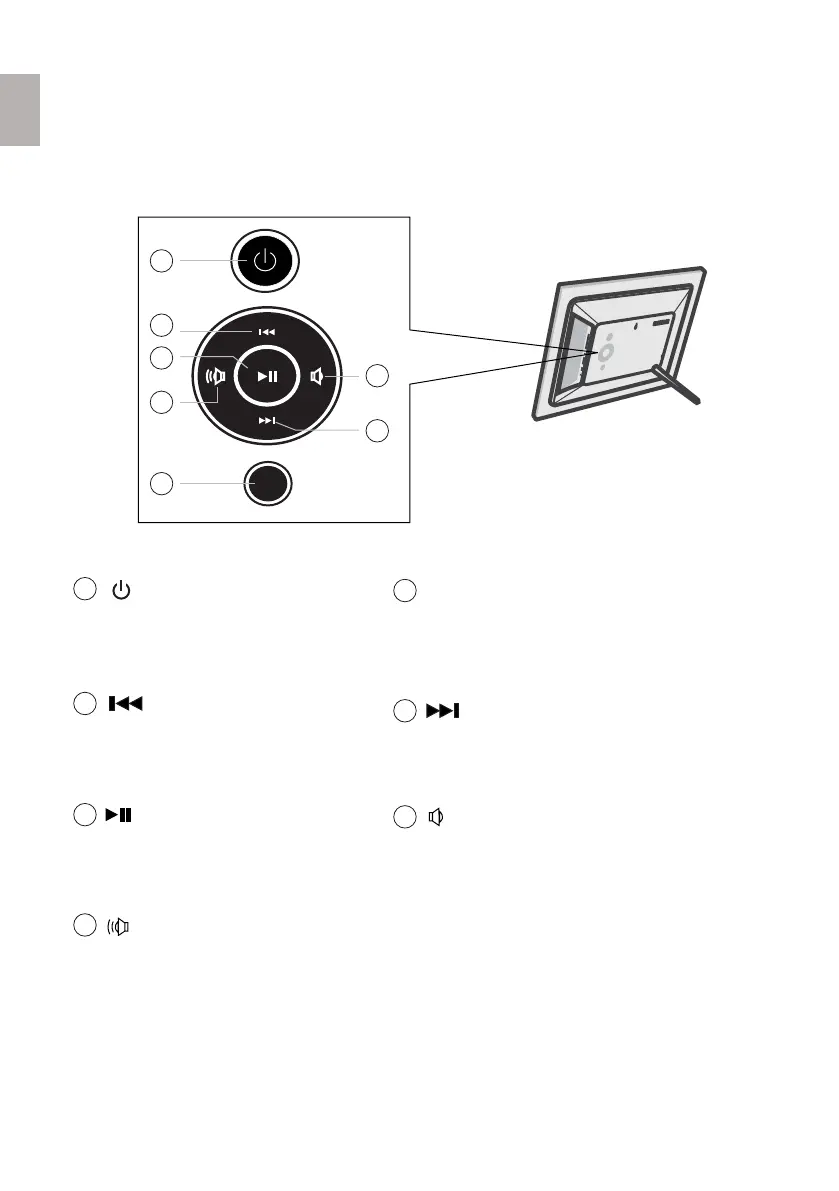
You can perform many (but not all) of the DPF functions by using the control buttons
located on the back panel of the DPF. Their basic functions are the same no matter when
you use them.
1.4 Control Buttons on DPF
3
English



 To Next Page