18
Setting Menu
TV
NTSC
Dolby
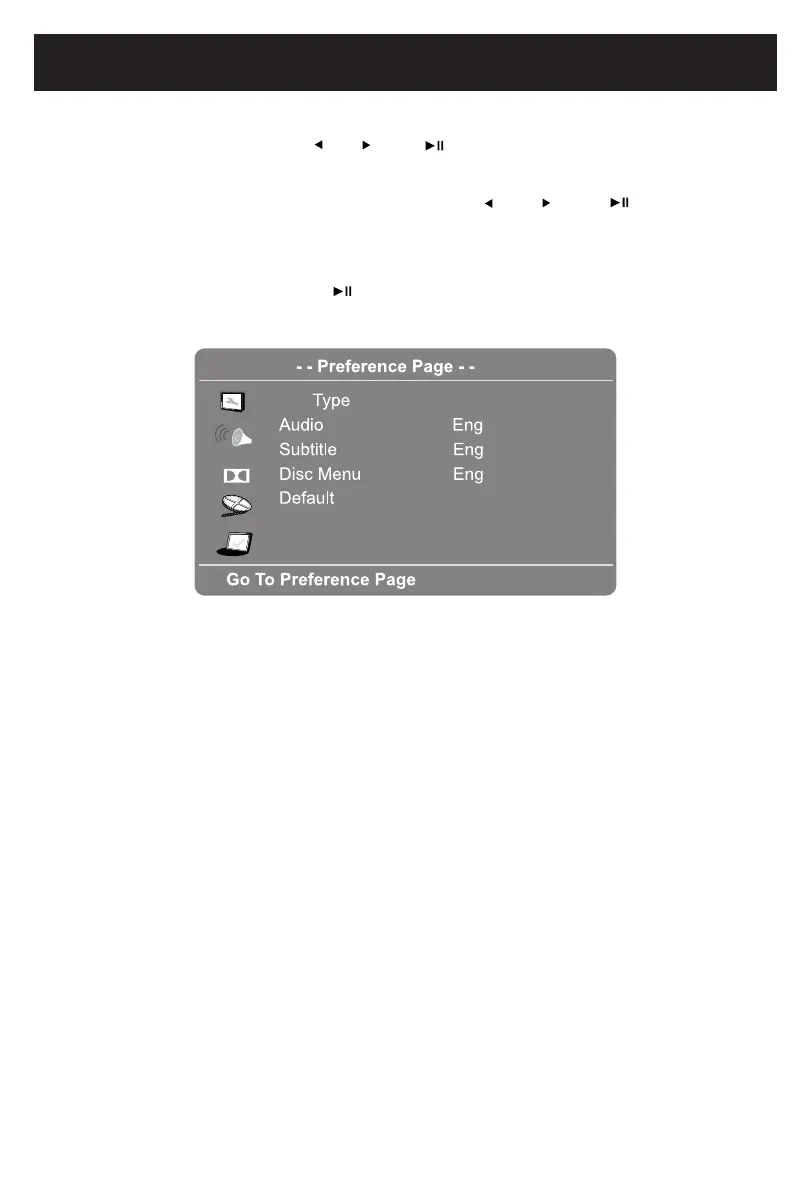
3. If Default is selected, press button to reset all settings to default
settings or press and hold the Buttontoexitwithoutchanges.
IN PREFERENCE SETUP PAGE:
1. IfTVTypeisselected,usethe and buttonstosetto PAL, AUTO
or
NTSC.
(NOTE: The TV system in USA, Canada and Mexico is NTSC.)
2. If Audio, Subtitle or Disc Menu is selected, use the and
buttons to the
priorityoftheavailablelanguage.(Functiondepend the recording of DVD).
or
or
SETUP
the
Note: Subtitle can be set to Off.









 To Next Page