OP EN
USB/SD/SETUP
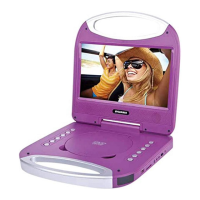
Product Overview
:
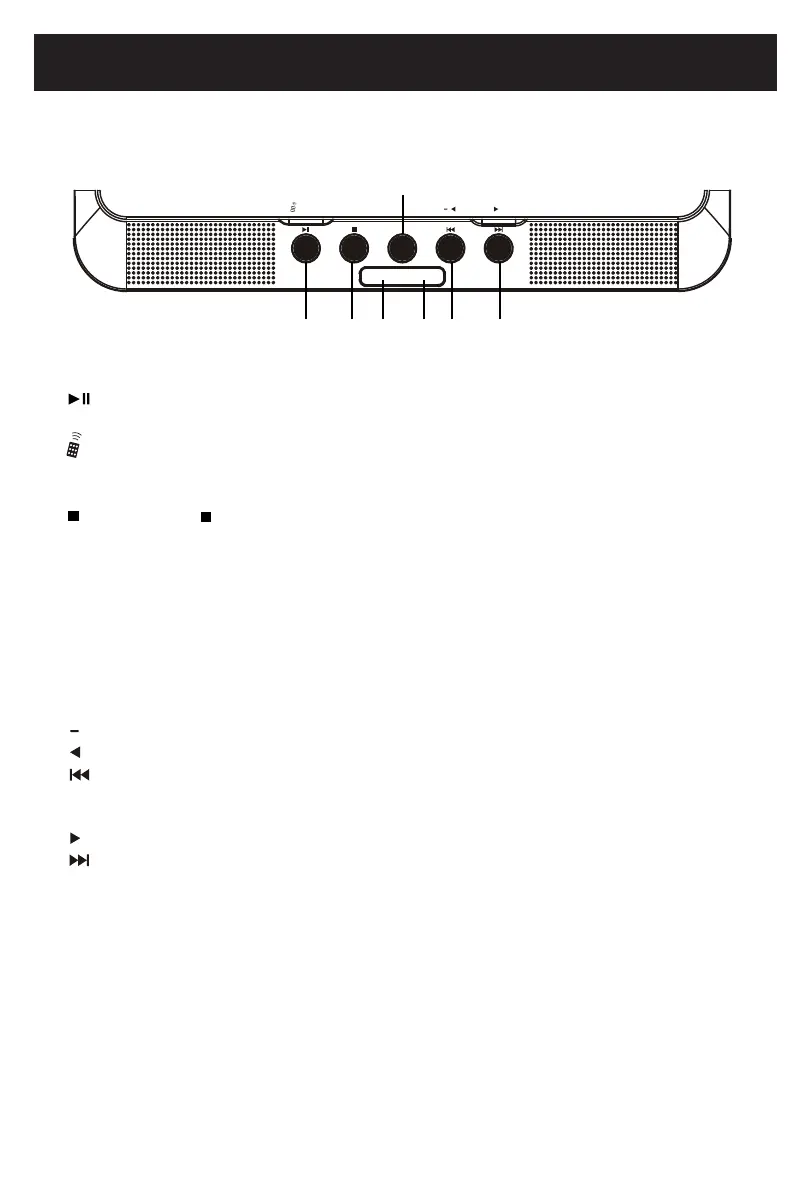
OPEN:
Charge Indicator:
Power Indicator:
MAIN UNIT:
Press to open the CD door.
7
1 2
3
4 5 6 7
SETUP
:
Press and hold the button to enter virtual remote function when there is a disc is playing.
Press and hold the button to enter setting up when no disc, USB or Card playing.
:
USB/SD
:
VOLUME
+
VOLUME:
Press and hold the button to decrease volume.
:
Press to cursor left and up during certain operation.
:
Press to skip to previous track.
VOLUME
:
Press and hold the button to increase volume.
:
:
Press to skip to next track.
+
Press to cursor right or down during certain operation.
:
~ Press to pause during playing, press again to resume playing.
~ Or, press to select or confirm during certain operation, such as setting up operation.
1.
2.
3.
4.
5.
6.
7.
STOP
Press once to stop, press again to stop completely.
Press and hold to display DVD, CARD or USB function list.
Green indicator will turn on when the unit is powered on, and turn off if
the unit is powered off.
During charging, the Red indicator will flash, and dtay lit when fully
charged.



 To Next Page