EasyManua.ls Logo

Sylvania SDVD1087 - User Manual

Sylvania SDVD1087
40 pages
Print Icon
To Next Page IconTo Next Page
Loading...
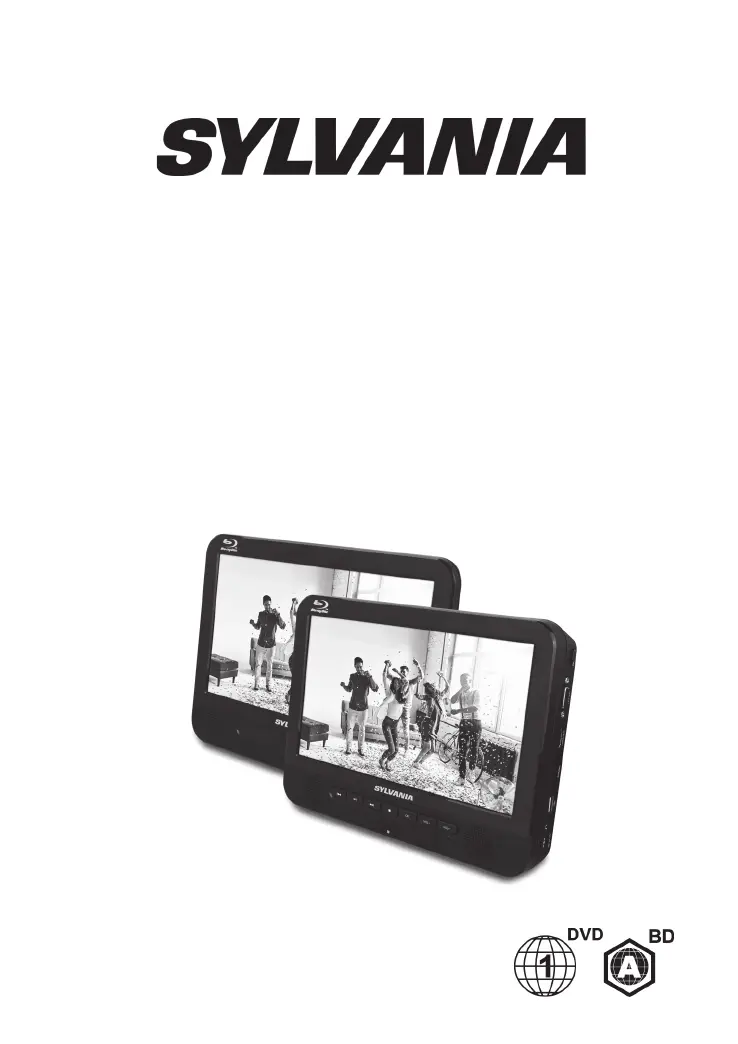
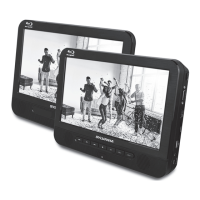
PORTABLE BLU-RAY DISC/DVD
PLAYER
USER MANUAL
SDVD1087
SYLVANIA is a registered trademark of OSRAM Sylvania Inc. used under license.

Questions and Answers

Summary

Safety and Maintenance

Security Instructions

Read all instructions before using the Blu-ray player and keep the manual safe.

Remote Control

Remote Control Overview and Button Functions

Detailed explanation of each button on the remote control and its function.

Operating and Quick Start

Quick Starting Guide

Step-by-step guide to connect and start using the player.

Remote Control Operation

How to use the remote control effectively with the player.

Connections

Connect to Monitor

How to connect the player to an external monitor using AV cables.

Connect to the HDMI

How to connect the player to a TV using an HDMI cable for high-quality output.

Installation and Playback

Headrest Mount Installation

Instructions for attaching the player to a car headrest.

Video Playback Controls

How to control video playback using the remote control buttons.

Disc Playback Operations

Change Video Playback Settings

Adjusting video playback settings like audio and subtitles.

Play a Blu-ray Disc

Steps and tips for playing Blu-ray discs on the player.

Media Playback

Play Music

Instructions for playing audio files from discs or USB devices.

Play a Photo Slideshow

How to play JPEG photo files as a slideshow.

Advanced Media and File Access

Controlling Photo Slideshows

How to control the photo slideshow playback using the remote.

Play from USB & SD Cards

Guide to playing media files from USB flash drives and SD cards.

General Settings

Menu Navigation

How to navigate and operate the player's menu system.

Player System Settings

Configuration options for system features like screen saver and auto playback.

Player Configuration and Features

Language Options

Settings for OSD, menu, audio, and subtitle languages.

Playback Controls

Features like closed caption, angle mark, last memory, and PBC.

Security Settings

Options for changing passwords and parental controls.

Display and Video Settings

Adjustments for TV screen, resolution, color, and video processing.

Audio and Speaker Configuration

Audio Settings

Settings for HDMI audio modes, down sampling, and DRC.

Speaker Settings

Configuration for speaker channels and test tone.

Maintenance and Care

Disc Cleaning Instructions

Instructions on how to clean discs properly.

Product Precautions

Warnings about cleaning solvents and general product care.

Specifications

Playback Disc Formats

List of supported disc formats.

Video and Audio Formats

Supported video and audio codecs.

Included Accessories

List of items included with the player.

Technical Details

LED indicators, battery, and unit dimensions.

Troubleshooting

Common Issues and Solutions

Solutions for common problems like remote control, picture, sound, and disc playback issues.

Warranty Information

90-Day Product Warranty

Details of the product's 90-day warranty coverage and limitations.

Summary

Safety and Maintenance

Security Instructions

Read all instructions before using the Blu-ray player and keep the manual safe.

Remote Control

Remote Control Overview and Button Functions

Detailed explanation of each button on the remote control and its function.

Operating and Quick Start

Quick Starting Guide

Step-by-step guide to connect and start using the player.

Remote Control Operation

How to use the remote control effectively with the player.

Connections

Connect to Monitor

How to connect the player to an external monitor using AV cables.

Connect to the HDMI

How to connect the player to a TV using an HDMI cable for high-quality output.

Installation and Playback

Headrest Mount Installation

Instructions for attaching the player to a car headrest.

Video Playback Controls

How to control video playback using the remote control buttons.

Disc Playback Operations

Change Video Playback Settings

Adjusting video playback settings like audio and subtitles.

Play a Blu-ray Disc

Steps and tips for playing Blu-ray discs on the player.

Media Playback

Play Music

Instructions for playing audio files from discs or USB devices.

Play a Photo Slideshow

How to play JPEG photo files as a slideshow.

Advanced Media and File Access

Controlling Photo Slideshows

How to control the photo slideshow playback using the remote.

Play from USB & SD Cards

Guide to playing media files from USB flash drives and SD cards.

General Settings

Menu Navigation

How to navigate and operate the player's menu system.

Player System Settings

Configuration options for system features like screen saver and auto playback.

Player Configuration and Features

Language Options

Settings for OSD, menu, audio, and subtitle languages.

Playback Controls

Features like closed caption, angle mark, last memory, and PBC.

Security Settings

Options for changing passwords and parental controls.

Display and Video Settings

Adjustments for TV screen, resolution, color, and video processing.

Audio and Speaker Configuration

Audio Settings

Settings for HDMI audio modes, down sampling, and DRC.

Speaker Settings

Configuration for speaker channels and test tone.

Maintenance and Care

Disc Cleaning Instructions

Instructions on how to clean discs properly.

Product Precautions

Warnings about cleaning solvents and general product care.

Specifications

Playback Disc Formats

List of supported disc formats.

Video and Audio Formats

Supported video and audio codecs.

Included Accessories

List of items included with the player.

Technical Details

LED indicators, battery, and unit dimensions.

Troubleshooting

Common Issues and Solutions

Solutions for common problems like remote control, picture, sound, and disc playback issues.

Warranty Information

90-Day Product Warranty

Details of the product's 90-day warranty coverage and limitations.

Sylvania SDVD1087 Specifications

General IconGeneral
BrandSylvania
ModelSDVD1087
CategoryBlu-ray Player
LanguageEnglish

Related product manuals