EasyManua.ls Logo

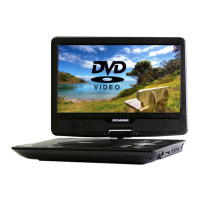
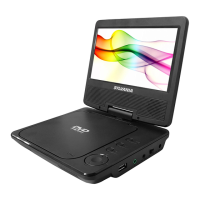
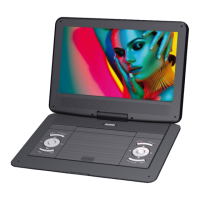
Sylvania SDVD1332-B CP2 - User Manual

Sylvania SDVD1332-B CP2
18 pages
Print Icon
To Next Page IconTo Next Page
Loading...
130*185mm
70g
Question and Answer IconNeed help?

Do you have a question about the Sylvania SDVD1332-B CP2 and is the answer not in the manual?

Summary

IMPORTANT SAFETY INSTRUCTIONS

PRECAUTIONS AND WARNINGS

Placement and Environment

Safety advice for unit placement and environmental conditions.

Installation and General Caution

Instructions for installation, general usage warnings, spills, and ventilation.

Disassembly and Cleaning

Advises against disassembling and provides cleaning guidelines.

Disc Handling and Notes

FRONT;REAR PANEL

REMOTE CONTROL

PANEL KEYS

Panel Key Functions

Explains the common functions of buttons located directly on the device.

Battery Installation and Replacement

Step-by-step guide for installing and replacing batteries in the remote or unit.

KEY FUNCTIONS

GENERAL SETUP

Charging the Unit

Instructions on how to charge the unit's battery and indicator lights.

Battery Usage and Maintenance

Guidelines for the proper usage and maintenance of the unit's rechargeable battery.

Connecting to TV

Describes how to connect the DVD player to a television using an AV cable.

Menu Operation Guide

Step-by-step guide for navigating and using the device's setup menus.

General Setup Page Options

VIDEO SETUP

SYSTEM SETUP AND PREFERENCES

Preference Setup

Settings for TV type, audio, subtitle, and disc menu language preferences.

Parental Controls and Password

Settings for movie ratings, parental lock, and password management.

Default Settings

Resets most settings to factory defaults, excluding password and parental controls.

PLAYBACK OPERATIONS

Loading and Playing a Disc

Steps for inserting a disc and starting playback on the unit.

MP3;MPEG4 Disc Playback

Specific playback instructions for MP3 and MPEG4 discs.

U DRIVE & SD;MMC CARD PLAYBACK

SPECIFICATIONS

TROUBLESHOOTING

WARRANTY EXCLUSIONS

90 DAY WARRANTY

Summary

IMPORTANT SAFETY INSTRUCTIONS

PRECAUTIONS AND WARNINGS

Placement and Environment

Safety advice for unit placement and environmental conditions.

Installation and General Caution

Instructions for installation, general usage warnings, spills, and ventilation.

Disassembly and Cleaning

Advises against disassembling and provides cleaning guidelines.

Disc Handling and Notes

FRONT;REAR PANEL

REMOTE CONTROL

PANEL KEYS

Panel Key Functions

Explains the common functions of buttons located directly on the device.

Battery Installation and Replacement

Step-by-step guide for installing and replacing batteries in the remote or unit.

KEY FUNCTIONS

GENERAL SETUP

Charging the Unit

Instructions on how to charge the unit's battery and indicator lights.

Battery Usage and Maintenance

Guidelines for the proper usage and maintenance of the unit's rechargeable battery.

Connecting to TV

Describes how to connect the DVD player to a television using an AV cable.

Menu Operation Guide

Step-by-step guide for navigating and using the device's setup menus.

General Setup Page Options

VIDEO SETUP

SYSTEM SETUP AND PREFERENCES

Preference Setup

Settings for TV type, audio, subtitle, and disc menu language preferences.

Parental Controls and Password

Settings for movie ratings, parental lock, and password management.

Default Settings

Resets most settings to factory defaults, excluding password and parental controls.

PLAYBACK OPERATIONS

Loading and Playing a Disc

Steps for inserting a disc and starting playback on the unit.

MP3;MPEG4 Disc Playback

Specific playback instructions for MP3 and MPEG4 discs.

U DRIVE & SD;MMC CARD PLAYBACK

SPECIFICATIONS

TROUBLESHOOTING

WARRANTY EXCLUSIONS

90 DAY WARRANTY

Sylvania SDVD1332-B CP2 Specifications

General IconGeneral
Screen Size13.3 inches
Region CodeRegion 1
Built-in SpeakersYes
Car AdapterIncluded
AC AdapterIncluded
Remote ControlIncluded
Playable FormatsDVD, CD, JPEG, MP3
Audio Output3.5mm headphone jack
ConnectivityUSB port
FeaturesSwivel screen
Video OutputAV output

Related product manuals