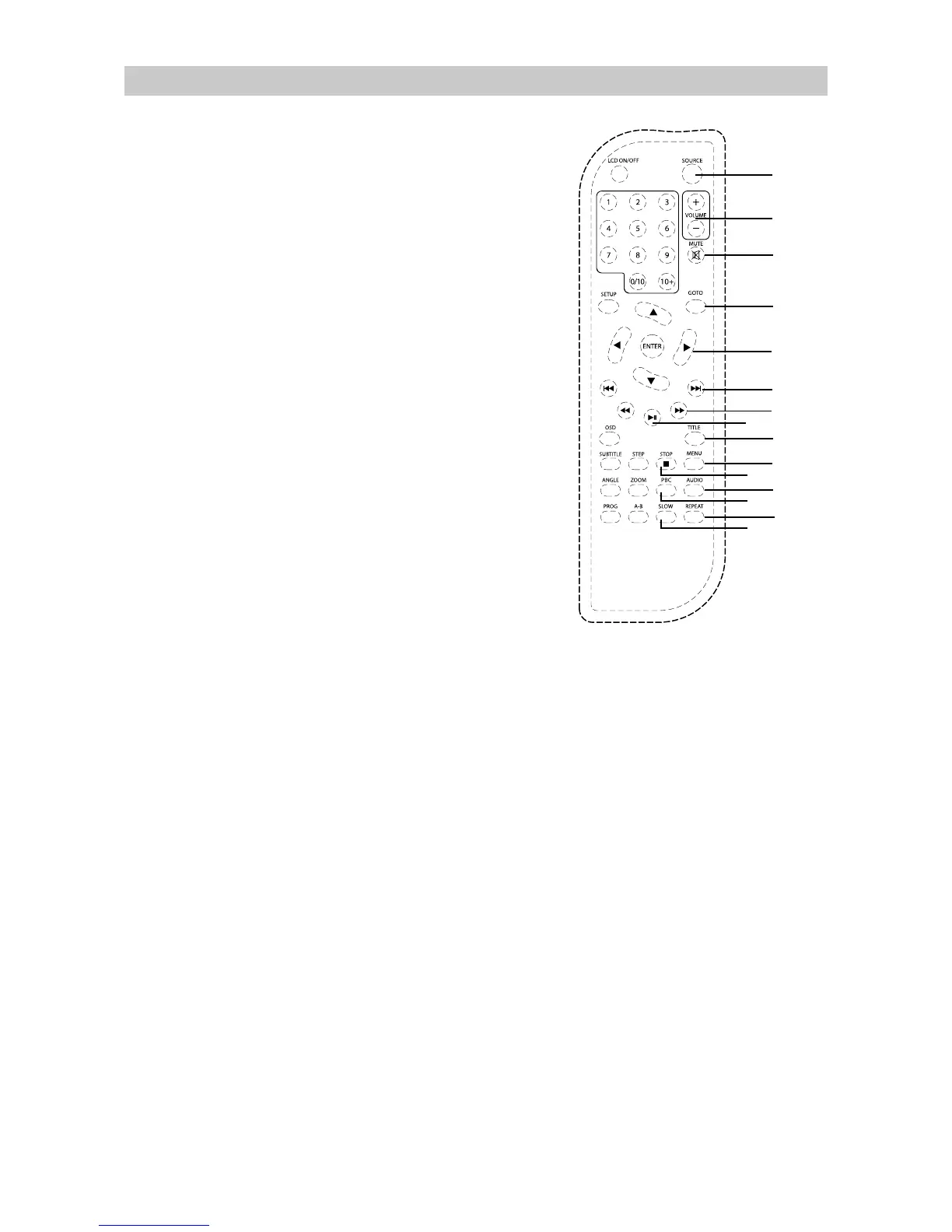
Remote Control
1
2
3
4
5
6
7
8
9
10
11
12
13
14
15
1. SOURCE Button
2. VOLUME +/– Buttons
Press to increase or decrease volume.
3. MUTE Button
Press to mute or restore the sound output.
7RVNLSGLUHFWO\WRDVSHFLILFWLPHWLWOH
FKDSWHUWUDFNLQWKHGLVF
3UHVVWRQDYLJDWHDQGPDNHVHOHFWLRQVRQ
RQVFUHHQPHQXV
ŸźŻŹ%XWWRQV
4. GOTO Button
5
Press to perform fast forward
SOD\EDFN
3UHVVWRVWDUWRUSDXVHWKHSOD\EDFN
ŻŻ
7. F.FWD Button
3UHVVWRVNLSWRWKH SWHU
WUDFN
ǿŻŻ
6. NEXT Buttons
QH[WWLWOHFKD
8. TITLE Button
Press to go to DVD title menu.
9. MENU Button
Press to display the DVD chapter menu.
10. AUDIO Button
Press to change the audio output.
Press to select different repeat modes.
3/$<3$86(ŹOO%XWWRQ
11. REPEAT Button
12.
13. ( Ŷ6723%XWWRQ
3UHVVWRVWRSWKHSOD\EDFN
14. PBC Button
Press to display the VCD disc menu.
15. SLOW Button
at different speed.
3UHVVUHSHDWHGO\WRHQWHUVORZSOD\EDFN
Press to select DVD/USB/ Memory Card as
sources.
8




 To Next Page