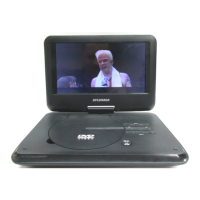
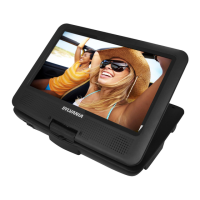
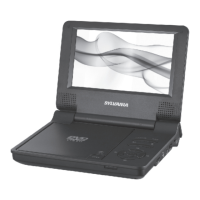
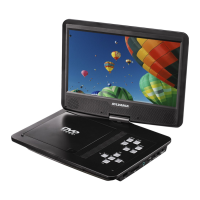
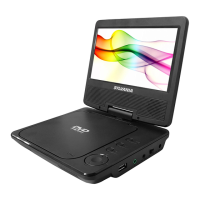
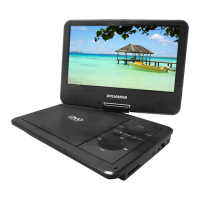
This document describes the Sylvania 9" Swivel Screen Portable DVD Player, model SDVD9321-C. It is a compact, lightweight, and portable electronic device designed for entertainment at home, in the office, or during travel.
Function Description:
The Sylvania portable DVD player is primarily designed for playing various media formats, including DVD, VCD, MPEG4, CD, MP3, CD-R, DVD-RW, and JPEG. It features a high-definition TFT LED screen that can swivel, offering flexible viewing angles. The device supports standard playback controls such as play, pause, fast forward, and fast rewind. It also offers two optional aspect ratios, 16:9 and 4:3, to accommodate different viewing preferences and display types. The unit includes a headphone jack for private listening, a USB port, and an SD/MMC card slot, allowing users to play media from external storage devices. It operates on a DC 9V working voltage and is powered by a rechargeable lithium-polymer battery, which provides up to two hours of playback on a full charge. The device can also be connected to a TV via an AV cable to enjoy high-quality music and movies on a larger screen.
Usage Features:
The player is designed for ease of use with both on-unit panel keys and a remote control.
- Power Management: The unit can be switched on/off using the power switch. It is powered by a lithium-polymer battery that takes approximately six hours to fully charge. A charging indicator LED changes from red to green when the battery is fully charged. It is recommended to switch off the unit before charging.
- Media Playback: To play a disc, users push the "OPEN" button, place the disc with the label side facing up, and then close the disc tray. The unit will automatically load and begin playing. For MP3/MPEG4 discs, a menu displaying the contents will appear, allowing users to select files or folders using direction keys and the "OK" button.
- Input Source Selection: The "USB/CARD" button allows users to repeatedly switch between Disc, SD card, and USB source inputs. Similarly, the "DVD/AV IN" button switches between DVD and AV input modes.
- Navigation and Control:
- Panel Keys: Common functions on the unit's panel include "Menu" (to return to the root menu), "Stop" (to suspend broadcast), "Play/Pause" (to toggle playback), "Setup" (to enter system menu), "USB/CARD" (to switch input source), "Direction Keys" (for previous/next/fast forward/fast rewind), "OK" (to enter selections), and "Open" (to open the disc door).
- Remote Control: The remote control offers additional functionalities. Digit keys (0-9) can be used to input numbers or select tracks/chapters. "ENTER" confirms selections. Direction keys move the highlight in menus. "Skip" buttons navigate to previous/next chapters/tracks. "Play" starts or resumes playback. "Pause" temporarily pauses playback. "Stop" pauses playback once and resets the disc to the starting point if pressed twice. "Fast Forward" and "Fast Reverse" allow scanning at various speeds (2x, 4x, 8x, 16x, 32x, and normal speed).
- Audio and Video Adjustments:
- Volume: "VOLUME+/-" buttons adjust the sound level.
- Audio Language: The "AUDIO" button repeatedly selects available audio languages for DVDs or audio channels for VCDs.
- OSD (On-Screen Display): The "OSD" button switches or hides disc information.
- Zoom: The "ZOOM" button allows users to zoom in on scenes at 2x, 3x, or 4x ratios. Direction keys can move the zooming center.
- Virtual Remote Control: During playback, pressing and holding the "SETUP" button opens a virtual remote control on the screen, offering options like "Search" (to select specific program figures), "OSD" (to show playback information), "Angle" (to switch camera angles on compatible discs), "Zoom" (to zoom in/out), "Step" (step-by-step video playback), and "Slow" (slow forward mode at various speeds).
- System Setup: The "SETUP" menu, accessible via the remote or unit, allows users to configure various settings:
- General Setup Page: Includes "TV DISPLAY" (4:3 PanScan, 4:3 Letterbox, 16:9 Wide), "OSD LANGUAGE" (to set on-screen display language), and "LAST MEMORY" (to enable/disable resuming playback from the last stopped point).
- Video Setup Page: Used to adjust picture quality, including "SHARPNESS" (High, Medium, Low) and "BRIGHTNESS."
- Preference Setup: Available when no disc is playing. Includes "PBC (Play Back Control)" (to activate/deactivate playback control for VCD 2.0/SVCD discs), and settings for preferred "AUDIO, SUBTITLE and DISC MENU" languages.
- Parental Control: Allows setting a maximum rating for movies, requiring a password (default: six times "MENU") for higher-rated content.
- Password Setup Page: Enables switching the password function ON/OFF and resetting the password (default: six times "MENU").
- Automatic Standby: If the unit is left without a disc playing for about 30 minutes, it will automatically enter "STANDBY" mode. Pressing "PLAY/PAUSE" will resume operation.
Maintenance Features:
The manual provides important safety and maintenance guidelines to ensure the longevity and safe operation of the device.
- Placement: The unit should be kept away from direct sunlight, strong magnets, heat sources, excessive dust, and unstable surfaces. It should not be exposed to rain or moisture, and liquids or foodstuffs should not be spilled on it. Proper ventilation is crucial; slots and openings should not be blocked.
- Cleaning: Before cleaning, the unit must be unplugged from the power source. Chemical or aerosol cleaners should not be used. A soft cloth lightly dampened with water should be used to clean the exterior, and it should be immediately wiped dry.
- Disc Handling: Discs should be stored in their cases when not in use to prevent warping. Avoid touching the disc surface; handle by the edges. Keep discs clean from fingerprints, dust, and dirt, as these can distort picture and sound quality. Do not stick paper or tape on discs, or write on them with markers. Clean discs with a soft cloth, wiping from the center outwards. Solvents, commercially available cleaners not intended for CDs, or anti-static sprays for vinyl LPs should not be used.
- Battery Care: The rechargeable battery operates best between 0°C and 45°C. The unit should be unplugged when not in use unless charging. Heat generation during playback is normal, but the unit should be switched off and allowed to cool down if it becomes excessively hot. Avoid banging the battery and keep it away from heat and moisture.
- Troubleshooting: The manual includes a troubleshooting chart to help users diagnose and resolve common issues such as no sound, distorted picture, inability to advance through a movie, or issues with USB/memory card playback. It advises checking connections, trying another disc, and understanding that some disc features may be restricted by software. For complex issues, users are directed to an authorized service center.
- Safety: Users are warned against disassembling the unit due to the risk of electric shock and laser exposure. All servicing and maintenance should be referred to an authorized service center. Replacement parts should be specified by the manufacturer to avoid hazards. Safety checks should be performed by a technician after any service or repair. Overloading wall outlets or extension cords should be avoided. The AC/DC adapter serves as the disconnect device and should remain readily operable and completely disconnected from the mains for full power input disconnection.

 Need help?
 General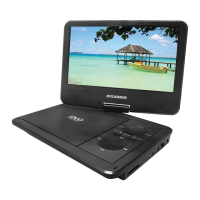



 To Next Page