Page 4 of 6
Bluetooth
Bluetooth
Bluetooth
Bluetooth Speaker
Speaker
Speaker
Speaker Instruction
Instruction
Instruction
Instruction Manual
Manual
Manual
Manual
Package
Package
Package
Package &
&
&
& accessories
accessories
accessories
accessories
Blister
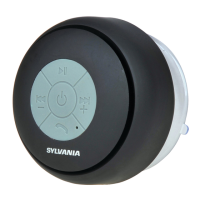
Bluetooth Speaker
USB cable
A udio cable
Instruction manual
Warranty card
Operation
Operation
Operation
Operation Instructions
Instructions
Instructions
Instructions
1. Turn on ON/OFF switch to AUX-in, the green indicator light on, and
the speaker is in the AUX-in function. Turn the switch to BT (Bluetooth)
position, and speaker will have a response ring, the blue indicator
light flash and the green indicator also light on , Bluetooth function is
available .
2. When connect to the USB DC in or adaptor, red indicator light on,
charge mode work. The speaker can be charged when it
’
s in ON or OFF
status .(We suggest to turn off speaker when charge it.)
3. The Bluetooth speaker will turn into snooze mode after 5 m inutes
unused(means do not connect with bluetooth and User can setting
time), and speaker will have a continuous warning tone. Turn on the
ON/OFF switch again, and the speaker will turn into the normal
working mode.
Below operations are available only under Bluetooth mode:
4. Short press “ + “ , volum e up; Short press ” - “ , volum e down.
5. Short press “ ” for previous song; Short press “ ” for next song.
6. In the play mode, short press “ ” is pause/play function; When
phone call comes, there is response ring,short press “ ” to answer
phone with hands free; When phone call comes,long press “ ” to
reject calling. In the phone mode, press “ ” to hang up the phone


 To Next Page