STEP 3
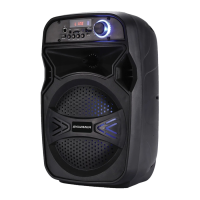
When the "Sylvania SPA125" appears on your devices, tap to connect it. It will show" Connected"
on your device after connected successfully.
Depending on which device you are trying to connect the speaker to, it may be necessary to enter
a passcode. Enter passcode "0000" if prompted by the device.
STEP 1
Press the mode button on front panel to launch the bluetooth application.Then you will see that
‘bluetooth’ logo show on the screen.
STEP 2
Slide the ‘bluetooth’ switch to ‘on’.Your others devices with bluetooth function,like smart phone
,computer or others,then it automatically begins scanning for nearby bluetooth devices.
STEP 4
Tap the entry for bluetooth accessory when it is detected by the smart phone or computer and
displayed on the screen.Then it can use bluetooth to operate in conjunction with accessory.
BLUETOOTH FUNCTION DECLARATION
TECHNICAL SPECIFICATIONS
Bluetooth version: 4.2
Frequency range: 2.4-2.48Ghz
Working distance: up to 15 meters in open space
Supporting: USB/TF card play
FM Radio: frequency 87.5 ~1080MHz
Remote Control: up to 5 meters in open Space
LED light with on/of Switch
Output power: 30W
Distortion: ≤ 10%
Frequency response: 180Hz – 20Khz
Microphone sensitivity: -55dBV~-58dbv
Battery playing time over 2 hours( depands on the output power)
Input jack: Aux input ,wired microphone input
Charging input power: DC 5V (Adapter)
Charging time: 6 to 7 hours
CHARGING INDICATOR
Full: when full-charging the led light will be in green color
Charging time : 6 to 7 hours
Battery playing time over 2 hours( depands on the output power)
Charging: the led light will be in red color
< 3 >


 To Next Page