OPERATIONS (continued)
IU[lllll t|t LID] IL_I&_ I _1
|1_11; IIIL"I | i III
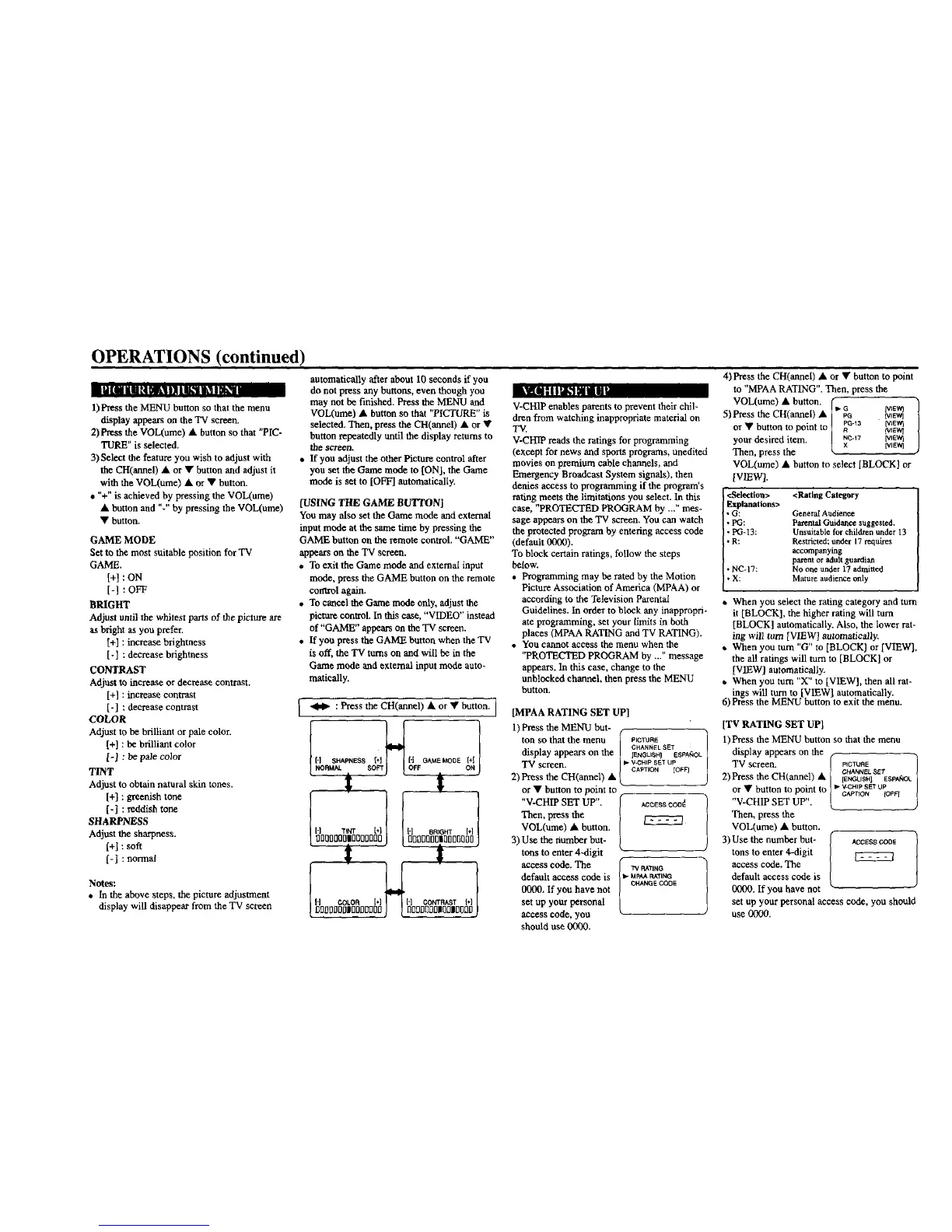
1) Press the MENU button so that the menu
displayappears on the TV screen.
2) Press the VOL(ume) • button so that "PIC-
TURE" is selected.
3) Select the feature you wish to adjust with
the CH(aunel) • or • button and adjust it
with the VOL(ume) • or • button.
• "+" is achieved by pressing the VOL(ume)
• button and %" by pressing the VOL(ume)
• button.
GAME MODE
Set to the most suitable position for TV
GAME.
[+] : ON
[-] : OFF
BRIGHT
Adjust until the whitest parts of the picture are
as bright as you prefer.
[+] : increase brightness
[-] ; decrease brightness
CONTRAST
Adjust to increase or decrease contrast.
[+] : increase contrast
[-] : decrease contrast
COLOR
Adjust to be brilliant or pale color.
[+] : be brilliant color
1-1 : be pale color
TINT
Adjust to obtain natural skin tones.
[+] : greenish tone
[-[ : reddish tone
SHARPNESS
Adjust the sharpness.
[+[ : soft
[-1 : normal
Notes:
• In the above steps, the picture adjustment
display will disappear from the TV screen
automatically after about 10 seconds if you
do not press any buttons, even though you
may not be finished. Press the MENU and
VOL(ume) • button so that "PICTURE" is
selected. Then, press the CH(annel) • or •
button repeatedly until the display returns to
thescreen,
If you adjust the otherPicture control after
you set theGame mode to [ON[, the Game
mode is set to [OFF] automatically.
[USING THE GAME BUTTON]
You may also set the Game mode and external
input mode at the same time by pressing the
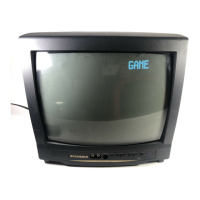
GAME button on the remote control. "GAME"
appears on the TV screen.
• To exit the Game mode and external input
mode, press the GAME button on the remote
cotttrol again.
• To cancel the Game mode only, adjust the
picture control. In this case, "VIDEO" instead
of"GAME" appears on the TV screen.
• If you press the GAME button when the TV
is off, the TV turns on and will be in the
Game mode and external input mode auto-
rustically.
._ : Press the CH(annel) • or • button. ]
V-CHIP enables parents to prevent their chil-
dren from watching inappropriate material on
TV.
V-CHIP reads the ratings for programming
(except for news and sports programs, uneditod
movies on premium cable channels, and
Emergency Broadcast System signals), then
denies access to programming if the program's
rating meets the limitations you select. In this
case, "PROTECTED PROGRAM by ..?' mes-
sage appears on the TV screen. You can watch
the protected program by entering access code
(default 0000).
To block certain ratings, follow the steps
below.
• Programming may be rated by the Motion
Picture Association of America (MPAA) or
according to the Television Parental
Guidelines. In order to block any inappropri-
ate programming, set your limits in both
places (MPAA RATING and TV RATING).
• You cannot access the menu when the
"PROTECTED PROGRAM by ..." message
appears. In this case, change to the
unblocked channel, then press the MENU
button.
[MPAA RATING SET UP]
i
4) Press the CH(annei) • or • button to point
to "MPAA RATING". Then, press the
VOL(ume) • button. (
5)Press the CH(annel) • [1"Go tVIEW]IVtEW)
J
or • button to point to | _o-_a _'I_VllVlEW_
your desired item. l _c-17 rvl_,_
Then, press the [v_Ewl
VOL(ume) • button to select [BLOCK] or
[VIEW[.
<Selection>
Explanations>
*G:
• PG:
• PG-13:
• R:
• NC-17:
•X;
<Rating Category
GeneralAudience
ParentalOuidance suggested.
Unsuitableforchildrenunder 13
Restricted;under17 requires
accompanying
parentoradultguardian
No one under 17 admitted
Mature audienceonly
• When you select the rating category and turn
it [BLOCK], the higher rating will turn
[BLOCK] automatically. Also, the lower rat-
ing will tom [VIEW[ automatically.
• When you turn "G" to [BLOCK] or [VIEW[,
the all ratings will turn to [BLOCK] or
[VIEW[ automatically.
• When you turn "X" to [VIEW[, then all rat-
ings will turn to [VIEW[ automatically.
6) Press the MENU button to exit the menu.
t t
J
1-1 Ttm bl { [-I aRIGHT [*]
%(]l]00I]lnI300nfl0 J nt]i]I]Qnl]l[_nilt00 O
t ,
ON
1) Pressthe MENU but-
ton so that the menu
display appears on the
TV screen.
2) Press the CH(annel
or • button to point to
"V-CHIP SET UP".
Then, press the
VOL(umc) • button.
3) Use the number but-
tons to enter 4-digit
access code. The
default access code is
0000. If you have not
set up your personal
access code, you
should use 0000.
PICTURE
CHANNEL SET
IENGLISH] ESPA_OL
• V.CHIP SET Up
CAPTION [OFF']
ACCESS_CODd l
TV RATING 1
CHANGE _JIOE
[TV RATING SET UP[
1)Press the MENU button so that the menu
display appears on the
TV screen. _" pICTUAE 1
2) Press the CH(armel) A [ ,C_U_NSaULISE_Sp_KX/
or • button to point to ]" vkc_,_ u_oFO ]
"V-CHIP SET UP". ( j
Then, press the
VOL(ume) • button.
/.
3) Use the number but- J at,tESS coDE
tons to enter 4--digit l
access code. The
default access code is
0000, If you have not
set up your personal access code, you should
use (_0.


 To Next Page
 Loading...