EasyManua.ls Logo

Sylvania SRTD413 - User Manual

Sylvania SRTD413
40 pages
Print Icon
To Next Page IconTo Next Page
Loading...
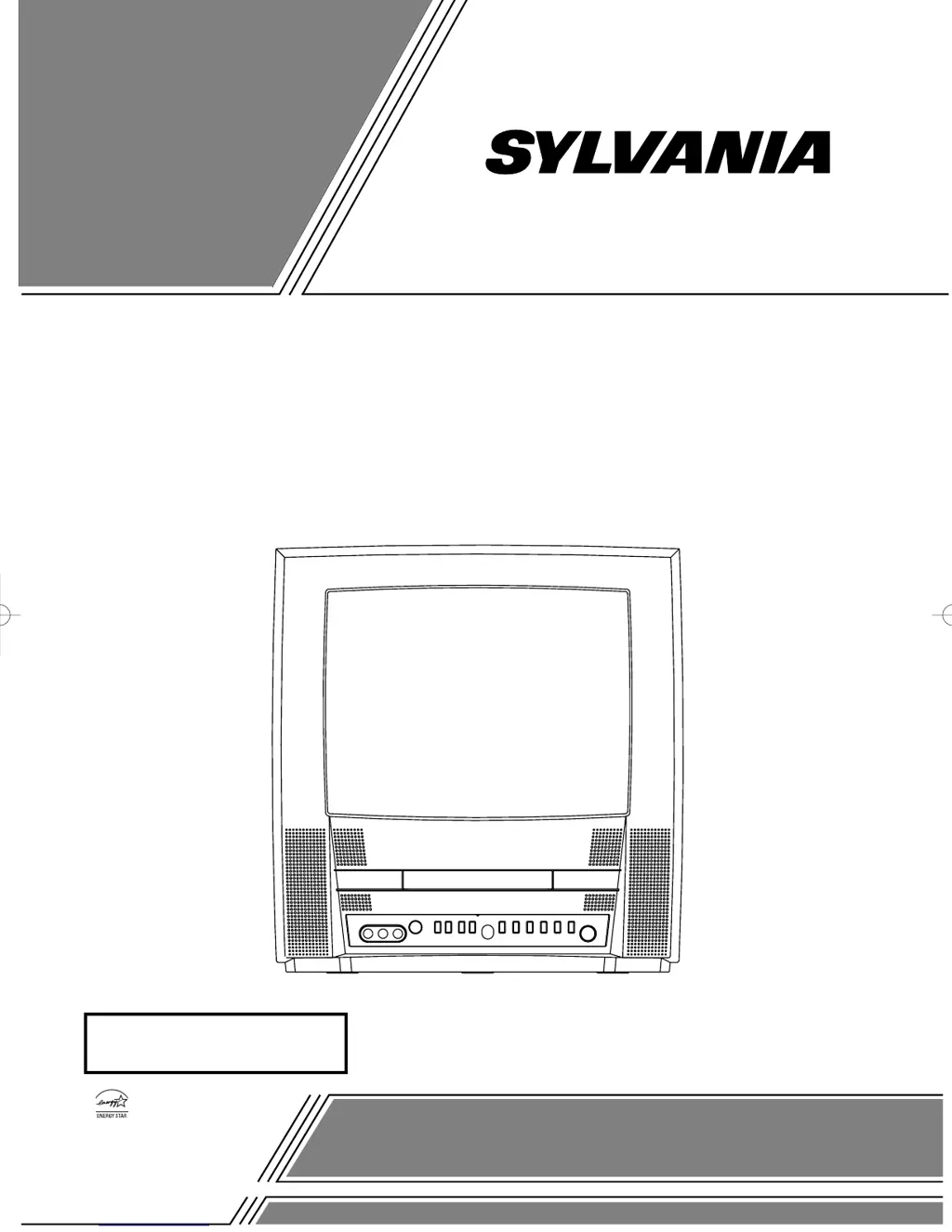
COLOR TV/DVD
SRTD413 (13 inch)
OWNER’S
MANUAL
As an ENERGY STAR
Partner, our company has
determined that this product meets
the E
NERGY STAR guidelines for
energy efficiency. E
NERGY STAR
is a U.S. registered mark.
®
®
®
INSTRUCCIONES
EN ESPAÑOL INCLUIDAS.
If you need additional operating assistance after reading this owner’s
manual, please call
TOLL FREE : 1-800-968-3429.
Please read before using this equipment
T8055UF(EN).qx3 04.6.29 7:10 PM Page 1

Table of Contents

Questions and Answers

Summary

Important Safeguards

General Safety Rules

Read and follow all safety and operating instructions for safe use.

Care and Maintenance Guidelines

Guidelines for cleaning, avoiding water, proper accessory use, and ensuring ventilation.

Power and Grounding Safety

Instructions on using correct power sources and proper grounding for electrical safety.

Cord and Lightning Protection

Advice on power cord routing, lightning protection, and surge prevention methods.

Environmental and Usage Hazards

Warnings about power lines, overloading, object entry, liquid spills, and heat sources.

Servicing and Damage Procedures

Procedures for handling damage, when to seek service, and safety checks.

Precautions and Warnings

Important Safety and Compliance Information

Covers copyright, FCC/ICES warnings, and laser safety precautions for device operation.

Radio-TV Interference Handling

Explains how to resolve potential interference with radio or television reception.

Environmental Considerations

Notes on recycling packaging materials and proper battery disposal.

Unit Location Guidelines

Electrical Shock and Fire Hazards

Manual Symbols and Warnings

Included Accessories

Product Features

TV Mode Capabilities

Details features like 181-channel tuner, remote control, multilingual menu, sleep timer, closed caption, auto shut-off, and V-CHIP.

DVD Mode Capabilities

Outlines DVD playback features like Dolby Digital, various playback modes, disc menus, screen saver, subtitles, camera angles, audio/subtitle selection, parental lock, disc detection, on-screen display, search, repeat, resume, and virtual surround.

Controls and Functions Overview

Front Panel Controls

Identifies and describes the buttons and ports on the TV/DVD's front panel.

Remote Control Functions

Details the operation of each button on the remote control, referencing page numbers for more info.

Rear Panel Connections and Ports

Installing Remote Control Batteries

Preparation for Use

Antenna and Cable Connections

Guides on connecting antennas and cable systems, including different setup types and viewing scrambled channels.

Connecting External Audio;Video Sources

Connecting to Dolby Digital Amplifier

TV Section Setup

Selecting the Display Language

Guides on how to choose the language for the TV's on-screen menus and settings.

Channel Setup and Programming

Instructions for setting up TV channels, including auto-programming and preset scanning.

TV Channel Management

TV Operation

Watching TV Programs

Basic steps for turning on the TV, selecting channels, and adjusting volume.

Picture Adjustment

Guides on how to adjust picture settings like brightness, contrast, color, tint, and sharpness.

Degaussing Procedure

Explains how to correct color issues using the degaussing circuit.

Sleep Timer Function

Closed Caption System

V-Chip Parental Control Setup

TV Rating Setup

Guides on setting TV ratings, understanding categories, and selecting sub-ratings.

MPAA Rating Setup

Changing Access Code

DVD Section

Disc Compatibility Information

Details playable disc types (DVD, CD, MP3) and discs that cannot be played.

Playing a Disc

Basic Playback and Navigation

Covers starting, stopping, basic controls, and using disc/title menus for playback.

DVD Playback Controls

Resume and Pause Functions

Explains how to use the resume and pause features for disc playback.

Search and Slow Motion

Details fast/reverse search, step-by-step playback, and slow forward/reverse motion controls.

Search Functions

Track and Time Search

Guides on searching for specific tracks on audio CDs/MP3s and specific times on DVDs/CDs.

Title;Chapter and Marker Search

Explains how to search for DVD titles/chapters and set/recall playback markers.

Special Playback Functions

Repeat Playback Options

Details various repeat modes: Title/Chapter, Track/All, and A-B repeat.

Program and Random Playback

Covers programming track order and shuffling tracks for random playback.

Playing MP3 Discs

MP3 Playback and Navigation

Guides on playing MP3 files, including folder/track selection and basic playback.

MP3 Program and Random Playback

Details how to program track order and play MP3s in random sequence.

Changing Settings

Language and Subtitle Settings

Covers selecting subtitle language, audio language, and disc menu language.

Picture and Sound Settings

Details adjustments for stereo sound mode, camera angle, black level, and virtual surround.

On-Screen Information Display

DVD Setup Items

DVD Language Settings

Provides instructions and a list for setting DVD language options for audio, subtitles, and menus.

DVD Display and Audio Settings

Parental Control and System Settings

Parental Control Setup

Guides on setting disc viewing restrictions and managing the access password.

System Initialization

Explains how to reset all setup options to their default settings.

Troubleshooting Guide

Closed Caption Troubleshooting

DVD Mode Troubleshooting

Maintenance and Care

Cleaning and Servicing

Instructions for cleaning the unit, when to seek servicing, and issues with the laser pickup.

Disc Handling and Storage

Guidelines for handling, cleaning, and storing discs to ensure proper playback.

Technical Specifications

Summary

Important Safeguards

General Safety Rules

Read and follow all safety and operating instructions for safe use.

Care and Maintenance Guidelines

Guidelines for cleaning, avoiding water, proper accessory use, and ensuring ventilation.

Power and Grounding Safety

Instructions on using correct power sources and proper grounding for electrical safety.

Cord and Lightning Protection

Advice on power cord routing, lightning protection, and surge prevention methods.

Environmental and Usage Hazards

Warnings about power lines, overloading, object entry, liquid spills, and heat sources.

Servicing and Damage Procedures

Procedures for handling damage, when to seek service, and safety checks.

Precautions and Warnings

Important Safety and Compliance Information

Covers copyright, FCC/ICES warnings, and laser safety precautions for device operation.

Radio-TV Interference Handling

Explains how to resolve potential interference with radio or television reception.

Environmental Considerations

Notes on recycling packaging materials and proper battery disposal.

Unit Location Guidelines

Electrical Shock and Fire Hazards

Manual Symbols and Warnings

Included Accessories

Product Features

TV Mode Capabilities

Details features like 181-channel tuner, remote control, multilingual menu, sleep timer, closed caption, auto shut-off, and V-CHIP.

DVD Mode Capabilities

Outlines DVD playback features like Dolby Digital, various playback modes, disc menus, screen saver, subtitles, camera angles, audio/subtitle selection, parental lock, disc detection, on-screen display, search, repeat, resume, and virtual surround.

Controls and Functions Overview

Front Panel Controls

Identifies and describes the buttons and ports on the TV/DVD's front panel.

Remote Control Functions

Details the operation of each button on the remote control, referencing page numbers for more info.

Rear Panel Connections and Ports

Installing Remote Control Batteries

Preparation for Use

Antenna and Cable Connections

Guides on connecting antennas and cable systems, including different setup types and viewing scrambled channels.

Connecting External Audio;Video Sources

Connecting to Dolby Digital Amplifier

TV Section Setup

Selecting the Display Language

Guides on how to choose the language for the TV's on-screen menus and settings.

Channel Setup and Programming

Instructions for setting up TV channels, including auto-programming and preset scanning.

TV Channel Management

TV Operation

Watching TV Programs

Basic steps for turning on the TV, selecting channels, and adjusting volume.

Picture Adjustment

Guides on how to adjust picture settings like brightness, contrast, color, tint, and sharpness.

Degaussing Procedure

Explains how to correct color issues using the degaussing circuit.

Sleep Timer Function

Closed Caption System

V-Chip Parental Control Setup

TV Rating Setup

Guides on setting TV ratings, understanding categories, and selecting sub-ratings.

MPAA Rating Setup

Changing Access Code

DVD Section

Disc Compatibility Information

Details playable disc types (DVD, CD, MP3) and discs that cannot be played.

Playing a Disc

Basic Playback and Navigation

Covers starting, stopping, basic controls, and using disc/title menus for playback.

DVD Playback Controls

Resume and Pause Functions

Explains how to use the resume and pause features for disc playback.

Search and Slow Motion

Details fast/reverse search, step-by-step playback, and slow forward/reverse motion controls.

Search Functions

Track and Time Search

Guides on searching for specific tracks on audio CDs/MP3s and specific times on DVDs/CDs.

Title;Chapter and Marker Search

Explains how to search for DVD titles/chapters and set/recall playback markers.

Special Playback Functions

Repeat Playback Options

Details various repeat modes: Title/Chapter, Track/All, and A-B repeat.

Program and Random Playback

Covers programming track order and shuffling tracks for random playback.

Playing MP3 Discs

MP3 Playback and Navigation

Guides on playing MP3 files, including folder/track selection and basic playback.

MP3 Program and Random Playback

Details how to program track order and play MP3s in random sequence.

Changing Settings

Language and Subtitle Settings

Covers selecting subtitle language, audio language, and disc menu language.

Picture and Sound Settings

Details adjustments for stereo sound mode, camera angle, black level, and virtual surround.

On-Screen Information Display

DVD Setup Items

DVD Language Settings

Provides instructions and a list for setting DVD language options for audio, subtitles, and menus.

DVD Display and Audio Settings

Parental Control and System Settings

Parental Control Setup

Guides on setting disc viewing restrictions and managing the access password.

System Initialization

Explains how to reset all setup options to their default settings.

Troubleshooting Guide

Closed Caption Troubleshooting

DVD Mode Troubleshooting

Maintenance and Care

Cleaning and Servicing

Instructions for cleaning the unit, when to seek servicing, and issues with the laser pickup.

Disc Handling and Storage

Guidelines for handling, cleaning, and storing discs to ensure proper playback.

Technical Specifications

Sylvania SRTD413 Specifications

General IconGeneral
BrandSylvania
ModelSRTD413
CategoryTV DVD Combo
LanguageEnglish

Related product manuals