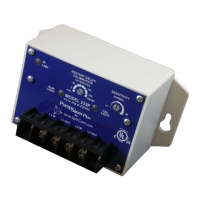
TROUBLESHOOTING
RUN LIGHT CAL. LIGHT PROBLEM or FUNCTION CORRECTIVE ACTION
On Steady Off
RUN:
Pump is running—or ready to
run—no problems in operation
If pump is not running, check for
loose wiring and ensure proper
function of pressure or float
Pump will restart as soon as the
RESTART DELAY/
CALIBRATION knob is rotated
out of the CAL. position.
Off Off
OFF / MANUAL RESTART:
The pump is not running. Either
the PumpSaver
®
Plus has tripped
on dry-run, dead-head, or
overcurrent while the RESTART
DELAY/ CALIBRATION knob
was in the RESET position or
source power is not present.
If knob is in the RESET position,
rotate out of RESET—If the CAL.
light blinks, check for an
overcurrent condition. If the RUN
light blinks, look for a dry-run or
dead-head condition. If no lights
come on, check incoming power
for adequate voltage.
Blinking Off
DRY RUN / DEAD HEAD:
The PumpSaver
®
Plus has shut
the pump off due to a dry run or
dead head condition. The unit is
timing through the restart delay
and will try to restart.
Check for restricted flow or
inadequate supply of liquid.
Off Blinking
OVERCURRENT:
The PumpSaver
®
Plus has shut
the pump off due to an
overcurrent condition. The unit is
timing through the restart delay
and will try to restart if line voltage
is at an acceptable level.
Check for low or high voltage or
jammed pump impellers. If these
conditions do not exist,
recalibrate the unit while it is
drawing higher current (amps
should not exceed SFA).
Blinking
alternately
with the
CAL. LIGHT
Blinking
alternately
with the
RUN LIGHT
VOLTAGE FAULT:
The PumpSaver
®
Plus is
preventing the pump from starting
due to voltage problems. The
voltage is being interrogated and
the unit will remain in this mode
until the voltage is at an


 To Next Page
 Loading...