EasyManua.ls Logo

SymCom PumpSaver Plus 233P-1.5 - User Manual

Default Icon
10 pages
Print Icon
To Next Page IconTo Next Page
Loading...
INSTALLATION
INSTRUCTIONS
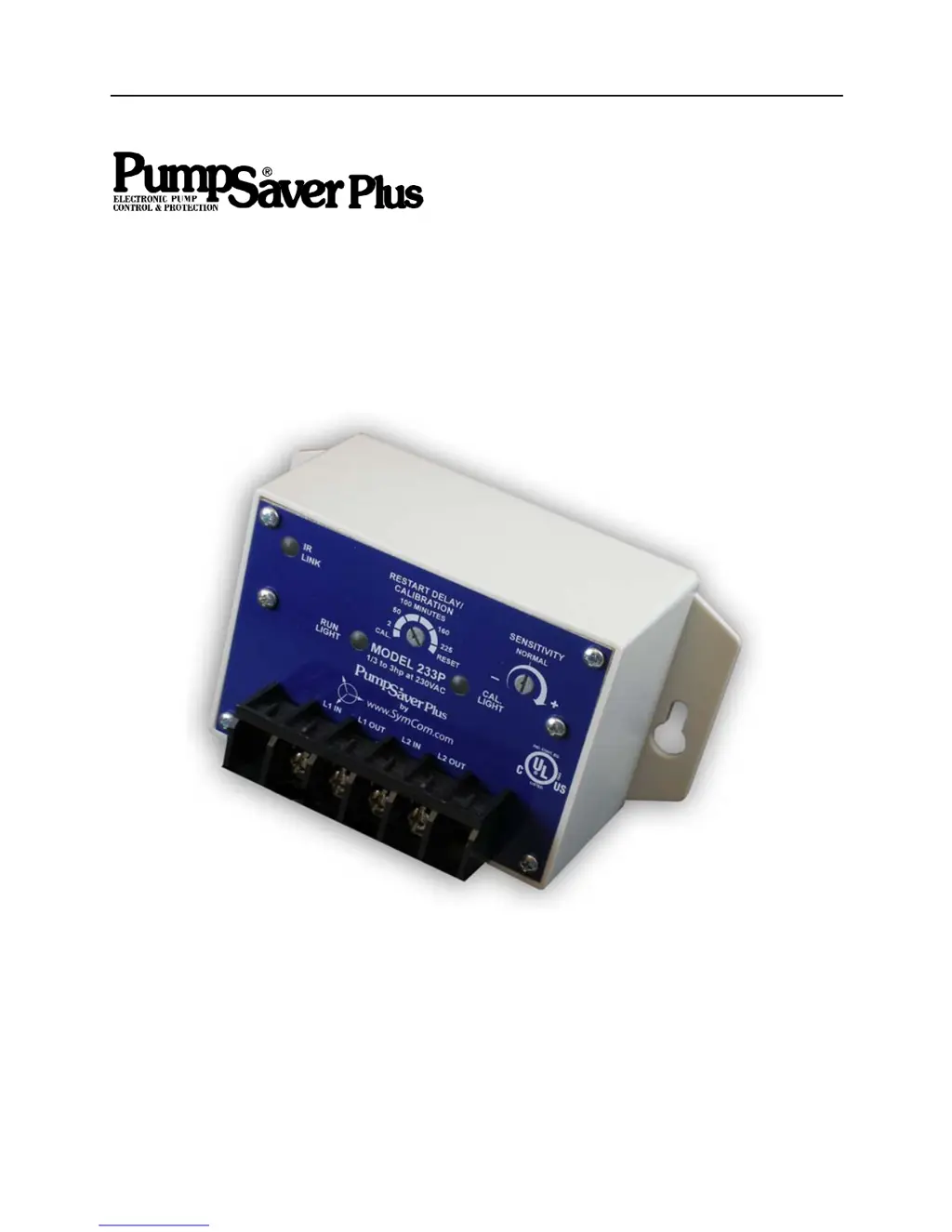
MODEL 233P/111P/233P-1.5
Revision B1
Rapid City, SD, USA, 07/2009
II-111-233-15P-B
Phone: 800.894.0412 - Fax: 888.723.4773 - Web: www.clrwtr.com - Email: info@clrwtr.com

Questions and Answers

  • J
    John MitchellAug 5, 2025
    What to do if SymCom PumpSaver Plus 233P-1.5 Control Unit PumpSaver®Plus shows OVERCURRENT?
    • G
      grayjohnAug 5, 2025
      If the SymCom Control Unit displays an OVERCURRENT message, it means the pump has shut off due to an overcurrent condition. The unit will automatically try to restart after a delay, assuming the line voltage is acceptable. You should check for low or high voltage, or jammed pump impellers. If these conditions aren't present, recalibrate the unit while it's drawing higher current, ensuring the amperage doesn't exceed the SFA.
  • B
    Brandon BarkerAug 9, 2025
    What to do if SymCom PumpSaver Plus 233P-1.5 PumpSaver®Plus displays DRY RUN / DEAD HEAD?
    • M
      Mr. Jeffrey RiceAug 9, 2025
      If your SymCom Control Unit displays a DRY RUN / DEAD HEAD error, it indicates the pump shut off because of a dry run or dead head condition. The unit is currently in a restart delay and will attempt to restart. You should check for any restricted flow or an inadequate supply of liquid to the pump.
  • W
    William CarrollAug 13, 2025
    Why SymCom PumpSaver Plus 233P-1.5 PumpSaver®Plus shows VOLTAGE FAULT?
    • K
      Kevin BarrettAug 13, 2025
      The SymCom Control Unit displaying a VOLTAGE FAULT indicates that the pump is not starting because of voltage issues. The unit is actively monitoring the voltage and will remain in this state until the voltage reaches an acceptable level. If the unit remains in this state for more than 5 seconds, you should check for high or low voltage.
  • W
    wmackAug 17, 2025
    What to do if SymCom PumpSaver Plus 233P-1.5 is OFF / MANUAL RESTART?
    • S
      Sherri WilliamsAug 17, 2025
      If the SymCom Control Unit displays OFF / MANUAL RESTART, the pump isn't running. This could be because the PumpSaver®Plus tripped due to a dry-run, dead-head, or overcurrent while the RESTART DELAY/ CALIBRATION knob was in the RESET position, or because source power is absent. If the knob is in the RESET position, rotate it out of RESET. If the CAL light blinks, check for an overcurrent condition. If the RUN light blinks, look for a dry-run or dead-head condition. If no lights come on, check incoming power for adequate voltage.
  • W
    warddianaAug 22, 2025
    How to fix RAPID CYCLE error on SymCom PumpSaver Plus 233P-1.5 PumpSaver®Plus?
    • M
      Monica EstradaAug 22, 2025
      If the SymCom Control Unit PumpSaver®Plus has shut down due to rapid cycling, you need to remove and reapply power to reset the unit. Then, check for a broken bladder in the pressure tank (if one is used) or a defective pressure or float switch.
  • J
    jose52Aug 26, 2025
    What does RUN status mean on SymCom Control Unit?
    • J
      Javier StewartAug 26, 2025
      The RUN status on the SymCom Control Unit indicates that the pump is running or ready to run, and there are no operational problems. If the pump is not running, check for loose wiring and ensure proper function of pressure or float switches.
  • A
    ashleygomezAug 30, 2025
    What does CAL COMPLETE mean on SymCom PumpSaver Plus 233P-1.5 and how to restart pump?
    • J
      jeffrey23Aug 30, 2025
      The CAL COMPLETE status on the SymCom Control Unit means the unit has finished calibration, but the RESTART DELAY/ CALIBRATION knob was left in the CAL position, causing the pump to remain off. The pump will restart as soon as the RESTART DELAY/ CALIBRATION knob is rotated out of the CAL position.

Summary

PumpSaver Plus Operation and Settings

Calibration Procedure

Details the process for calibrating the PumpSaver Plus under normal pumping conditions.

Calibrating While Pumping

Describes an alternative calibration method performed while the pump is running.

Sensitivity Adjustment

Explains how to adjust the underload trip sensitivity of the device for protection.

Reset Mode and Restart Delay

Details how to use the reset mode and manage restart delays for pump protection.

Run Hours and Fault History Management

Clearing Run Hours and Fault History

Step-by-step instructions for resetting the recorded pump run hours and fault history.

Rapid Cycling Protection

Rapid Cycling (Line Side; Upstream)

Explains detection and reset for rapid cycling originating from the line side.

Enabling Line Side Rapid-Cycle Protection

Procedure to enable protection for rapid cycling on the control device's line side.

Rapid Cycling (Load Side; Downstream)

Describes immediate lock-out for rapid cycling originating from the load side.

Troubleshooting PumpSaver Plus

Run Light and Cal Light Status Interpretation

Guides on understanding device status based on RUN and CAL light combinations.

Problem Diagnosis and Corrective Actions

Lists common problems like no run, calibration issues, overcurrent, and dry run with solutions.

Physical Dimensions

Specifications Overview

Functional Specifications

Details adjustments, trip points, delay times, and restart parameters for the device.

Input and Output Characteristics

Covers supply voltage, load ranges, output contact ratings, and frequency.

General Characteristics

Includes operating temperature, power, wire gauge, torque, standards, and safety marks.

SymCom PumpSaver Plus 233P-1.5 Specifications

General IconGeneral
BrandSymCom
ModelPumpSaver Plus 233P-1.5
CategoryControl Unit
LanguageEnglish

Related product manuals