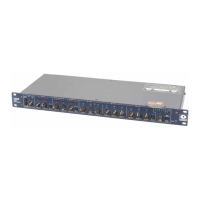
421m
14
Troubleshooting Chapter 8
No output signal:
Check cables and connections.
Determine that there really is a signal coming from the source and that it is getting to the 421m.
Verify cables by patching input and output connections together at the unit.
Check for AC power presence.
Check input by plugging headphones halfway into the sidechain jack and listening for input
signal (this verifies that the unit is receiving signal).
Check output by plugging headphones into output jack.
Check downward expander threshold setting; it may be too high for the current signal level.
Stuck in bypass mode:
Check setting of the STEREO LINK button. In single unit (mono) systems, on independently
operating units and on master units, the switch should be in the IN position.
No limiter action:
Check the threshold control setting. Signal levels may be too low. Don’t try to calibrate with
sine waves. Use speech or music.
Distortion:
Is the incoming signal already distorted? Listen up stream from the 421m (or manually place
the unit in BYPASS mode) to determine that you are feeding it a clean signal.
Buzz in the output:
Check input and output connector wiring.
Check for ground loops between interconnected system equipment.
Are all system components on the same AC ground?
Noise (hiss):
Check input signal levels and input level control settings. The input may be too low in level. If
so, boost the signal from your console or input source.
Is the input signal already noisy? Listen up stream from the 421m to determine if you are
feeding it a clean signal.
The 421m doesn’t power up or doesn’t respond properly:
Consult a qualified service technician or the Symetrix factory.
Note: Repeated fuse blowing is a sure sign of electronic distress. Unplug the unit and make
arrangements for repair.
Warning: The fuse is located internally and lethal voltages are present inside the chassis. The
fuse is not considered user-serviceable. If the fuse is blown, the 421m probably
needs repair.


 To Next Page